If you are going to hand an AI tool your code, you should know exactly where that code goes. Claude Code privacy comes down to a few simple questions: what is sent to Anthropic, how long it is kept, whether it trains models, and what stops Claude from doing something risky on your computer. This guide answers each one in plain English, using Anthropic’s official pages as the only source.
This is Part 49 of 53 in our Claude Code tutorials series. In the previous part we covered how to manage Claude Code costs; this part shows what happens to your data while you work.
Tested with Claude Code v2.1.310 on October 26, 2026, on macOS. This is a docs-based tutorial, so every screenshot is a highlighted capture of Anthropic’s official pages, taken that day. We tested on macOS; the Windows and Linux steps follow Anthropic’s official instructions.
Claude Code Privacy at a Glance
Here is the short version before we go deeper. The details depend on your plan, so each row says who it applies to.
| Question | Short answer | Applies to |
|---|---|---|
| Is my data used to train models? | Only if you allow it in your privacy settings | Free, Pro and Max accounts |
| Is my data used to train models? | No, unless your organization opts in to a program such as the Development Partner Program | Team, Enterprise, API |
| How long is data kept? | 30 days, or 5 years if you allow training | Free, Pro and Max accounts |
| How long is data kept? | 30 days by default; zero data retention for qualified Enterprise accounts | Team, Enterprise, API |
| Are transcripts stored on my computer? | Yes, in plaintext under ~/.claude/projects/ for 30 days by default | Everyone |
| Does Claude ask before risky actions? | Yes, in Manual mode it asks before edits, commands and most network requests | Everyone |
What Data Does Claude Code Send?
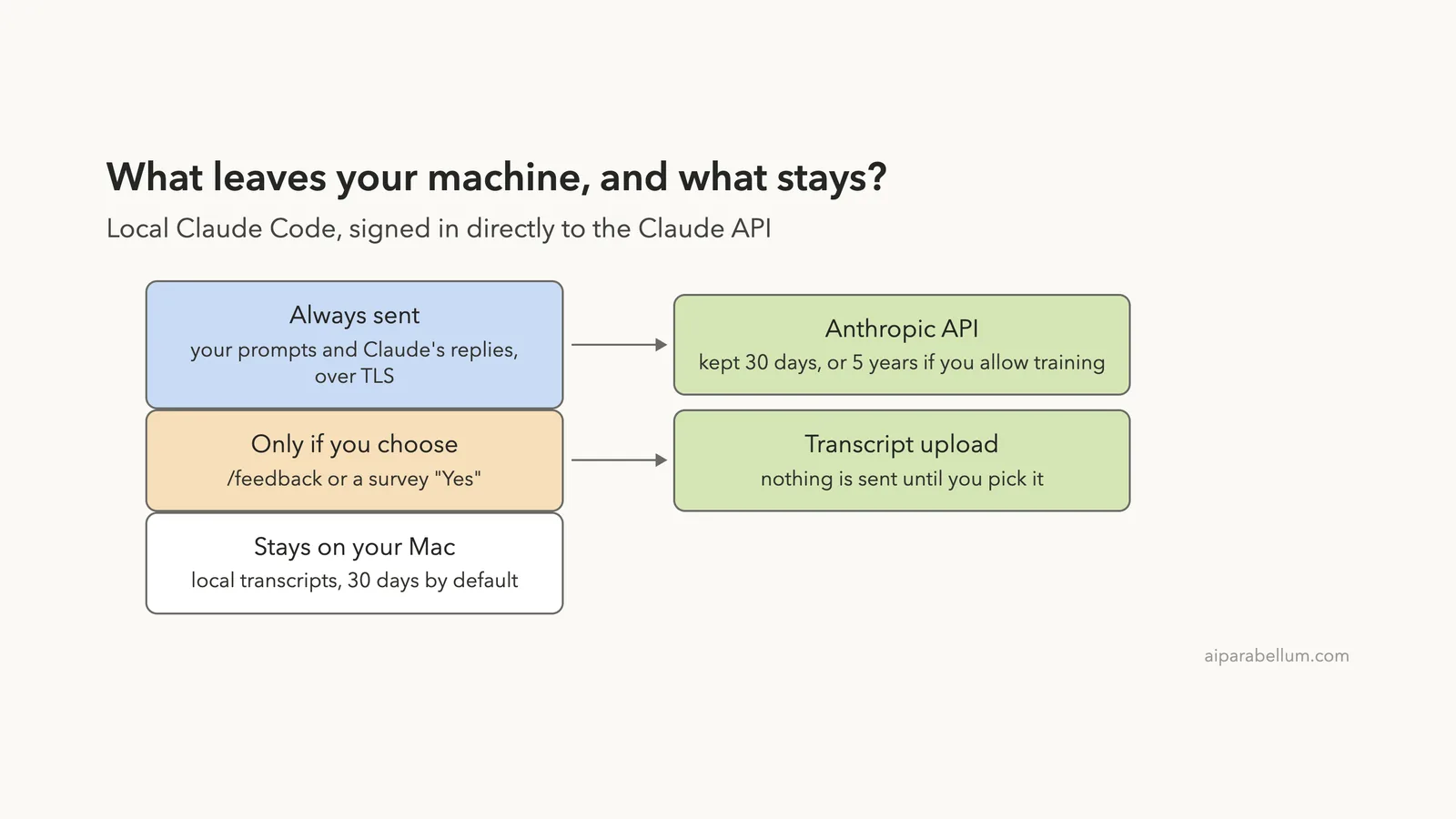
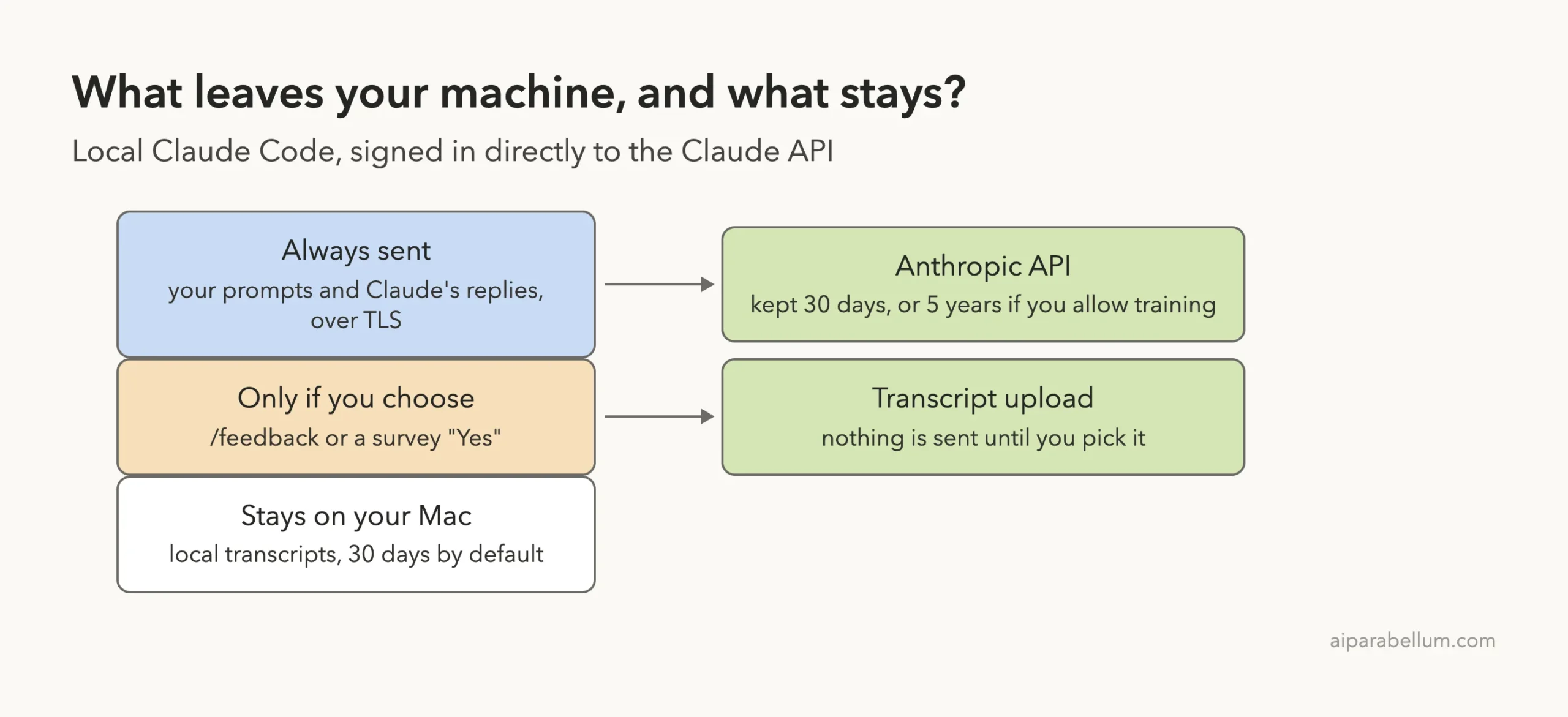
Claude Code runs on your computer, but the model runs on Anthropic’s servers. To get an answer, Claude Code sends your prompts and the model’s outputs over the network, encrypted in transit with TLS 1.2 or newer. That includes anything Claude reads from your files while it works, because that content becomes part of the conversation.
Encryption at rest depends on your model provider. With the Anthropic API, Anthropic describes infrastructure-level disk encryption (AES-256). Amazon Bedrock, Google Cloud’s Agent Platform and Microsoft Foundry each use their own encryption setups, which the official page lists in a table.
Does Claude Code Train on Your Code?
The answer depends on your account type: consumer plans choose, commercial plans are not trained on by default.
This is the question most people ask first, and the answer depends on the kind of account you use.
Free, Pro and Max accounts
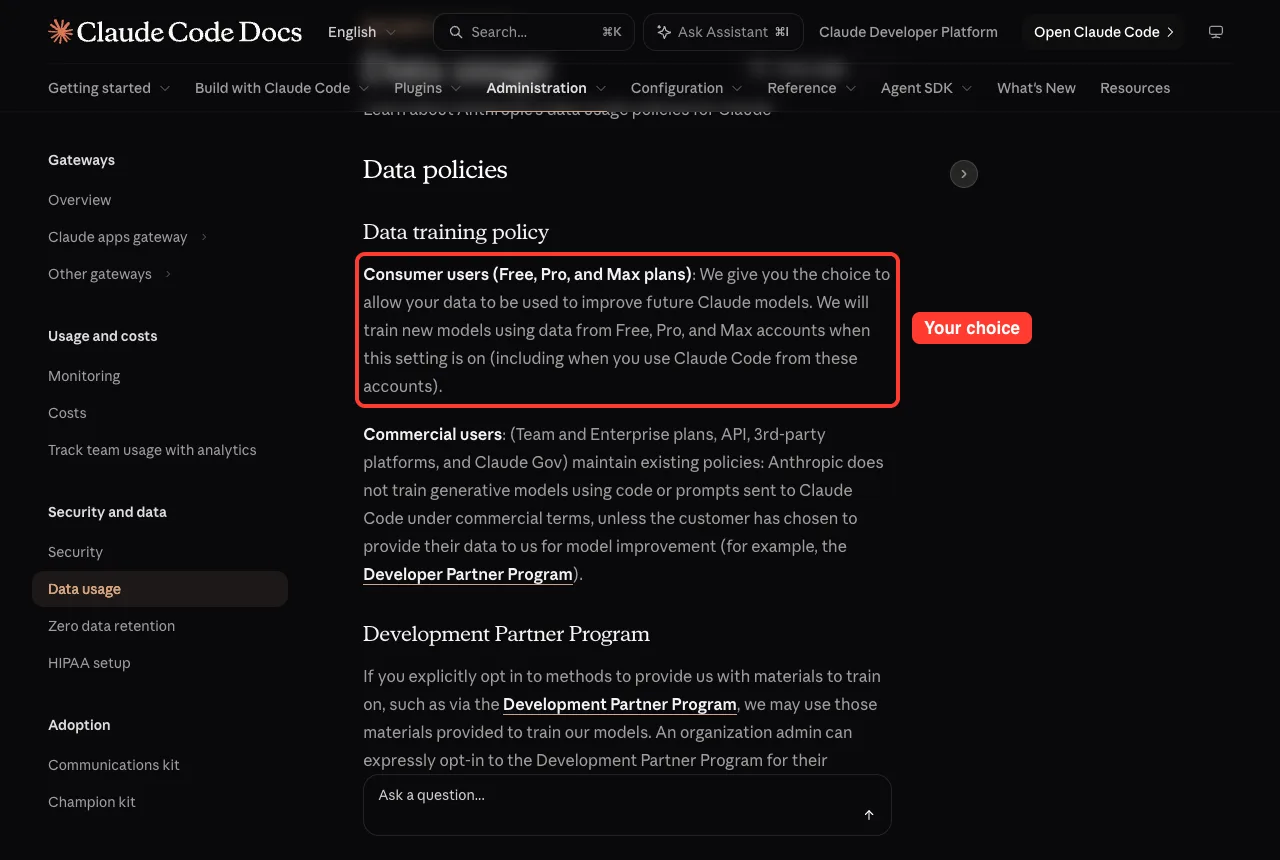
Anthropic gives you the choice to allow your data to be used to improve future Claude models. When that setting is on, Anthropic says it will train new models using data from these accounts, including when you use Claude Code. You can change the setting at any time in your claude.ai privacy controls.
Team, Enterprise and API accounts
Commercial users keep a different policy. Anthropic says it does not train generative models on code or prompts sent to Claude Code under commercial terms, unless the customer chooses to provide data for model improvement. One example is the Development Partner Program, which an organization admin must opt in to on purpose.
How Long Does Anthropic Keep Your Data?
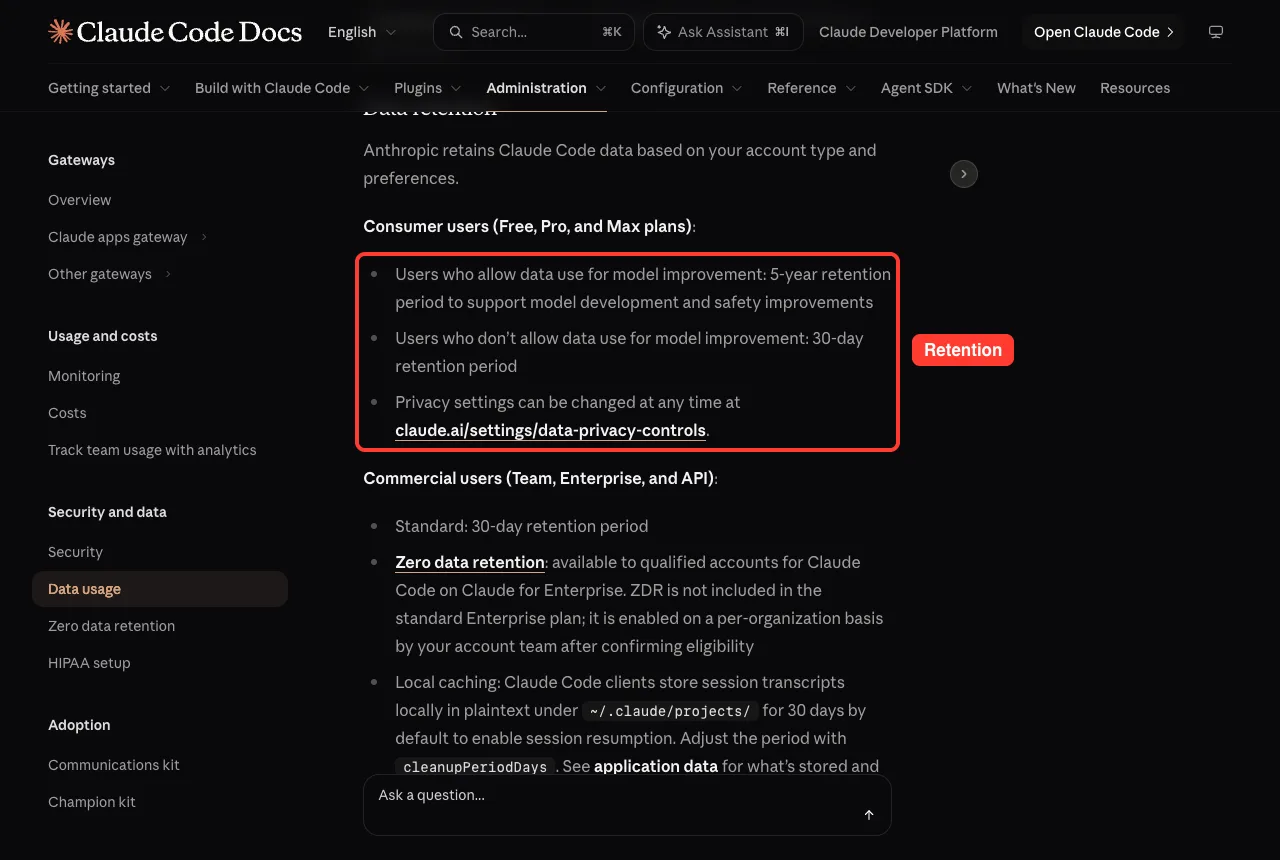
Retention follows the same split. For Free, Pro and Max accounts, the docs list a 5-year retention period if you allow data use for model improvement, and 30 days if you do not. For Team, Enterprise and API users, the standard period is 30 days.
Zero data retention is available to qualified accounts for Claude Code on Claude for Enterprise. It is not part of the standard Enterprise plan; your account team enables it per organization after confirming eligibility.
What stays on your own computer
Claude Code also keeps session transcripts locally. They are stored in plaintext under ~/.claude/projects/ for 30 days by default, so you can resume a session later. You can change that period with the cleanupPeriodDays setting.
Plaintext matters here. If you paste a secret into a prompt, it can end up in that local file, so treat the folder like any other place where sensitive text could live. Our guide to resuming sessions shows how those saved transcripts are used.
Telemetry, Error Reports and Surveys
Beyond your prompts, Claude Code sends a little operational data. The docs describe two kinds, and you can switch each one off.
- Metrics cover latency, reliability and usage patterns. They never include your code, prompts or file paths. Set DISABLE_TELEMETRY=1 to opt out.
- Error reports contain error messages and stack traces from Claude Code’s own internals. Known patterns of secrets, file paths and email addresses are redacted first. Set DISABLE_ERROR_REPORTING=1 to opt out.
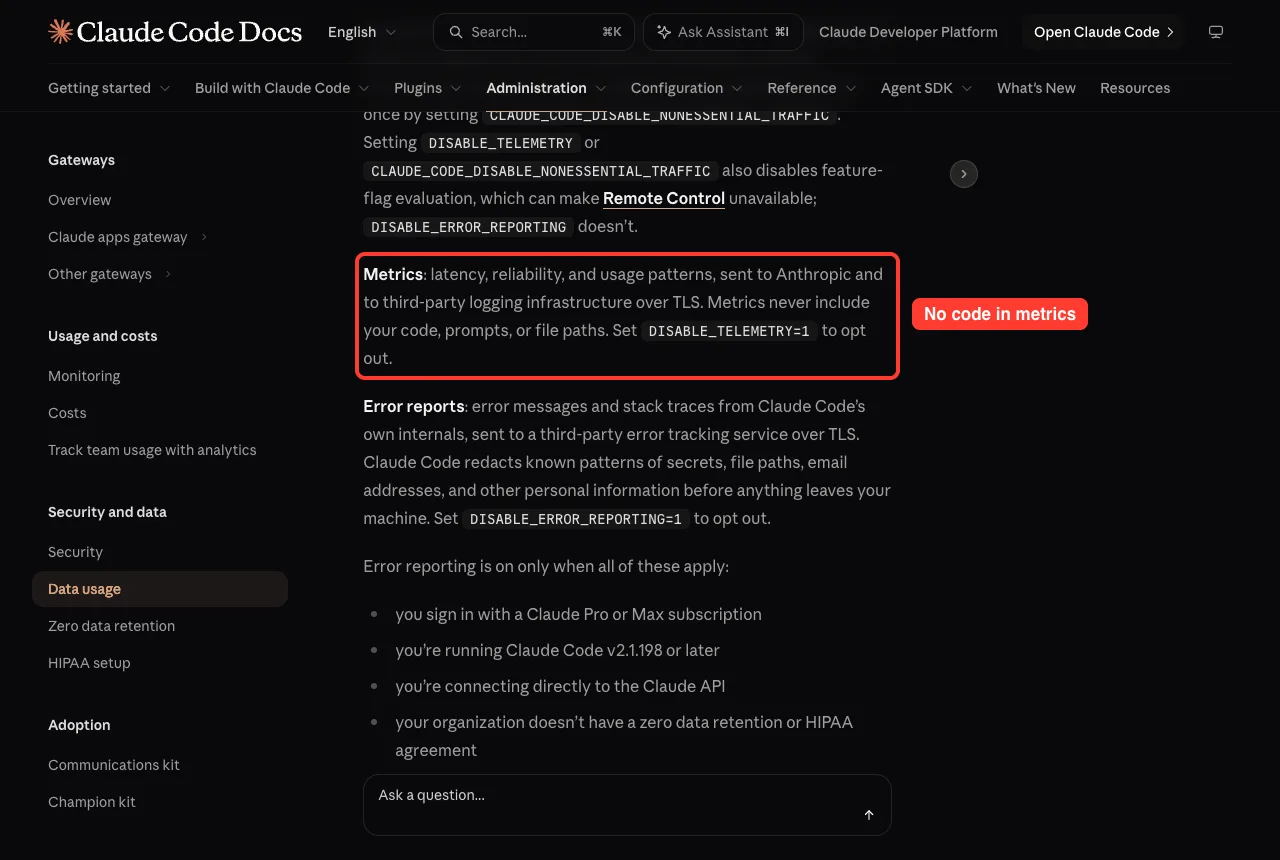
Error reporting is on only when several things are true at once: you sign in with a Claude Pro or Max subscription, you run v2.1.198 or later, you connect directly to the Claude API, and your organization has no zero data retention or HIPAA agreement. To turn off all non-essential traffic at once, set CLAUDE_CODE_DISABLE_NONESSENTIAL_TRAFFIC.
The /feedback command
When you run /feedback, a copy of your conversation history, including code, is sent to Anthropic. The /bug and /share commands use the same path.
Before you submit, you choose how much history to include. Transcripts shared this way are retained for 5 years, and you can disable the command by setting DISABLE_FEEDBACK_COMMAND=1.
Session quality surveys
You may sometimes see a prompt asking how Claude is doing. Answering it, even by dismissing it, records only your rating, not your conversation.
A separate follow-up can then ask whether Anthropic may look at your session transcript. Nothing is uploaded unless you explicitly choose Yes.
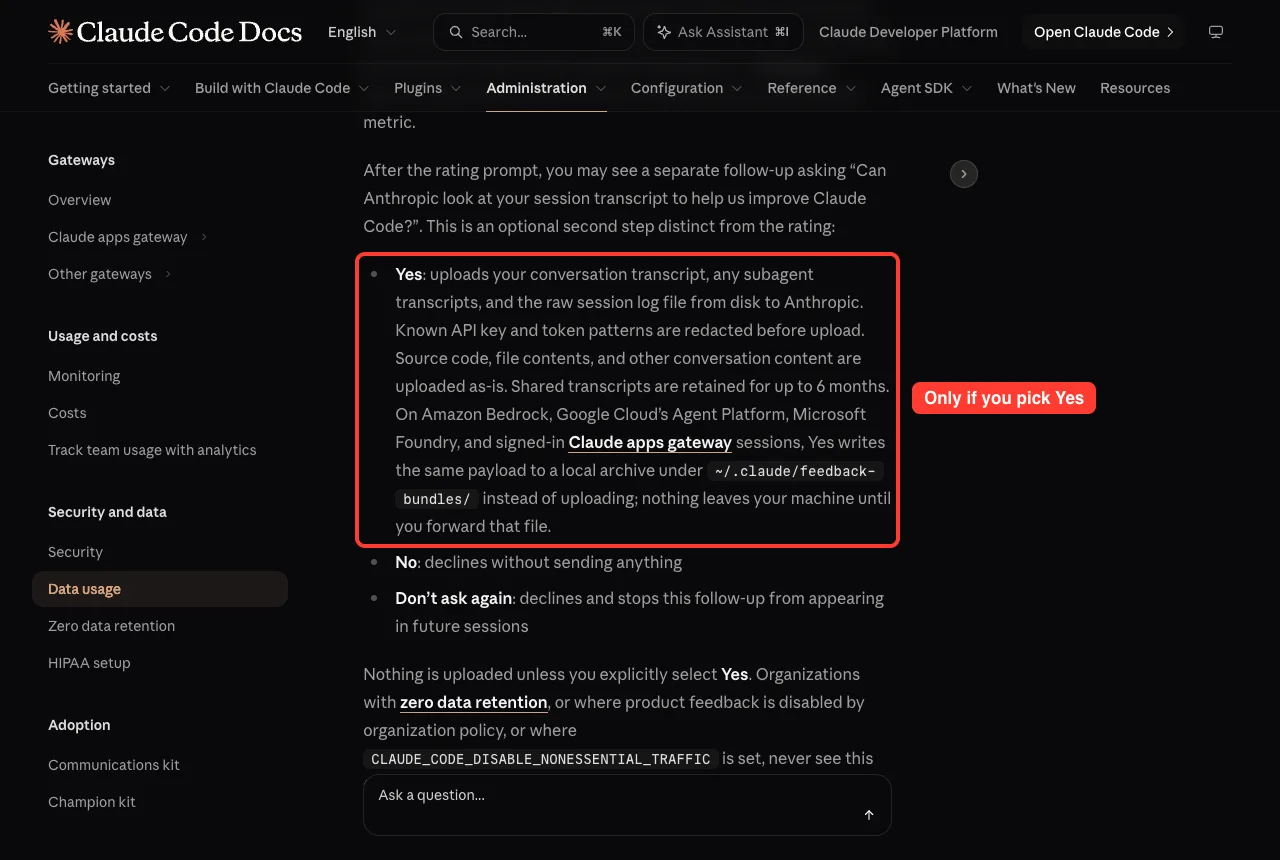
To hide surveys, set CLAUDE_CODE_DISABLE_FEEDBACK_SURVEY=1. The docs also say your survey answers do not affect your training preferences.
The WebFetch safety check
One more behavior is easy to miss. Before WebFetch loads a web page, Claude Code sends only the hostname to api.anthropic.com to check it against a safety blocklist. The full address and page contents are not sent.
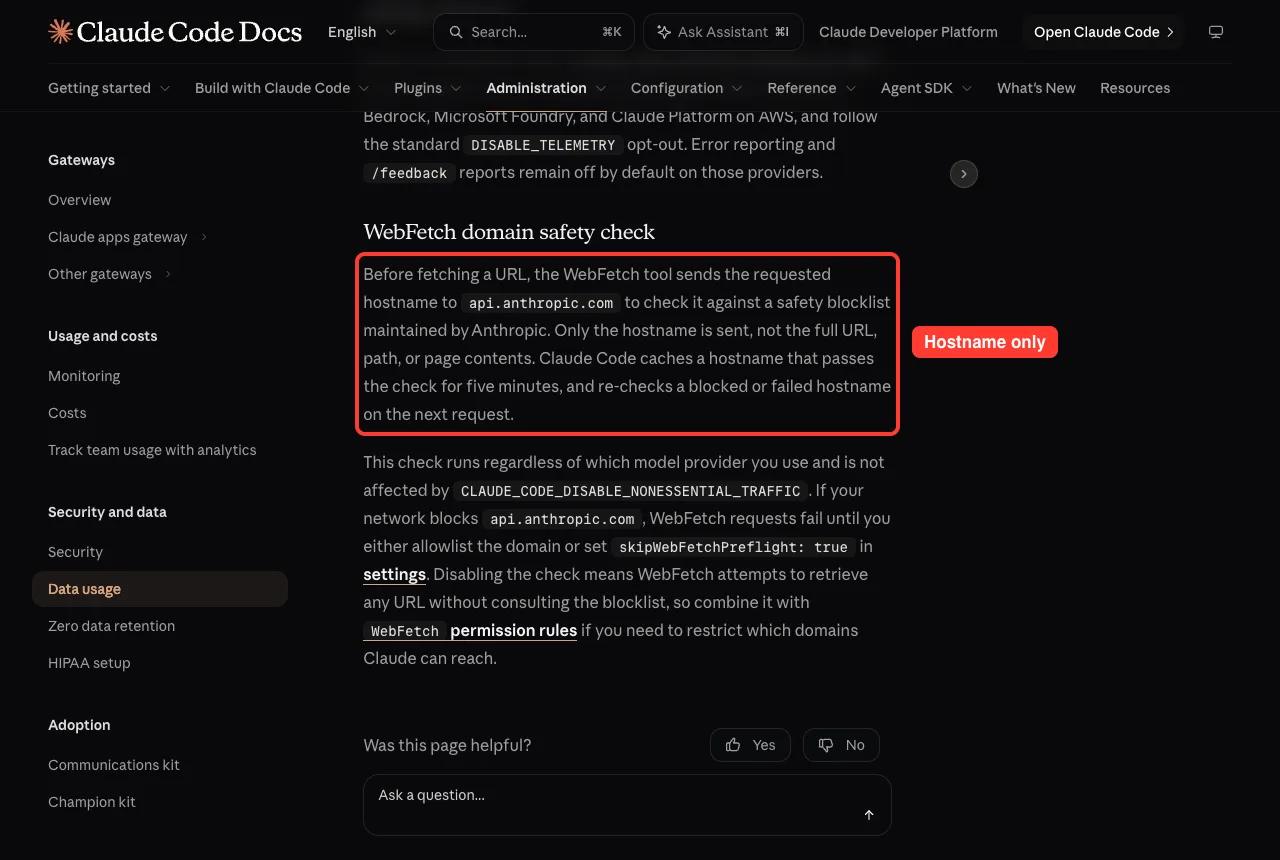
This check is not affected by the non-essential traffic switch. If your network blocks that domain, WebFetch fails until you allow it or set skipWebFetchPreflight to true in your settings. Disabling the check means WebFetch tries any URL without consulting the blocklist, so pair it with WebFetch permission rules.
How Claude Code Keeps Your Computer Safe
Privacy is about your data. Security is about what Claude can do on your machine. The security page starts with a permission-based design: a session’s permission mode decides which actions Claude can take without asking.
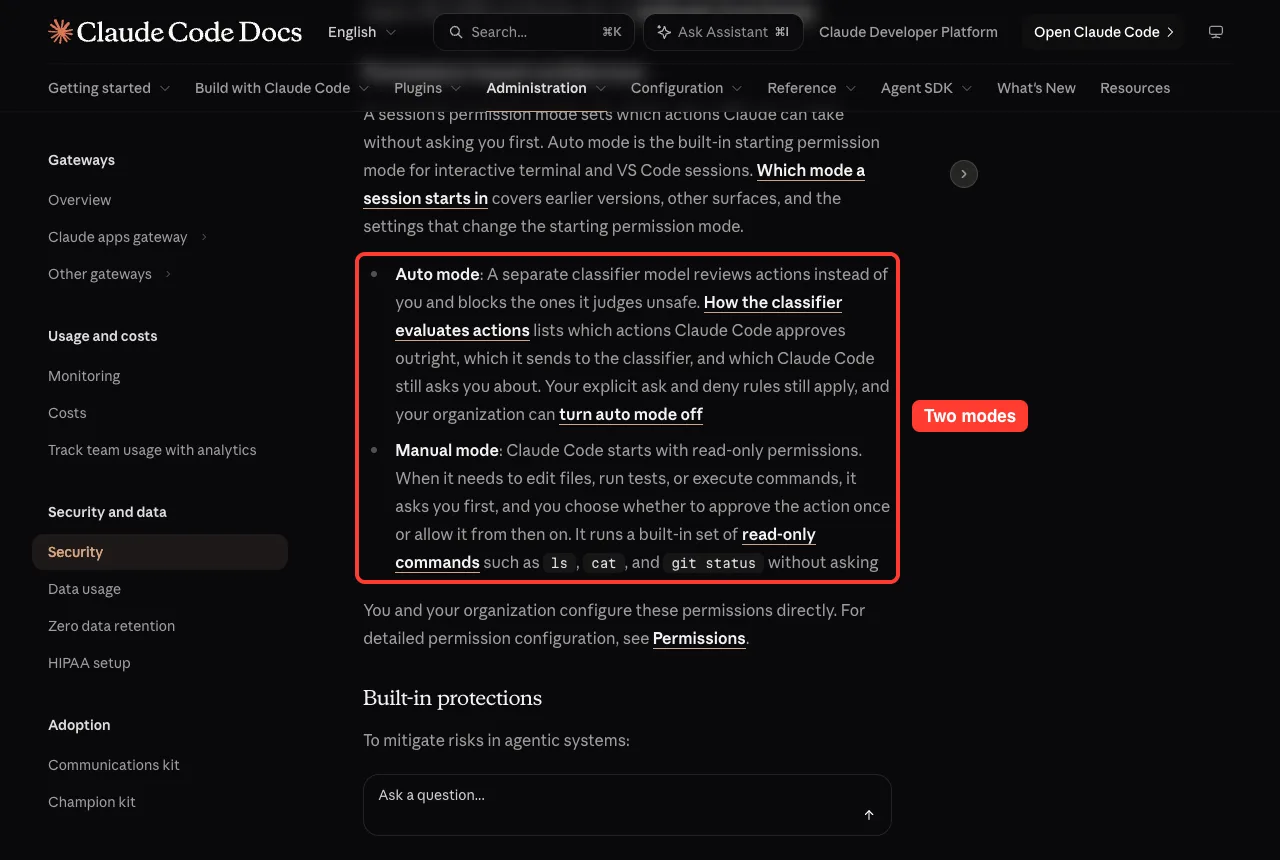
- Auto mode: a separate classifier model reviews actions instead of you and blocks the ones it judges unsafe. Your own ask and deny rules still apply.
- Manual mode: Claude Code starts read-only. For edits, tests or commands it asks first, and you approve once or allow it from then on.
Our guides to permission modes and deny rules go deeper on both.
Built-in protections
The docs list several guardrails that work together.
- Sandboxed bash tool: filesystem and network isolation for commands, set up with /sandbox.
- Working directory boundary: in Manual mode Claude asks before file tools read or write outside the folder where it started.
- Prompt fatigue relief: allowlist commands you trust per user, per codebase or per organization.
- Accept Edits mode: auto-approves file edits and a fixed set of simple filesystem commands inside the working directory.
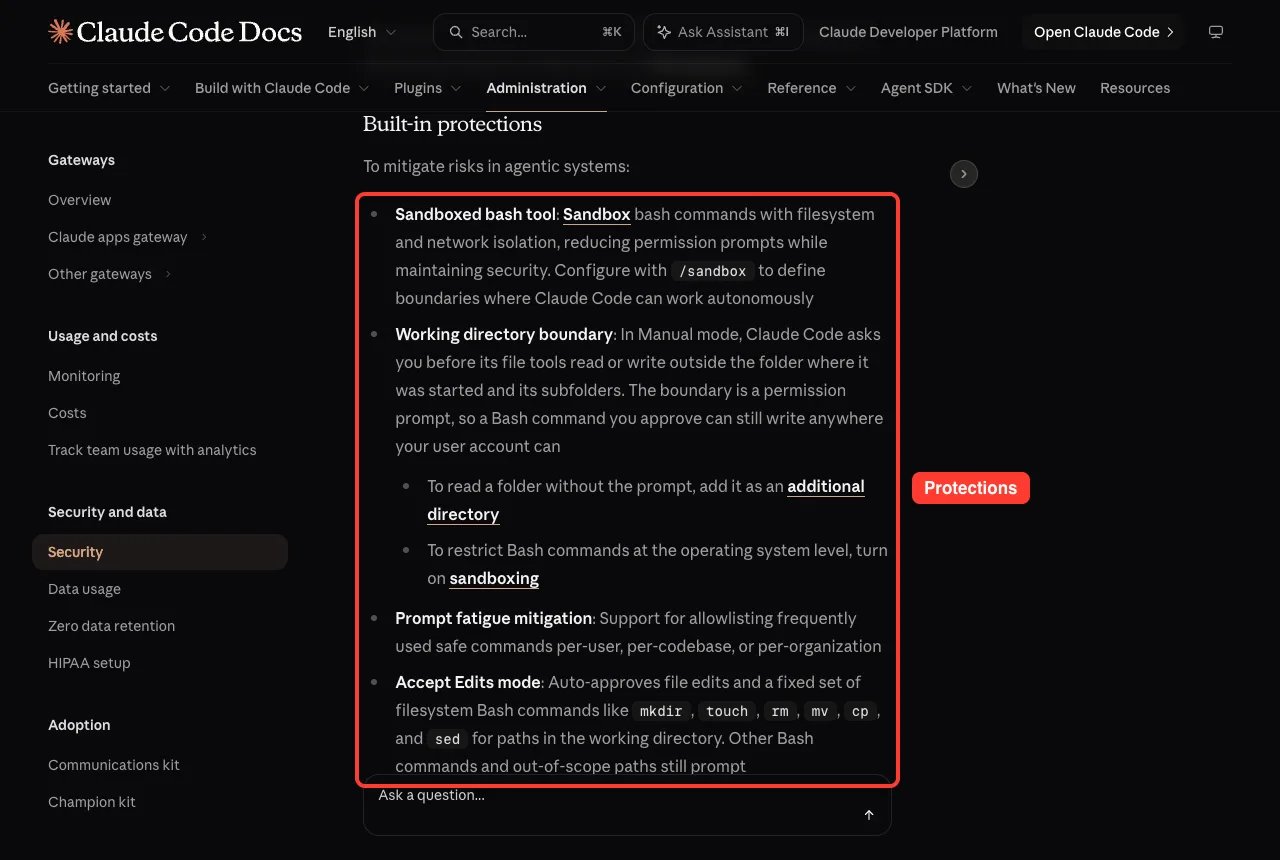
One honest detail from the docs: the working directory boundary is a permission prompt, so a Bash command you approve can still write anywhere your user account can. If you want real operating-system limits, turn on sandboxing. We explain it in our sandboxed bash guide.
Protection against prompt injection
Prompt injection is when an attacker hides instructions in text that Claude reads, hoping to steer it. Claude Code answers with layered safeguards. In Manual mode, sensitive operations need your approval, and commands that fetch from the web, like curl and wget, are not auto-approved by default.
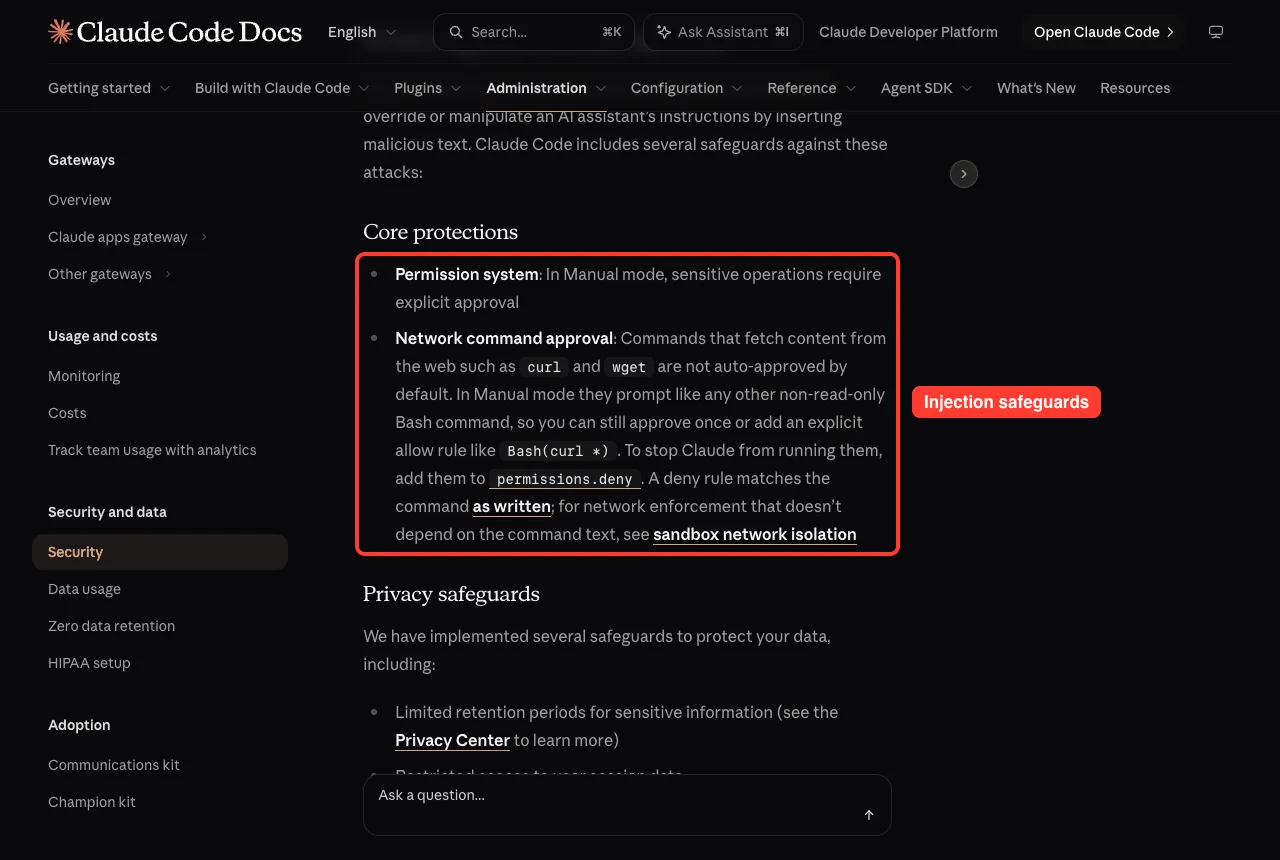
The docs add more safeguards: a trust dialog for new folders, an approval prompt for project MCP servers, a prompt before Bash commands Claude cannot fully analyze, and fail-closed matching, which means unmatched commands require approval. Credentials are stored in the macOS Keychain when available.
Cloud Sessions and Remote Control
If you use Claude Code in the cloud, the picture changes. Each Anthropic-hosted cloud session runs in an isolated virtual machine, network access is limited by default, and GitHub credentials are stored encrypted on Anthropic’s servers and never enter the VM. All operations are logged for audit.
Remote Control is different. The web interface connects to a Claude Code process on your own machine, so code execution and file access stay local. While connected, the transcript is also stored on Anthropic’s servers so the conversation can sync across devices.
If you connect outside tools, remember that Anthropic does not security-audit MCP servers. Use servers you wrote or providers you trust, and read our MCP guide before adding one.
Try It Yourself
Spend ten minutes checking your own setup. This is a read-only exercise, so nothing is changed until you decide to.
- Open your claude.ai privacy controls and see whether model-improvement use is on or off.
- Look inside ~/.claude/projects/ and note how many old transcripts are stored.
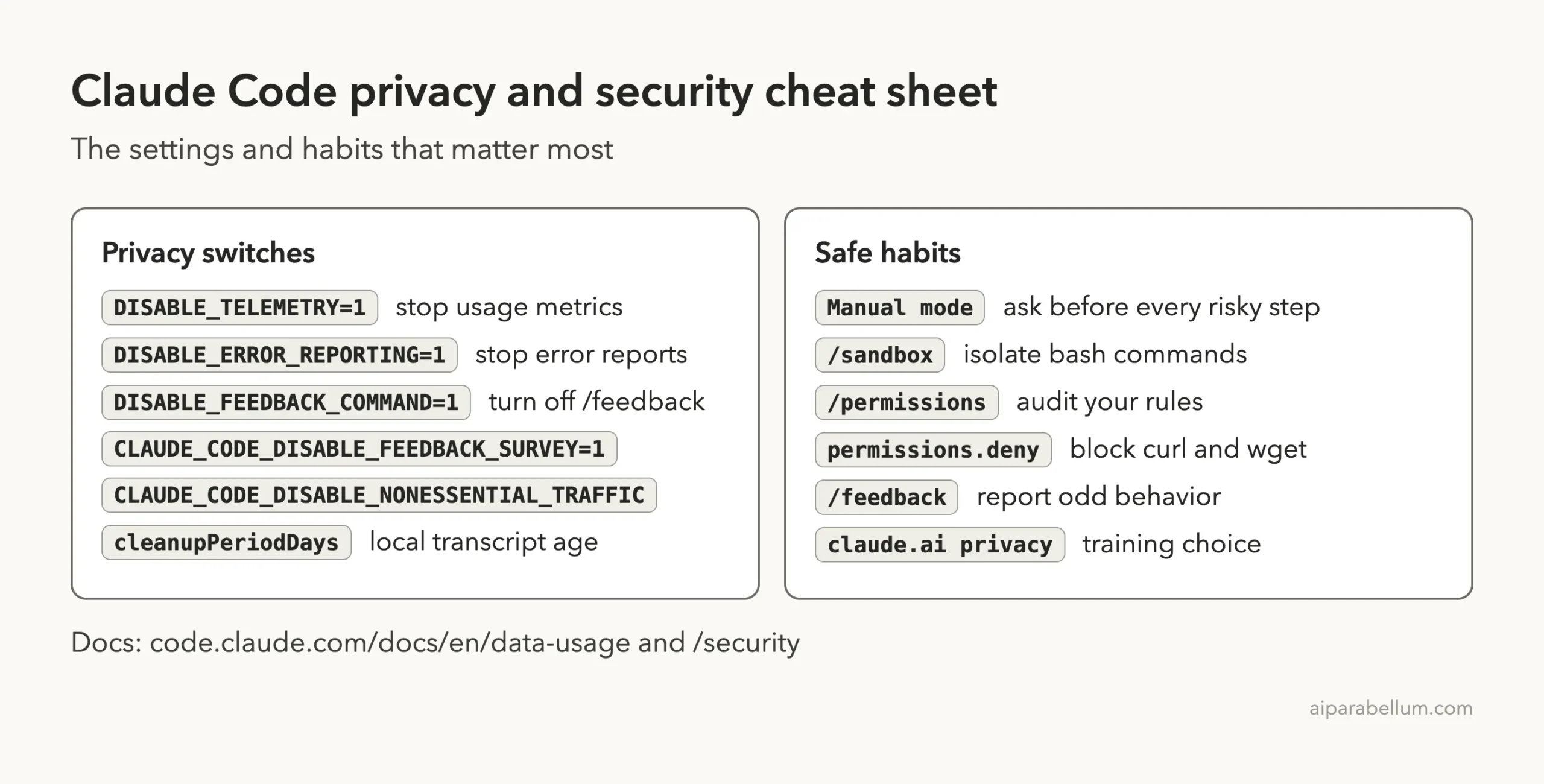
- Decide which privacy switches from the cheat sheet below you want in your settings file.
Then paste this prompt into Claude Code in a small throwaway folder, so you can see what a safe, read-only review looks like:
Look at the settings in this folder and tell me, in plain English, which of my permission rules would stop Claude from running curl or wget. Do not change any files.Common Mistakes
- Assuming every plan has the same training policy. Consumer and commercial accounts differ.
- Pasting secrets into prompts. They can land in the local plaintext transcript and in what is sent to Anthropic.
- Answering Yes to a transcript upload without reading it. Source code and file contents are uploaded as-is.
- Treating the folder boundary as a sandbox. Approved Bash commands can still write elsewhere.
- Forgetting that the WebFetch hostname check ignores the non-essential traffic switch.
Pro Tips
- Put your privacy variables in settings.json so they apply every time. See our guide to settings files.
- Use /permissions now and then to audit your rules, and keep curl and wget on a deny list if you never want them.
- For sensitive repositories, use project-specific permission settings and consider running Claude Code inside a dev container.
- Run /doctor after any change to confirm your configuration is valid.
- If you notice suspicious behavior, report it with /feedback.
Claude Code Privacy Cheat Sheet
Frequently Asked Questions
Does Claude Code train on my code?
On Free, Pro and Max accounts, only if you allow it in your privacy settings. Under commercial terms, Anthropic says it does not train on code or prompts sent to Claude Code unless the customer opts in.
Where are my Claude Code conversations stored?
Locally, session transcripts sit in plaintext under ~/.claude/projects/ for 30 days by default. On Anthropic’s side, retention depends on your account type and settings.
Can I turn off telemetry?
Yes. Set DISABLE_TELEMETRY=1 for metrics and DISABLE_ERROR_REPORTING=1 for error reports. CLAUDE_CODE_DISABLE_NONESSENTIAL_TRAFFIC switches off all non-essential traffic at once.
Is Claude Code safe to run on a work repository?
It has layered safeguards, but the docs say you are responsible for reviewing proposed code and commands before approval. Use Manual mode, sandboxing and project-specific permissions for sensitive code.
How do I report a security problem?
Do not disclose it publicly. Anthropic asks you to report vulnerabilities through its HackerOne program, with detailed steps to reproduce, and to allow time for a fix.
Conclusion
Claude Code privacy is mostly about knowing which switches you control. Your prompts and outputs travel to Anthropic over TLS, retention and training depend on your plan and your settings, and surveys, /feedback and transcript uploads only happen when you choose them. On the security side, Manual mode, the working directory boundary, sandboxing and deny rules give you real control, as long as you review what you approve. For more on the assistant behind it all, see our Claude AI overview, and read the official data usage and security pages for the full details.
Previous in the series: Part 48, How to Manage Claude Code Costs and Usage
Next in the series: Part 50: Claude Code GitHub Actions: A Beginner Guide.