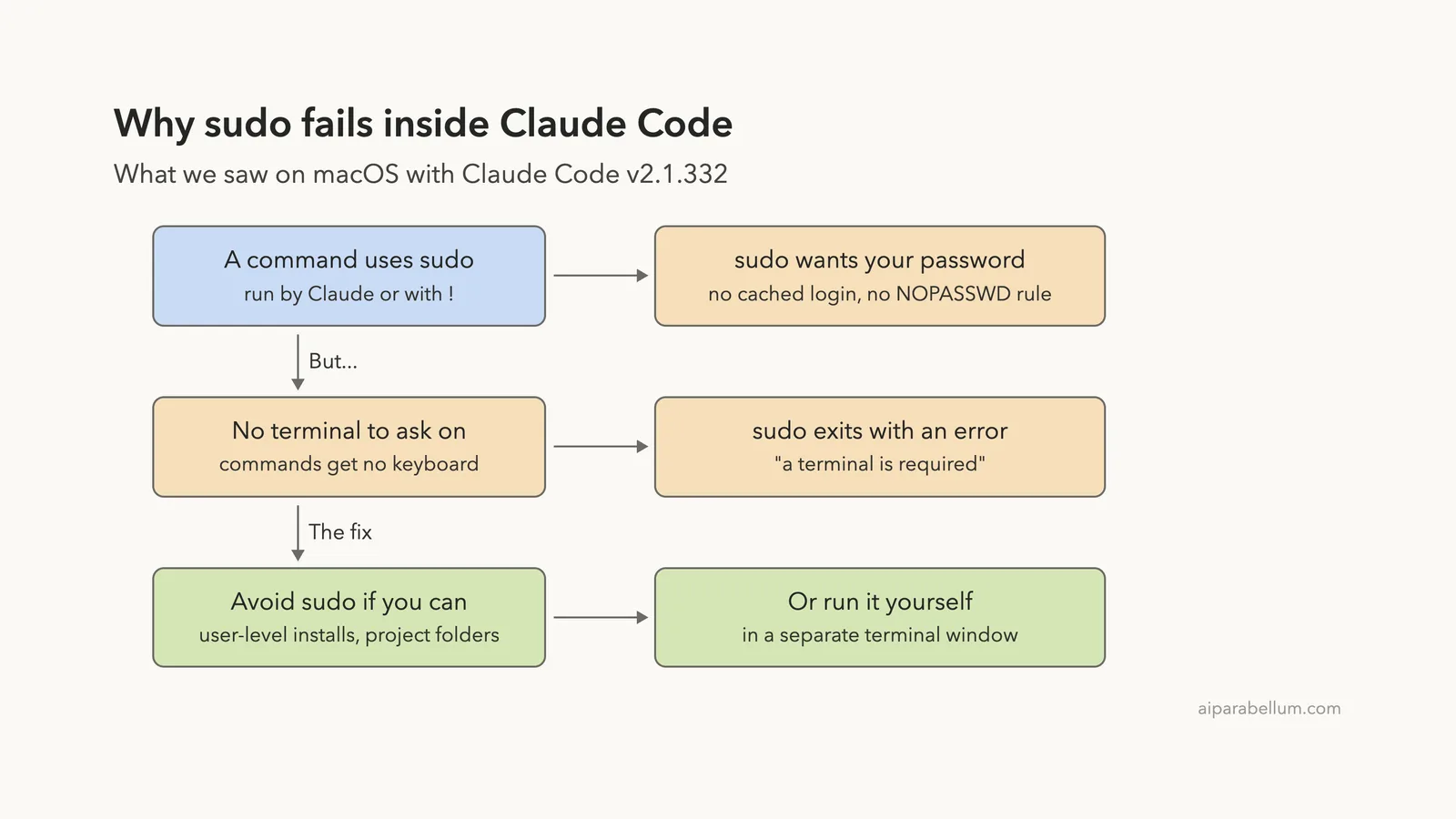
If you try claude code sudo commands and the password prompt never shows up, nothing is broken on your machine. Commands that run inside Claude Code have no keyboard attached, so sudo has nowhere to ask for your password. In our tests it didn’t wait at all: it stopped at once with sudo: a terminal is required to read the password, or with sudo: a password is required when the -n flag was used.
The fix is simple. Run the sudo step yourself in a separate terminal window, then tell Claude it’s done. Better still, skip sudo entirely with user-level installs, and never type your password into Claude’s prompt or pipe it in with sudo -S.
Below we reproduce the problem safely (no password typed, no system change), show what Claude Code really does with sudo, and walk through every fix, including how to block sudo completely in your project settings.
Browse all our Claude Code tutorials for more fixes and how-tos.
Tested with Claude Code v2.1.332 on macOS on November 27, 2026. Every run used a throwaway demo folder called toolbox with two tiny files.
We only ran sudo -n true and sudo true, which do nothing even when they succeed, and we rejected the one real sudo command Claude proposed.
We tested on macOS; the Windows and Linux notes follow Anthropic’s official documentation.
Quick Summary
| What you see | Why it happens | What to do |
|---|---|---|
sudo: a terminal is required to read the password | The command has no terminal to ask on | Run the step yourself in another terminal |
sudo: a password is required | -n told sudo not to ask, and a password is needed | Same: do it yourself, or avoid sudo |
| Spinner that seems stuck on a sudo step | Some tools wrap sudo and wait for input | Esc or Ctrl+C, then run it yourself |
Claude asks to run sudo ... | Normal permission prompt | Choose No unless you’re sure |
| You want Claude to never try sudo | Default rules allow asking | Add Bash(sudo *) to deny |
Why the sudo Password Prompt Hangs in Claude Code
When sudo needs your password, it reads it straight from your terminal, not from normal input. That’s a security feature: it stops scripts from feeding it a password by accident.
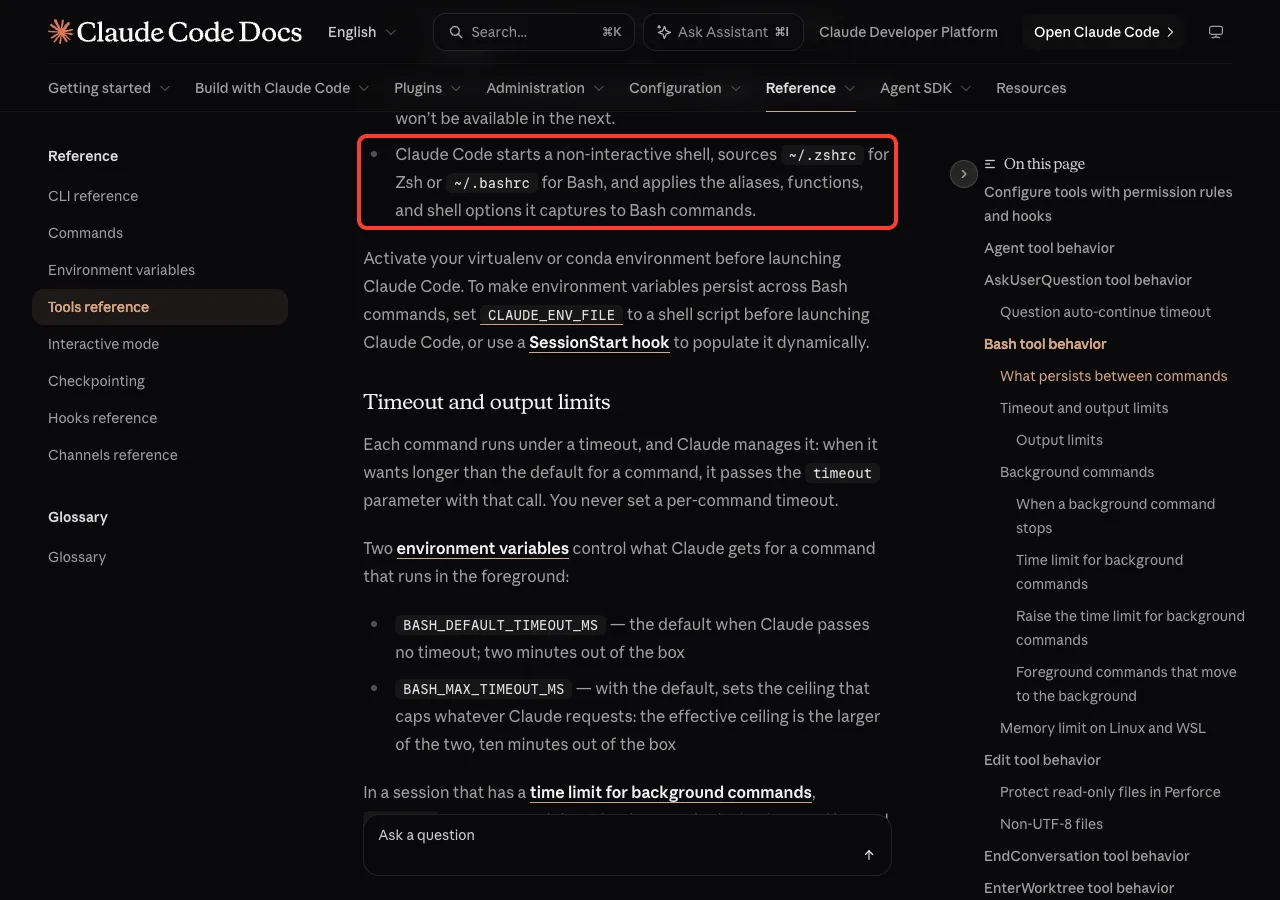
Claude Code runs every command in a separate process with a non-interactive shell. Anthropic’s tools reference says this directly. There is no terminal for that process, so sudo can’t show its prompt and you can’t type into it.
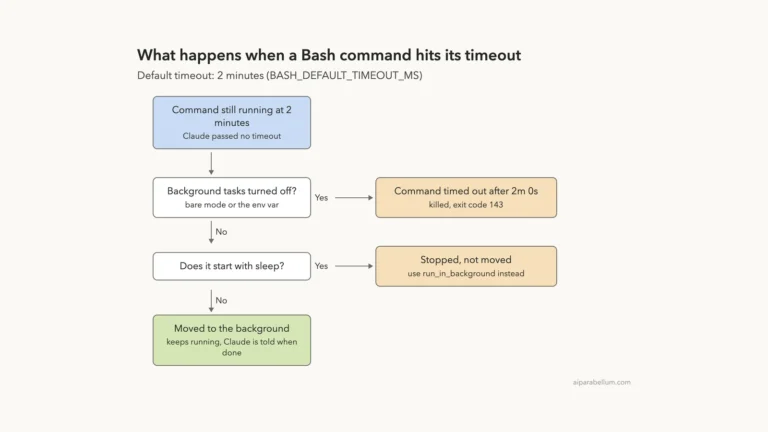
Whether it looks like a hang depends on the program. Plain sudo gave up right away in our tests. A script or installer that calls sudo, or a tool that retries, can sit there until the Bash timeout kicks in, which is why many people search for “sudo password prompt hangs.”
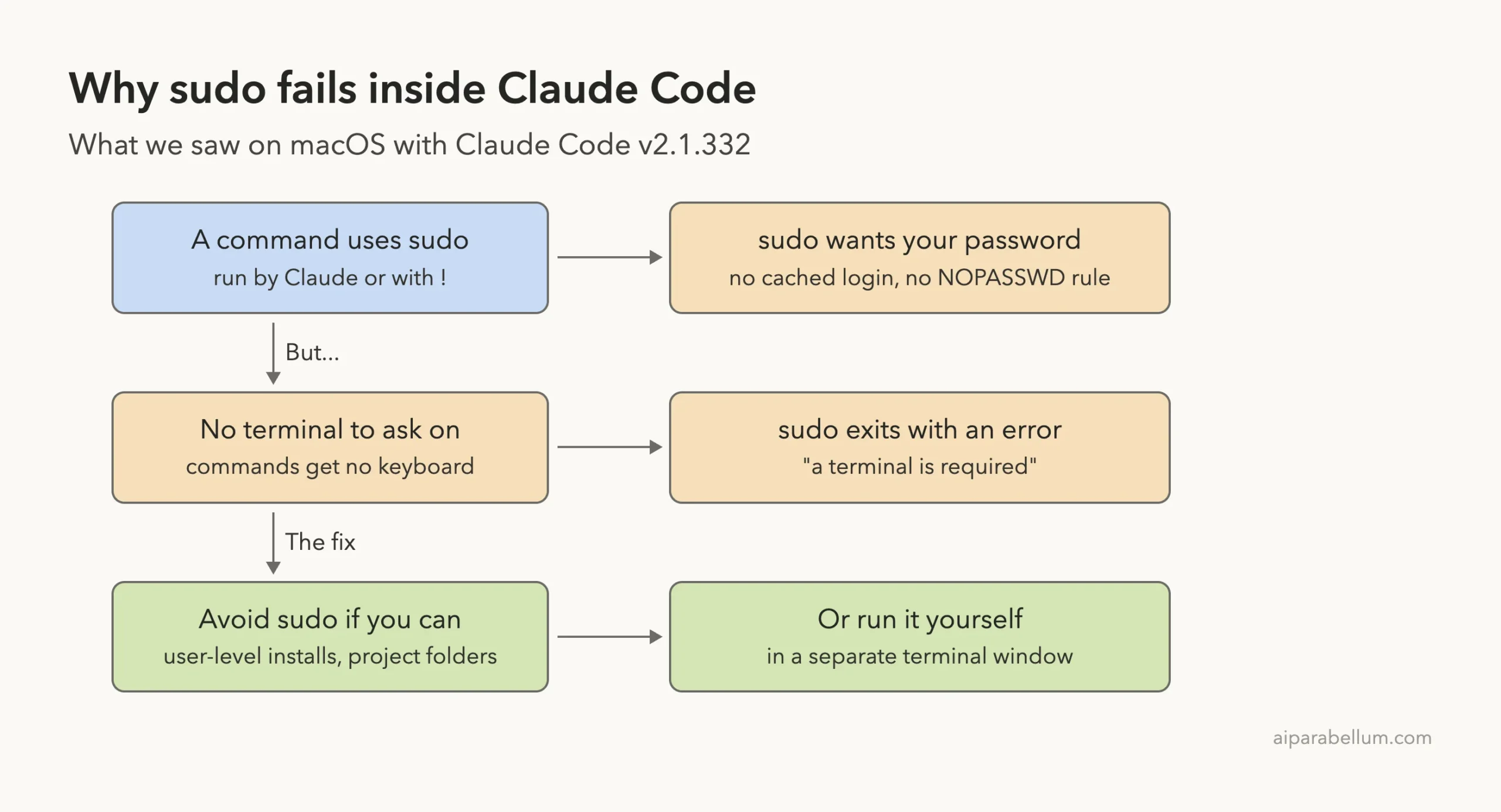
Claude can’t type your password, and it shouldn’t. The root step is yours to run.
Test 1: sudo -n true Fails Right Away
The safest way to check sudo is sudo -n true. The -n flag means “never ask for a password,” and true is a command that does nothing. If sudo would need a password, it fails at once instead of prompting.
We started a session in the demo folder and typed ! sudo -n true.
The ! prefix is shell mode: it runs your command directly instead of asking Claude to run it.
The output was one red line, sudo: a password is required. Claude then read it and explained that it can’t enter a password, because its commands have no terminal to prompt on.
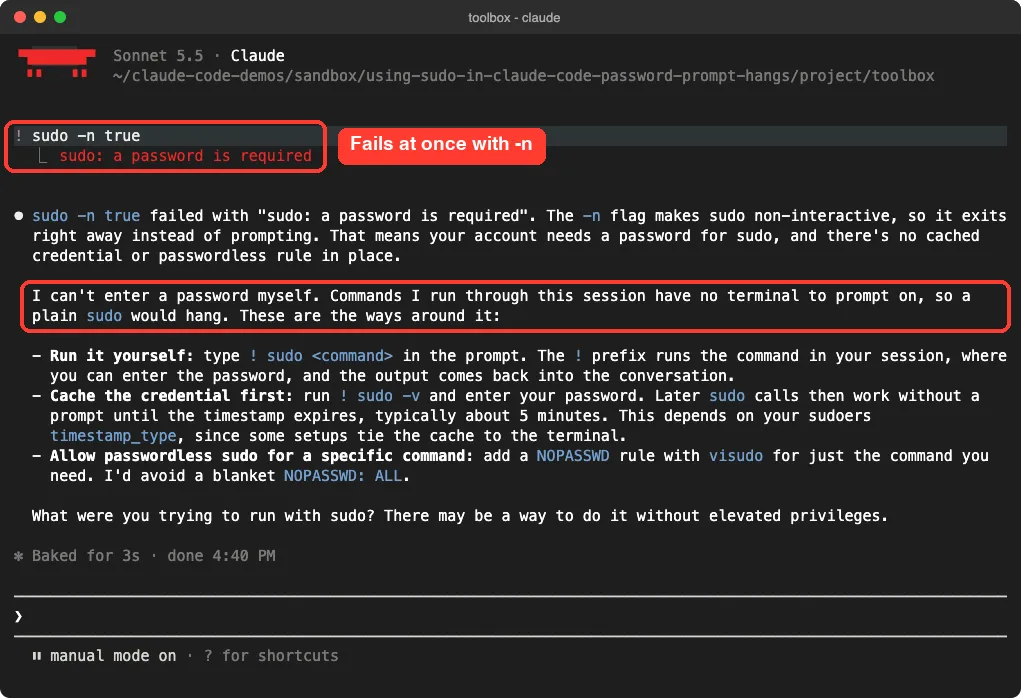
This is the check to use any time you wonder whether sudo will work in a session. It never shows a prompt and never changes anything.
Test 2: Plain sudo Says “A Terminal Is Required”
Next we tried ! sudo true without the flag. This is the version that would normally show “Password:” in your own terminal.
Inside Claude Code it printed sudo: a terminal is required to read the password; either use the -S option to read from standard input or configure an askpass helper, then sudo: a password is required. It returned in a moment. No prompt appeared and we typed nothing.
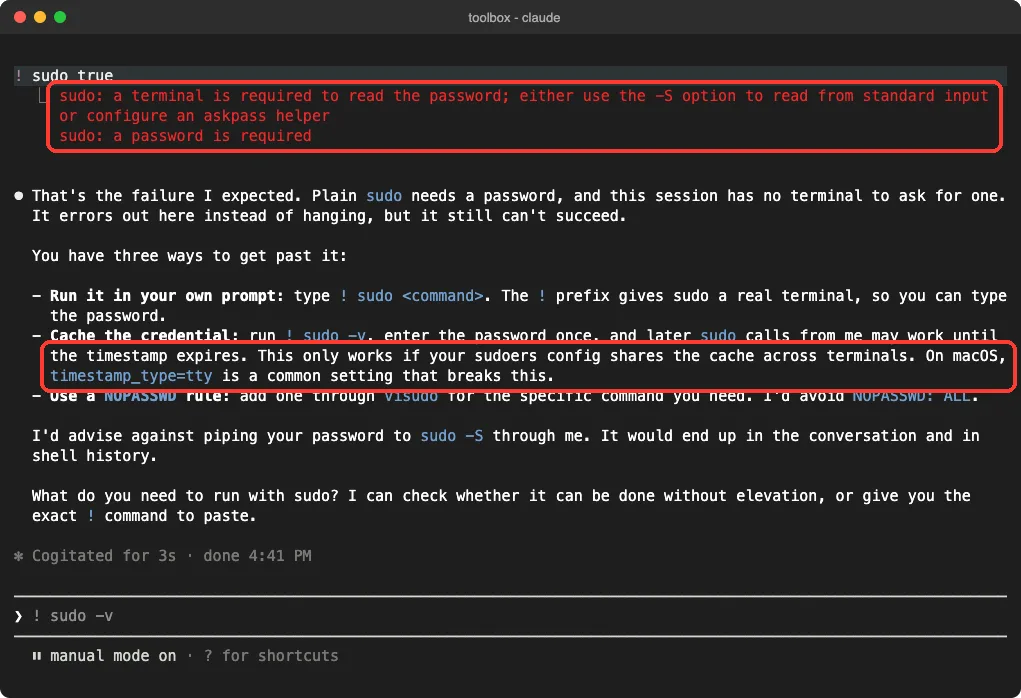
Claude’s own advice was wrong here
Look at Claude’s reply in that screenshot.
It said that typing the command in shell mode would give sudo a real terminal for the password.
But that is exactly what we had just run, and it failed.
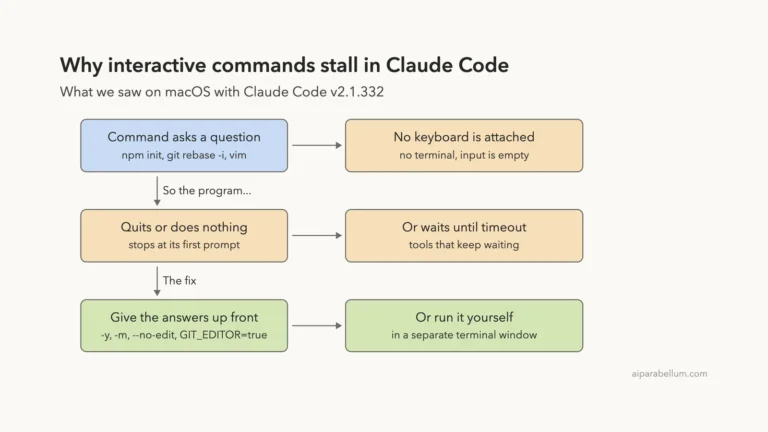
We saw the same thing when testing other interactive commands like npm init and vim: shell mode runs the command, but there’s still no keyboard.
So don’t count on ! for password prompts. Use a separate terminal window instead.
Why not use -S or an askpass helper?
The error message itself offers two ways around it. Both are standard sudo options, not Claude Code features, and both are a bad idea here.
sudo -Sreads the password from normal input, so you’d have to write it into a command such asecho pw | sudo -S. That puts your password in the conversation and possibly in shell history. Claude warned against it too.- An askpass helper is a separate program that supplies the password. Setting one up so an AI agent can get root on demand defeats the point of having a password.
Test 3: Claude Asks Before Running sudo
We then asked Claude in plain words to create the folder /usr/local/sudo-demo using sudo mkdir. Claude didn’t run anything on its own. It showed a normal permission prompt for sudo -n mkdir /usr/local/sudo-demo.
Two details stood out. Claude added -n by itself, so the command would fail fast rather than wait. And the prompt offered option 4, No, plus Esc to cancel.
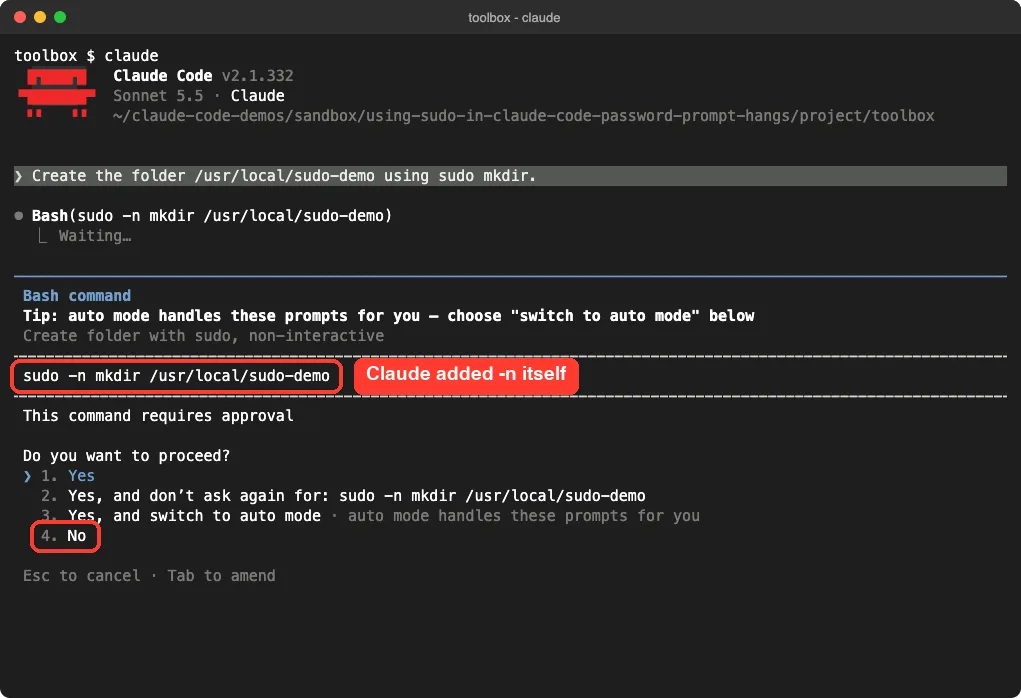
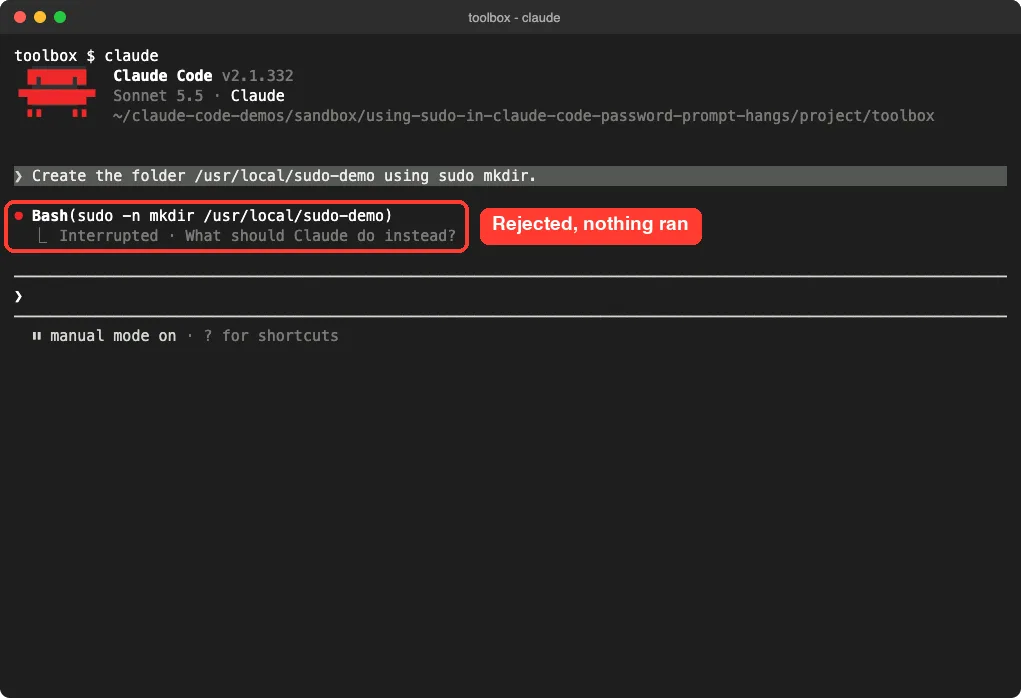
We pressed Esc. Claude Code marked the call as interrupted and asked what it should do instead. The folder was never created; we checked afterward.
Be careful with option 2, “Yes, and don’t ask again.” For a sudo command, that saves an allow rule to your project’s local settings. You rarely want a standing approval for anything that touches the system.
How to Fix sudo Problems in Claude Code
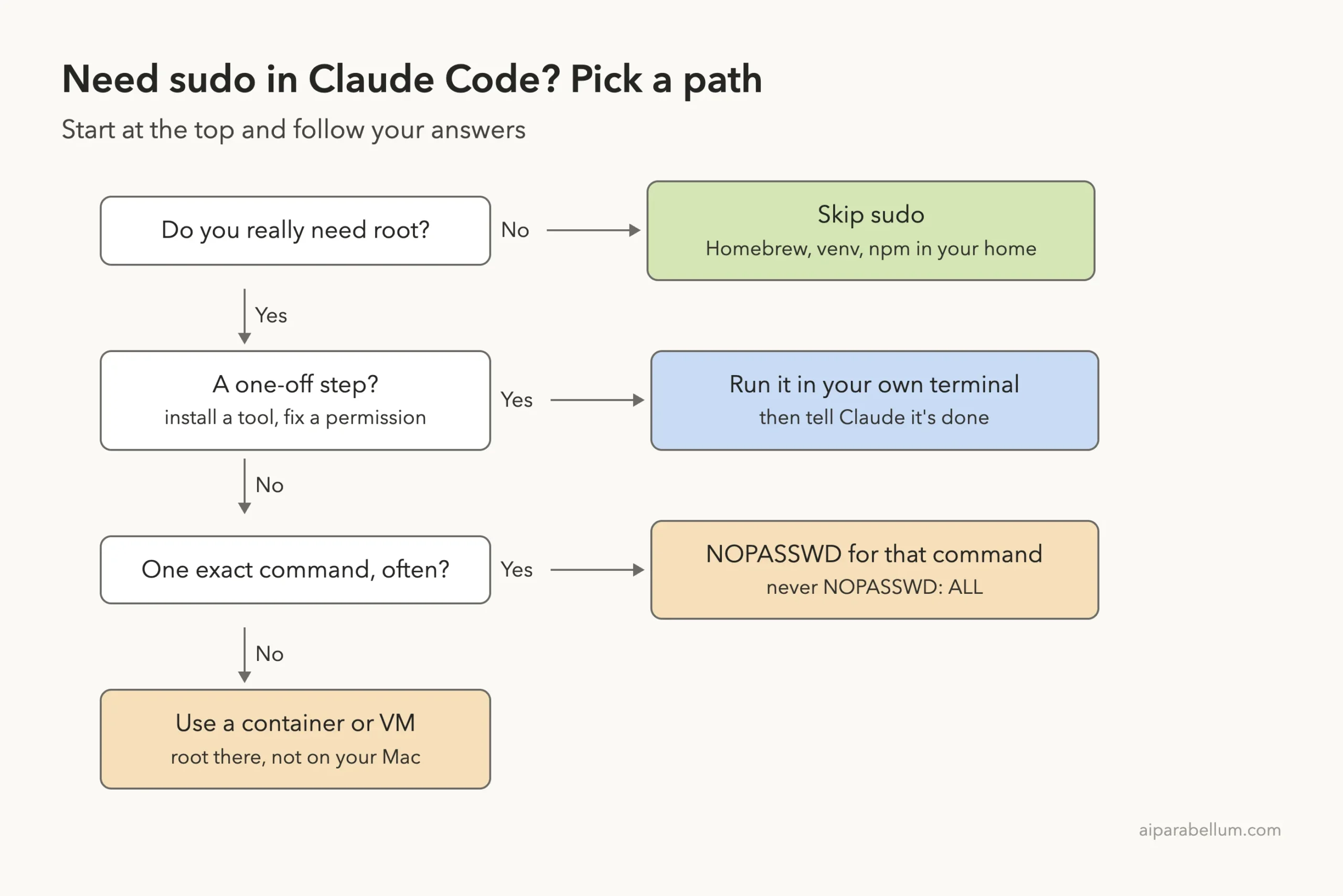
Here are the fixes in the order we’d try them. Fix 1 works for almost everyone.
Fix 1: Run the sudo step yourself in another terminal
Open a second terminal tab or window, outside Claude Code. Run the command there, type your password at the real prompt, and come back.
Then tell Claude what you did, for example: “I ran sudo mkdir /usr/local/sudo-demo myself and it worked. Continue from there.” Claude picks up where it left off, and your password never touches the session.
If Claude needs several root steps, ask it to list the exact commands first. Read them, run the ones you agree with, and paste back any errors.
Fix 2: Stop the stuck command
If a script or installer is waiting on a hidden sudo prompt, press Esc to stop Claude’s turn, or Ctrl+C to cancel the running operation. Then look at the command and run its sudo part yourself.
Fix 3: Avoid sudo where you can
Many sudo calls aren’t really needed. These options keep everything in your own user account:
| Instead of | Try | Why it helps |
|---|---|---|
sudo npm install -g | An npm prefix in your home folder, or npx | No root needed for global tools |
sudo pip install | A virtual environment (python3 -m venv .venv) | Packages stay inside the project |
Writing into /usr/local or /opt | A folder inside the project or your home | Claude can work there freely |
sudo to fix file owners again and again | Fix ownership once yourself, in your own terminal | Later commands don’t need root |
| Installing Claude Code with sudo | The native installer or npm without sudo | Auto-updates keep working |
That last row comes straight from Anthropic’s setup guide. It says not to install Claude Code with sudo, because Claude Code runs npm without sudo when it updates itself, so a sudo install can’t update automatically.
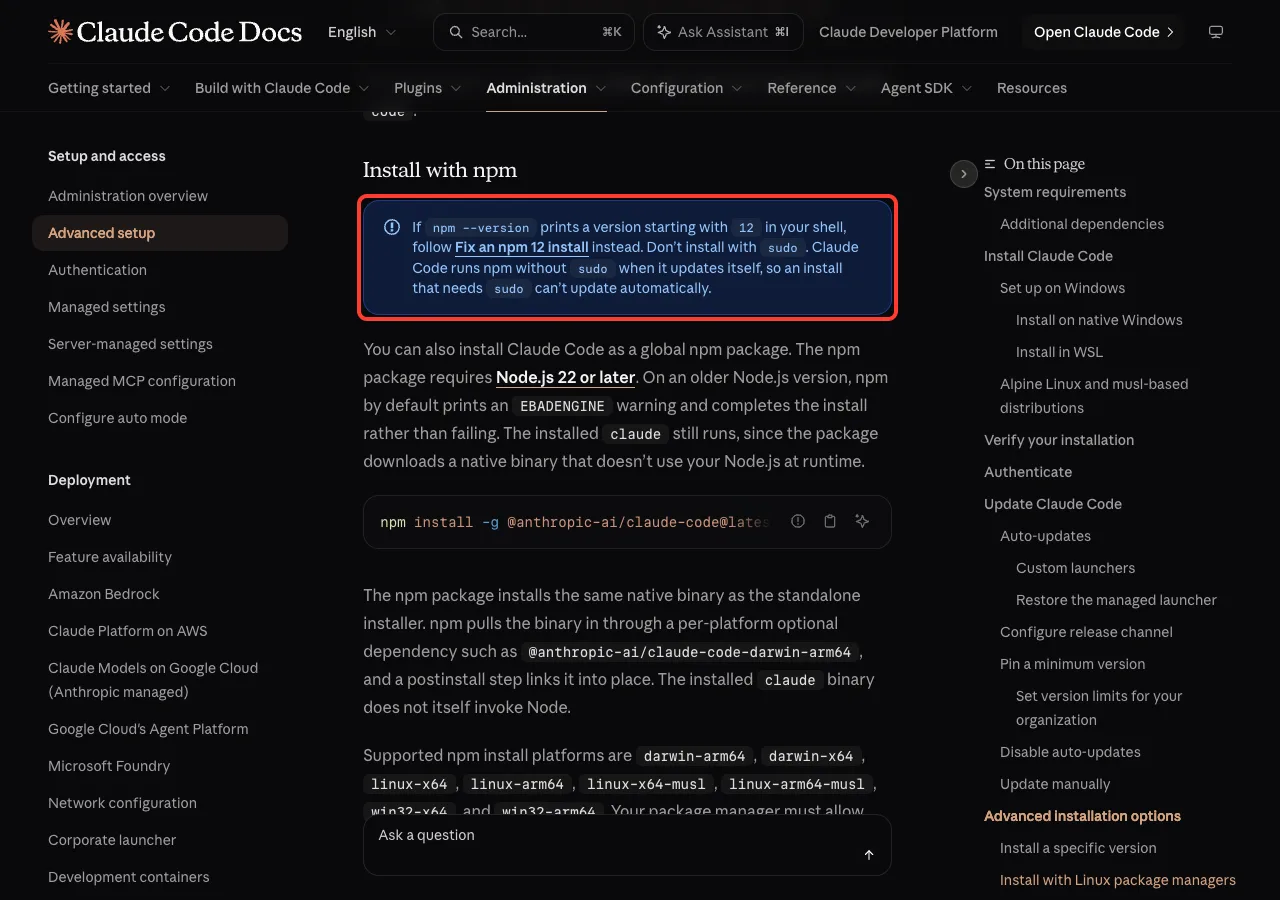
If you already hit permission errors installing it, our guide to the npm EACCES error shows the sudo-free fix.
Fix 4: A narrow NOPASSWD rule, only if you must
If one exact command really needs root and you run it all the time, sudo itself lets you allow that single command without a password. You set this up with visudo, in your own terminal, and Claude mentioned it as an option too.
Keep it to one full command path. Never add NOPASSWD: ALL, because that would let any command Claude runs become root without asking you. This is a sudo setting, not a Claude Code one, so check your system’s sudo documentation before you change it.
Fix 5: Use a container for root work
If a task needs lots of root access, do it somewhere that isn’t your main machine. Anthropic’s docs point to a dev container setup, which runs Claude Code as a normal user inside an isolated environment.
Block sudo Completely With a Deny Rule
If you never want Claude to even suggest sudo, add a deny rule. We put this in the demo project’s .claude/settings.json file:
{
  "permissions": {
    "deny": [
      "Bash(sudo *)"
    ]
  }
}
Then we asked Claude to run sudo -n true. Claude Code blocked it before it ran, with “Permission to use Bash with command sudo -n true; echo “exit=$?” has been denied.” Claude reported it couldn’t get a result.
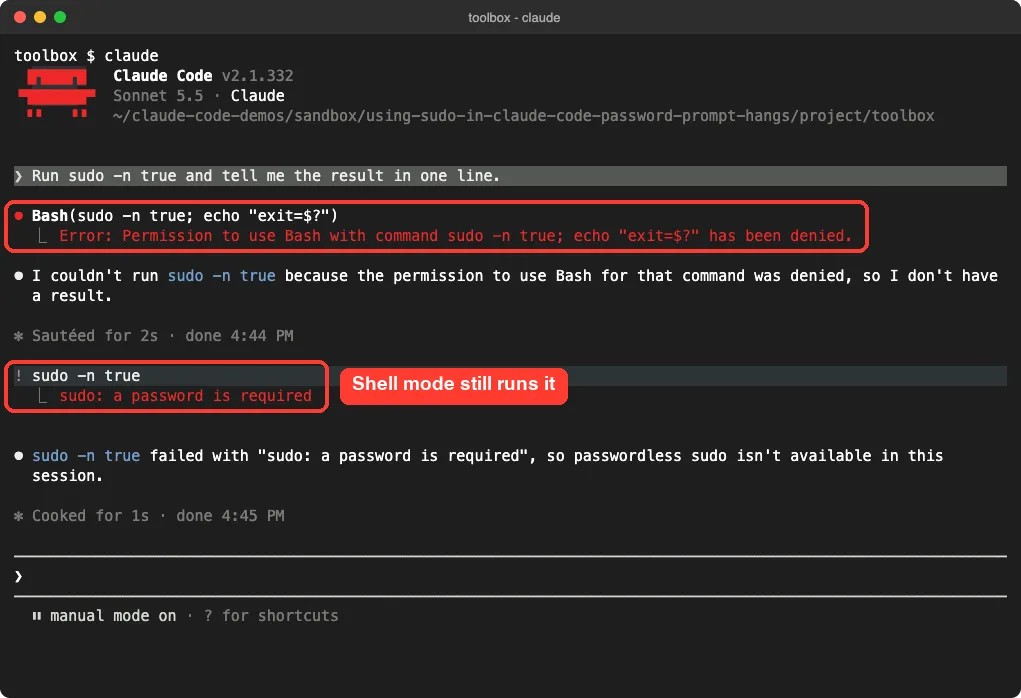
Notice that the rule matched even though Claude added ; echo to the command. Per the permissions docs, deny rules apply when any part of a compound command matches.
Shell mode isn’t covered by the rule
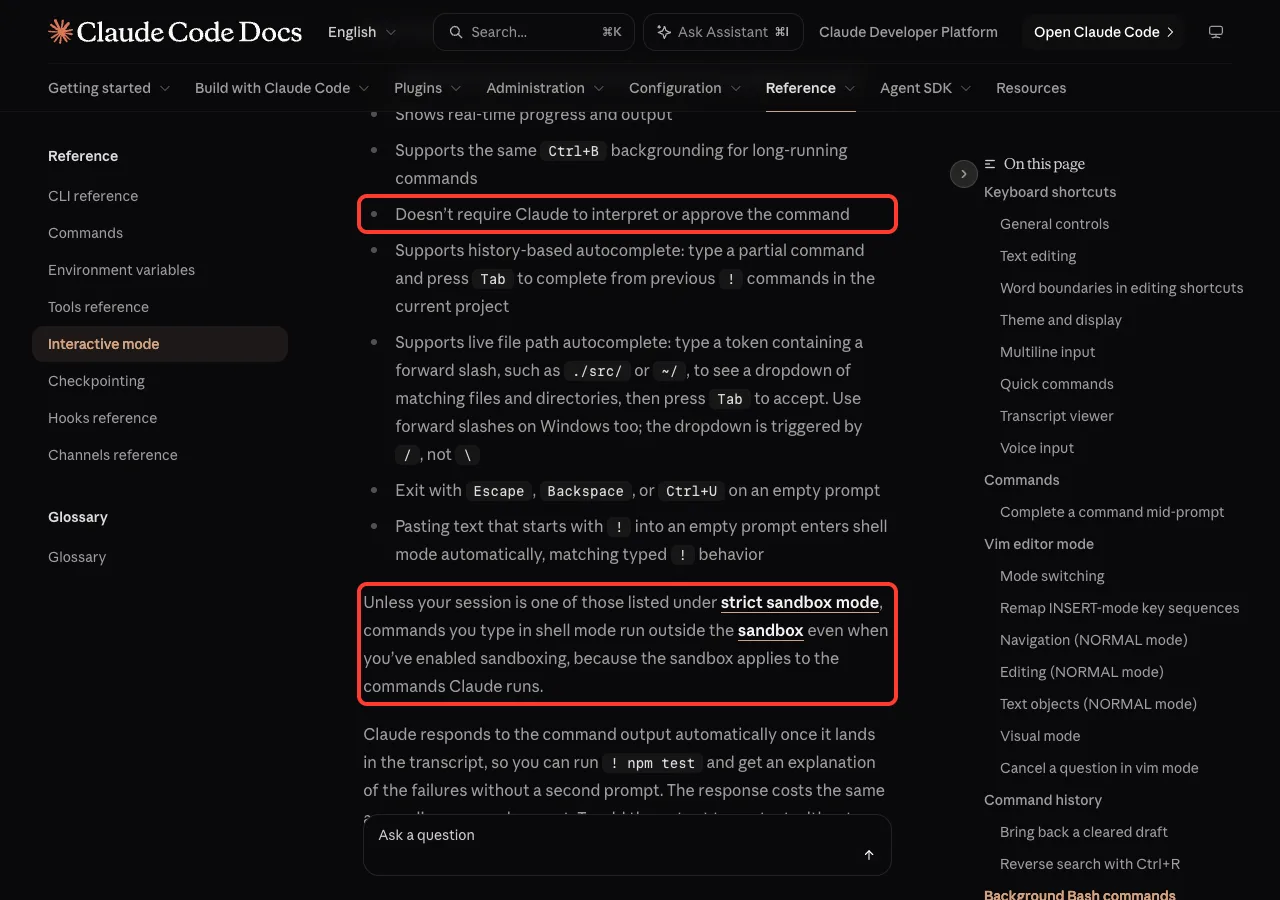
Right after that, we typed ! sudo -n true ourselves, and it ran. That’s by design.
The interactive mode docs say shell mode doesn’t need Claude to interpret or approve the command, and it runs outside the sandbox in most setups.
A deny rule isn’t a security wall
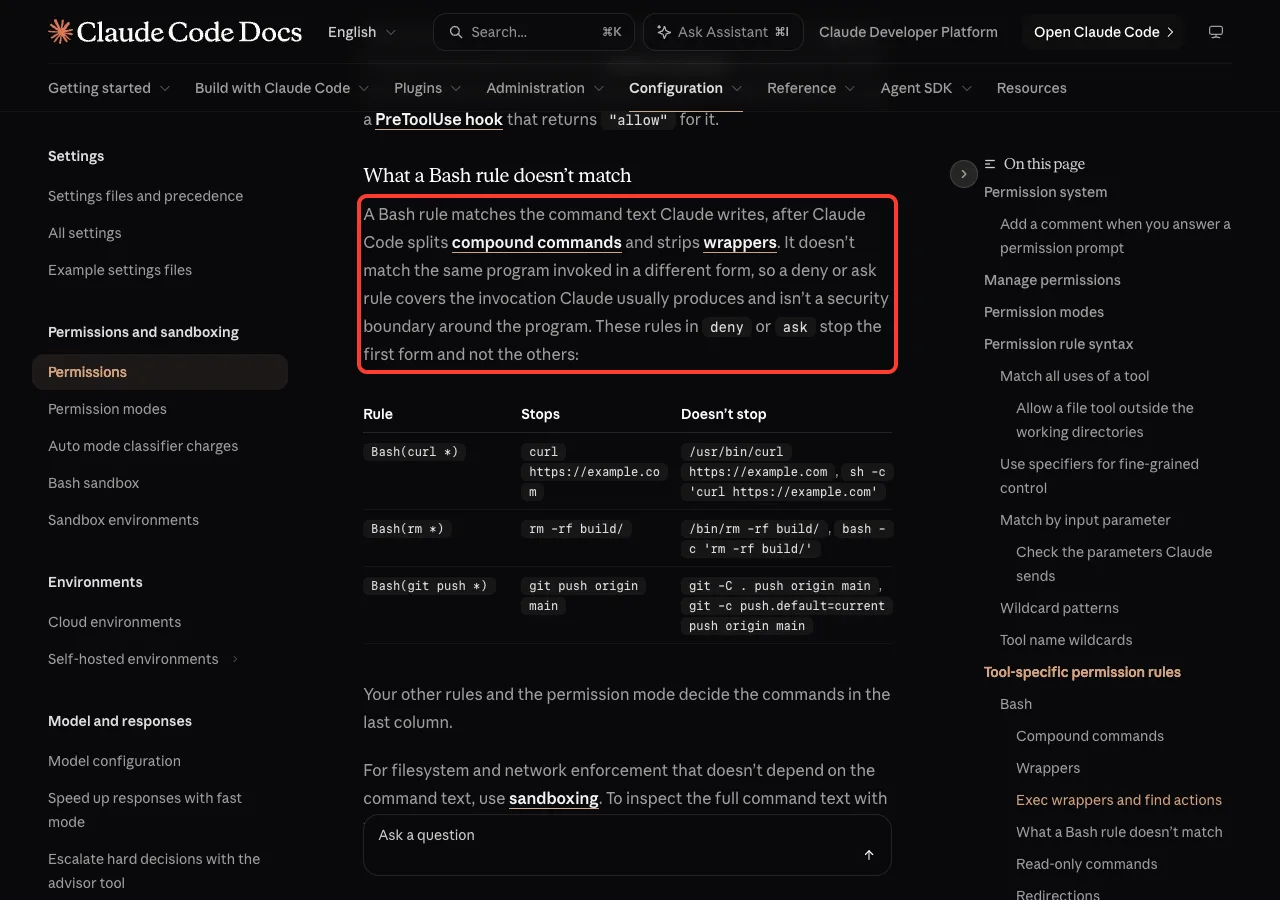
The docs are honest about limits. A Bash rule matches the command text Claude writes, so it stops sudo ... but not every other way of reaching the same program, like a full path or bash -c.
For limits that don’t depend on command text, use the Claude Code sandbox. Our permissions guide and these settings examples cover the rule format in more depth. If you’d rather approve each sudo call, put the same pattern under ask instead of deny.
Don’t Run Claude Code Itself With sudo
Starting Claude Code with sudo claude might look like a shortcut, but it’s the riskiest choice. Every command Claude runs would then run as root, so a single mistake could damage system files.
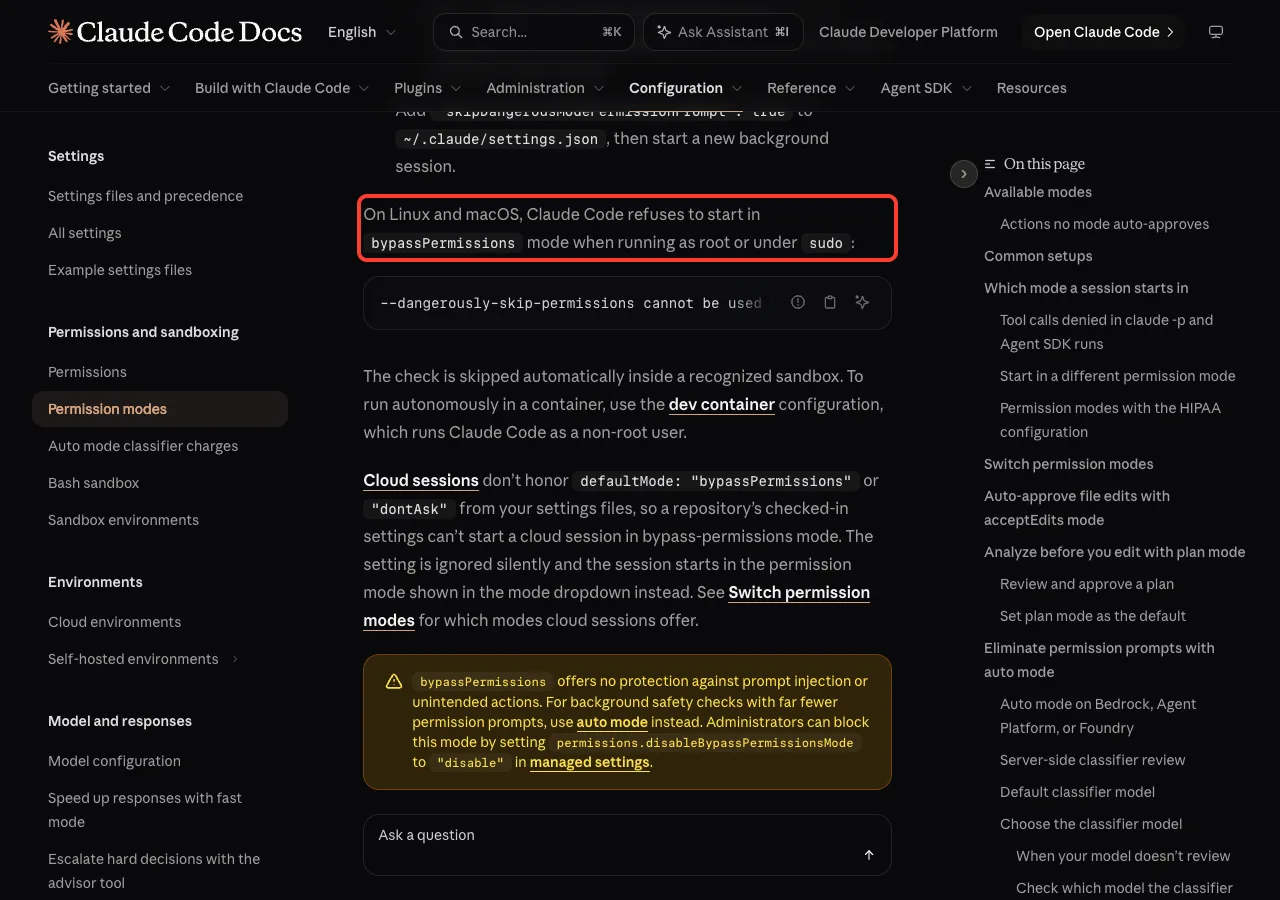
Anthropic guards one version of this directly. On Linux and macOS, Claude Code refuses to start in bypassPermissions mode when running as root or under sudo, and prints “–dangerously-skip-permissions cannot be used with root/sudo privileges for security reasons.”
We didn’t run Claude Code as root to test this, since that would need a password and change how it runs. If you’ve already hit that message, our root fix guide explains the safe ways forward.
Try It Yourself
You can see all of this safely in a few minutes. Make an empty folder, start Claude Code there and type:
! sudo -n trueYou should get “sudo: a password is required” (or nothing at all, if your system allows passwordless sudo). Then ask Claude this, and choose No when the permission prompt appears:
Create the folder /usr/local/sudo-demo using sudo mkdir.
If you can't, tell me the exact command to run myself.
Finally, add the deny rule above to .claude/settings.json, restart Claude Code, and ask again. Claude Code should block the call before it runs.
Common Mistakes
- Typing your password into Claude’s prompt. It becomes part of the conversation. Always type passwords only at a real sudo prompt in your own terminal.
- Trusting the
!prefix to show a password prompt. In our test it didn’t; it gave the same “a terminal is required” error. - Choosing “Yes, and don’t ask again” for a sudo command. That saves a standing approval in your project settings.
- Installing Claude Code or global npm tools with sudo. It causes permission trouble later and stops auto-updates.
- Adding
NOPASSWD: ALLso things “just work.” It hands root to every command Claude runs.
Pro Tips
- Add a line to your project’s
CLAUDE.md: “Never use sudo. If a step needs root, give me the exact command to run myself.” - Use
sudo -n trueany time you need to check sudo without a prompt. - Keep a second terminal tab open next to Claude Code for sudo, logins and other password steps.
- Put
Bash(sudo *)inaskon shared machines, and indenywhere root should never happen. - When a
claude -pscript hits sudo, it will fail too. Do the root setup before the script runs.
Claude Code sudo Cheat Sheet
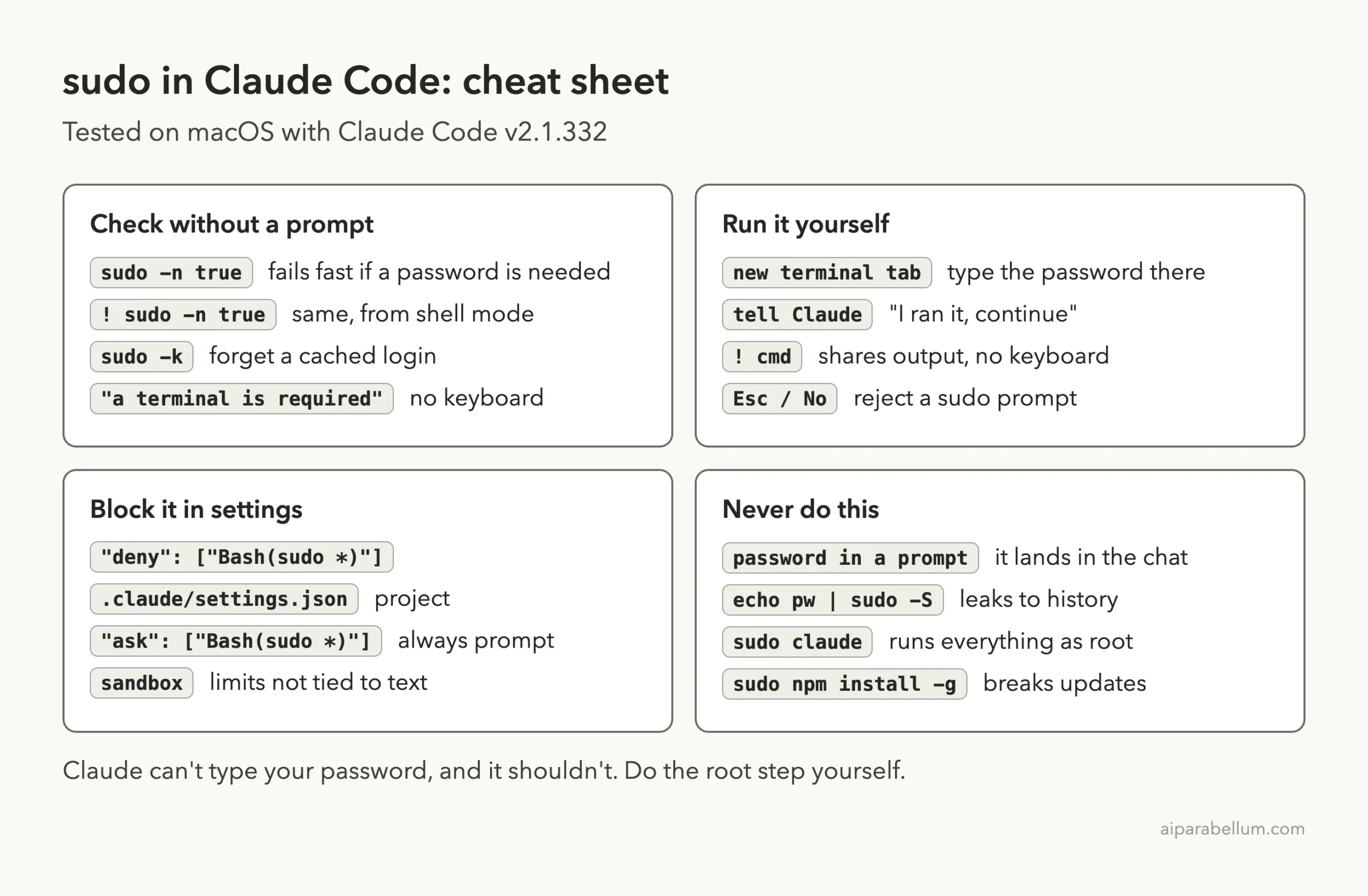
For other messages you might run into, our list of common Claude Code errors covers the rest.
Frequently Asked Questions
Can Claude Code run sudo commands?
Only when sudo doesn’t need a password, for example right after a cached login or with a NOPASSWD rule. Otherwise sudo fails, because Claude’s commands have no terminal to show the password prompt on.
Why does sudo hang in Claude Code?
sudo reads passwords from your terminal, and commands inside Claude Code don’t have one. Plain sudo failed at once in our tests, but scripts that call sudo can wait until the timeout. Press Esc or Ctrl+C and run the step yourself.
Should I give Claude my sudo password?
No. Anything you type in the prompt becomes part of the conversation. Run the command yourself in your own terminal and tell Claude when it’s done.
Does the ! prefix let me type my sudo password?
Not in our test on macOS. ! sudo true failed with “a terminal is required to read the password,” even though Claude suggested this approach.
How do I stop Claude from using sudo at all?
Add "deny": ["Bash(sudo *)"] under permissions in .claude/settings.json. Claude Code blocked sudo with that rule in our test, but your own ! commands still run.
Conclusion
Claude code sudo trouble comes down to one fact: commands inside Claude Code have no terminal, so sudo can’t ask for your password. In our tests it failed right away with “a terminal is required” or “a password is required,” Claude asked before trying sudo and added -n on its own, and a Bash(sudo *) deny rule blocked it completely. The safe habit is to avoid sudo with user-level installs where you can, run any real root step yourself in a separate terminal, and never hand your password to the session. For more on the model behind the tool, see our Claude AI overview.