If you want to reduce Claude Code token usage, the quick answer is to keep the conversation small. Clear it when you change tasks, compact it with a focus when a task runs long, and match the model and effort level to the job.
Those three habits cover most of the savings. The other nine tips in this guide handle the rest, from MCP servers to CLAUDE.md size to subagents.
This post answers one of the most common Claude Code questions. It is part of our Claude Code tutorials collection. Browse them all for more guides like this.
Tested with Claude Code v2.1.316 on 2026-11-02.
Quick Summary: The 12 Tips at a Glance
| Tip | What to do | Command or setting |
|---|---|---|
| 1 | Clear between unrelated tasks | /clear |
| 2 | Name a session before clearing it | /rename, then /resume |
| 3 | Compact with instructions | /compact Focus on code samples |
| 4 | Save compaction rules in CLAUDE.md | # Compact instructions |
| 5 | Use Sonnet for most work | /model |
| 6 | Lower the effort for easy tasks | /effort |
| 7 | Turn off unused MCP servers | /mcp, /context |
| 8 | Keep CLAUDE.md short, use skills | Under 200 lines |
| 9 | Filter big output with hooks | PreToolUse hook |
| 10 | Send noisy work to subagents | Subagents |
| 11 | Write specific prompts | Name the file and the function |
| 12 | Plan first, stop early, test in small steps | Shift+Tab, Esc, /rewind |
Why You Need to Reduce Claude Code Token Usage
Claude Code sends your full conversation with every request. Each time Claude uses a tool, it sends another request that carries that batch of tool results too.
That means a one-line question in a session that has been open all day still draws on the whole conversation. Anthropic’s costs page says it plainly: token costs scale with context size, so the more context Claude processes, the more tokens you use.
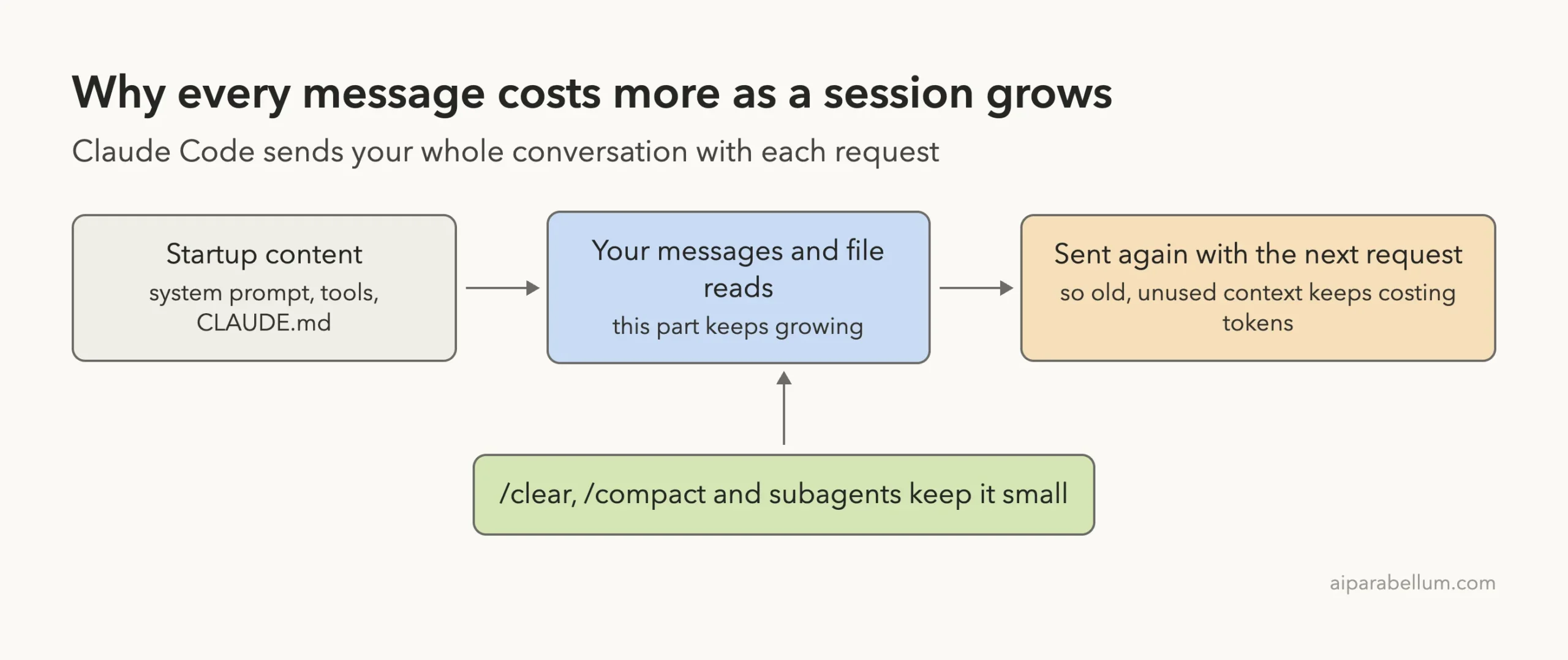
Claude Code already helps with prompt caching, which makes repeated content cheaper, and with auto-compaction, which summarizes history near the limit. You still control what goes in, and that is where these tips come in.
Step 1: See What Is Using Your Tokens
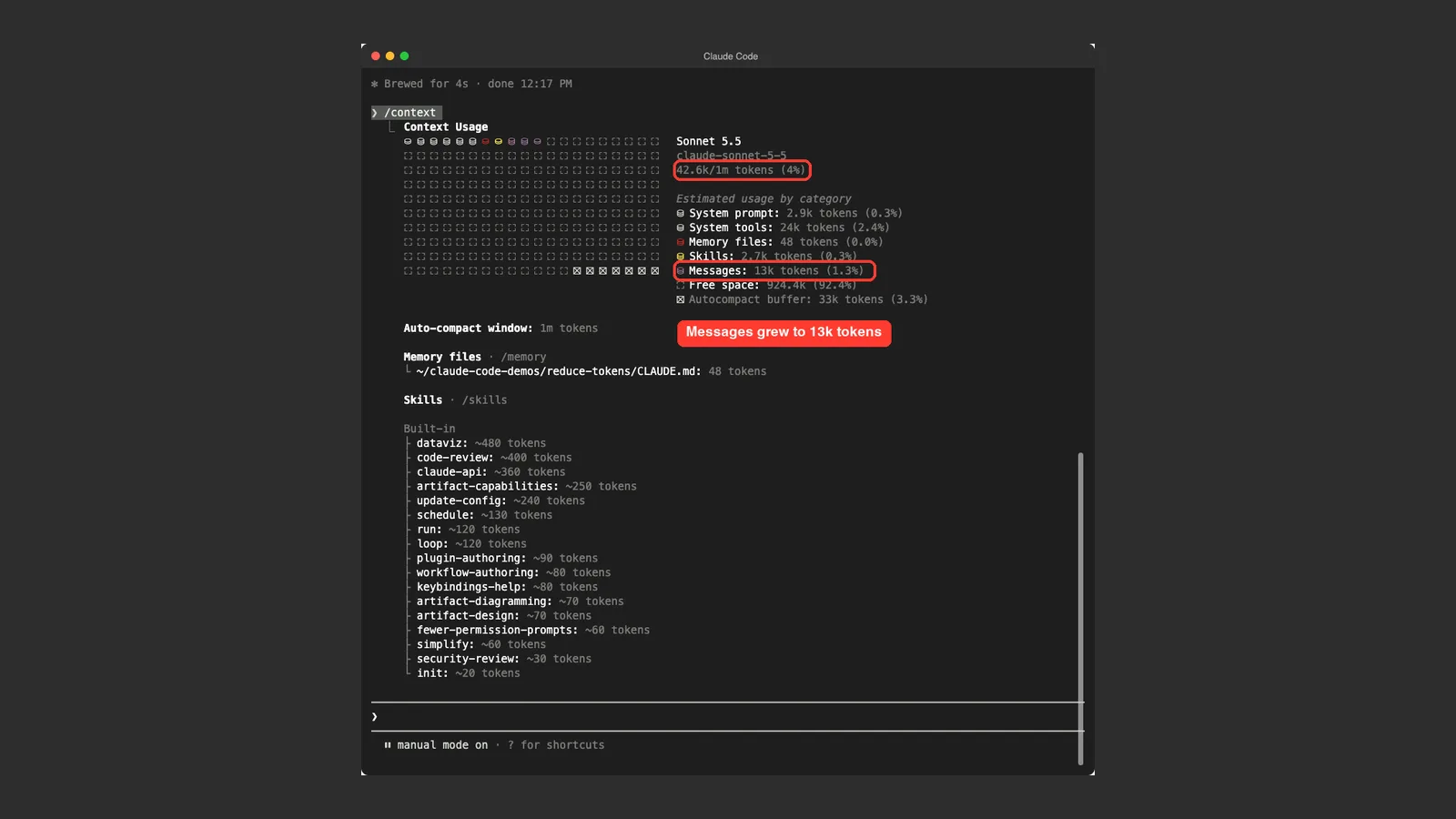
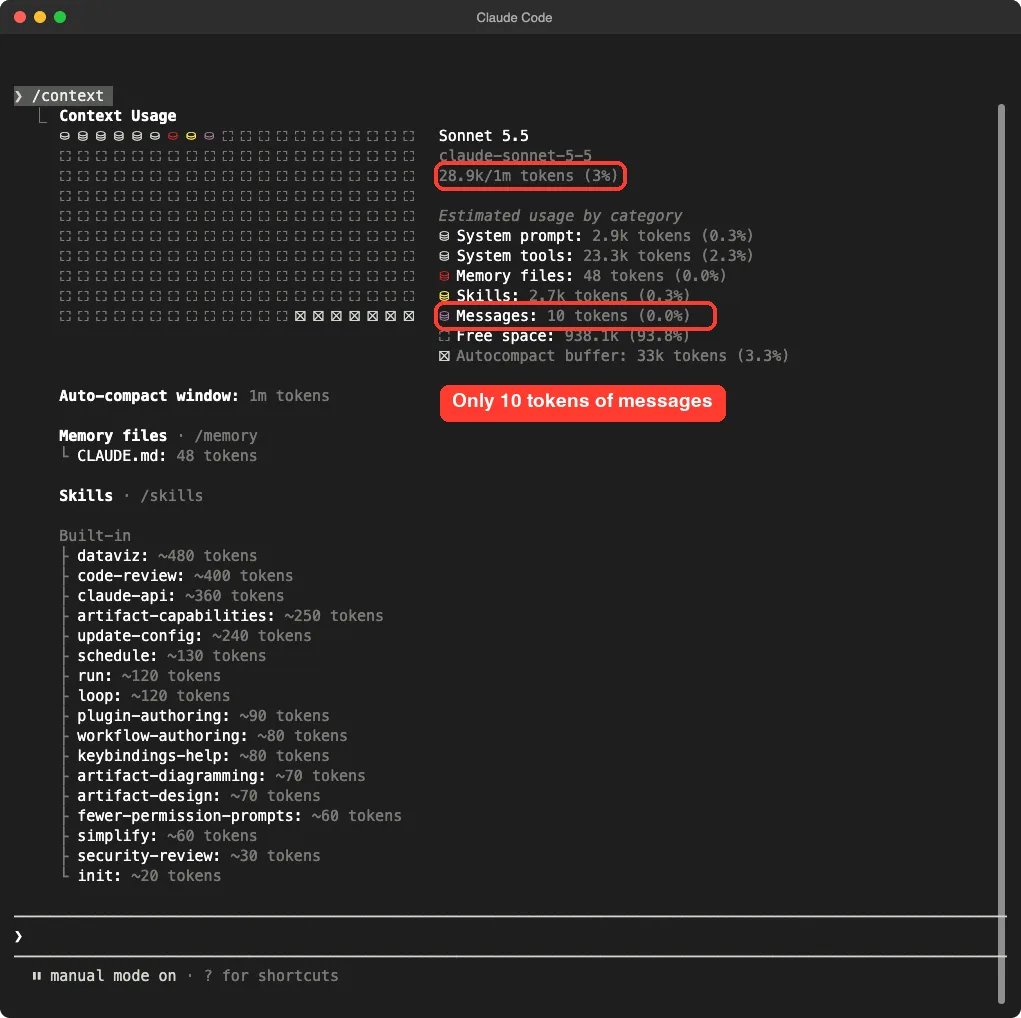
Before you trim anything, look at the numbers. Type /context and Claude Code shows a breakdown by category: system prompt, system tools, memory files, skills and messages.
In our demo folder, a brand new session started at 28.9k of a 1m token window. Only 10 tokens of that were messages. The rest was startup content that every session carries.
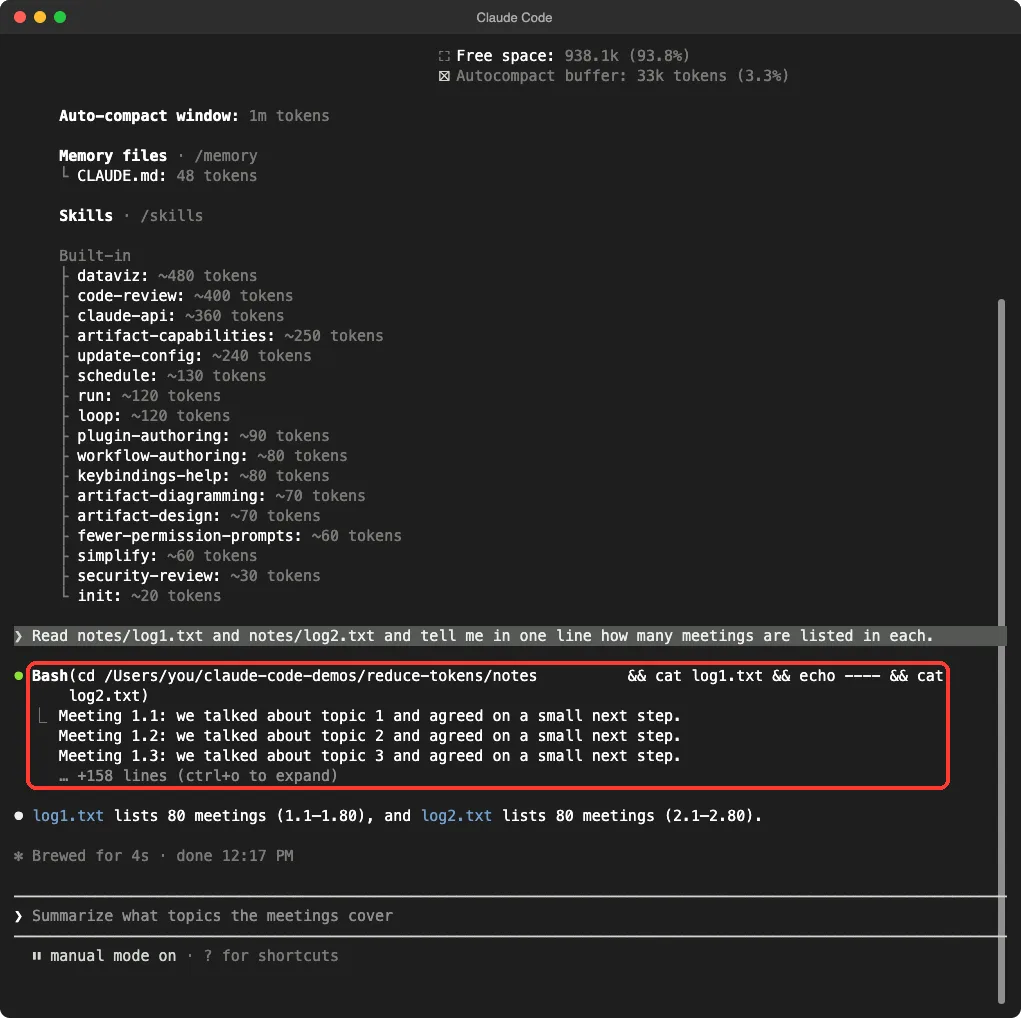
Next we asked Claude to read two small note files, 80 lines each, and answer one question. It used a shell command to read them and gave a one-line answer.
Then we ran /context again. The total rose to 42.6k, and messages jumped from 10 tokens to 13k.
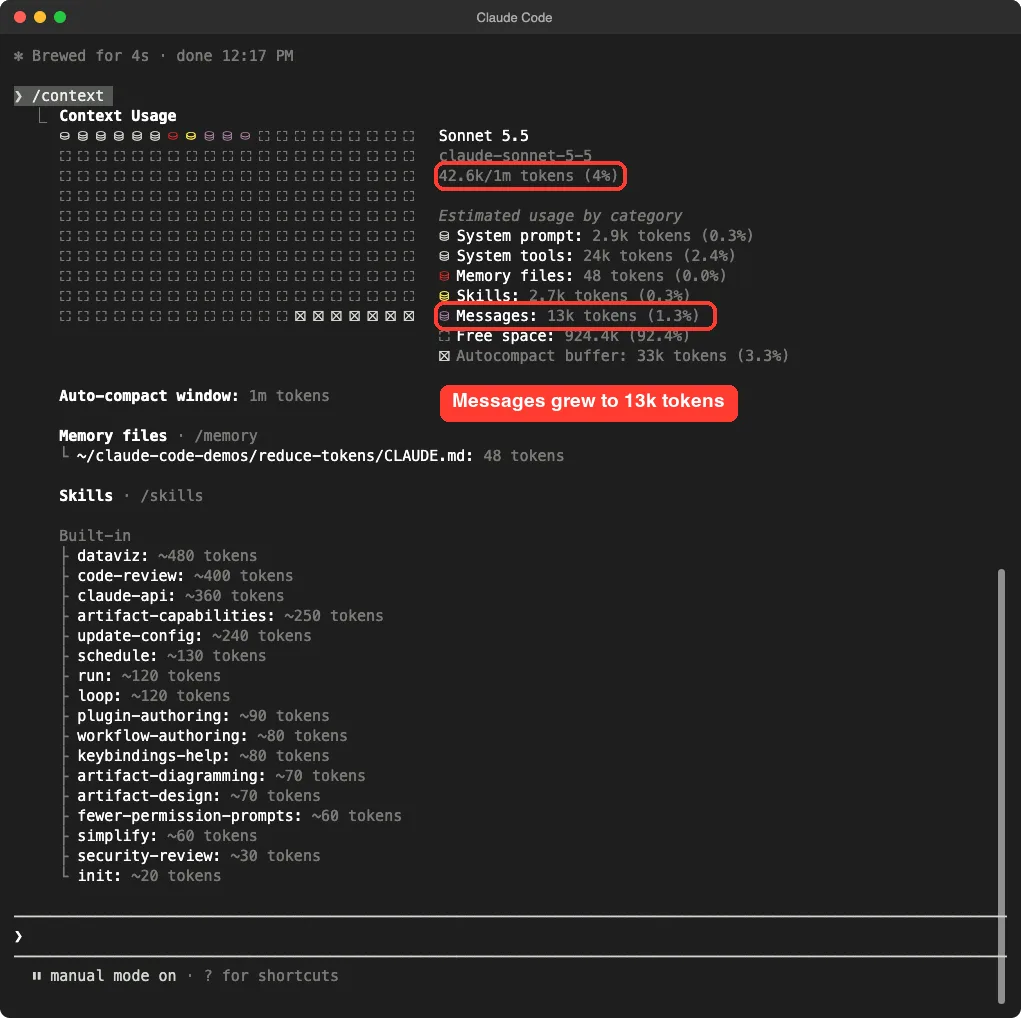
This is the core lesson. A short answer can hide a large cost, because the files Claude read stay in the conversation. For more ways to check your numbers, see our guide on seeing token usage.
Tips 1 to 4: Reduce Token Usage in the Conversation
Tip 1: Clear Between Unrelated Tasks
Run /clear when you switch to unrelated work. The docs explain that stale context wastes tokens on every following message.
Clearing costs nothing. When you only want a fresh start rather than continuity, it is cheaper than compacting.
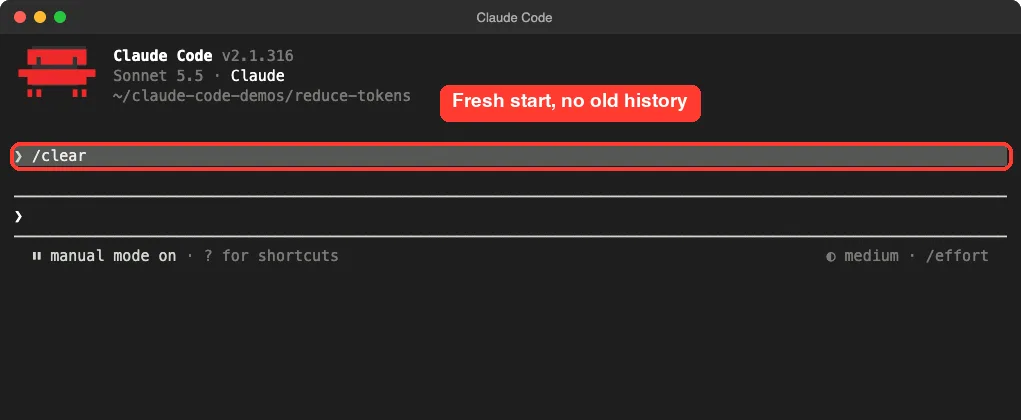
/clear, the old history is gone and the next message starts light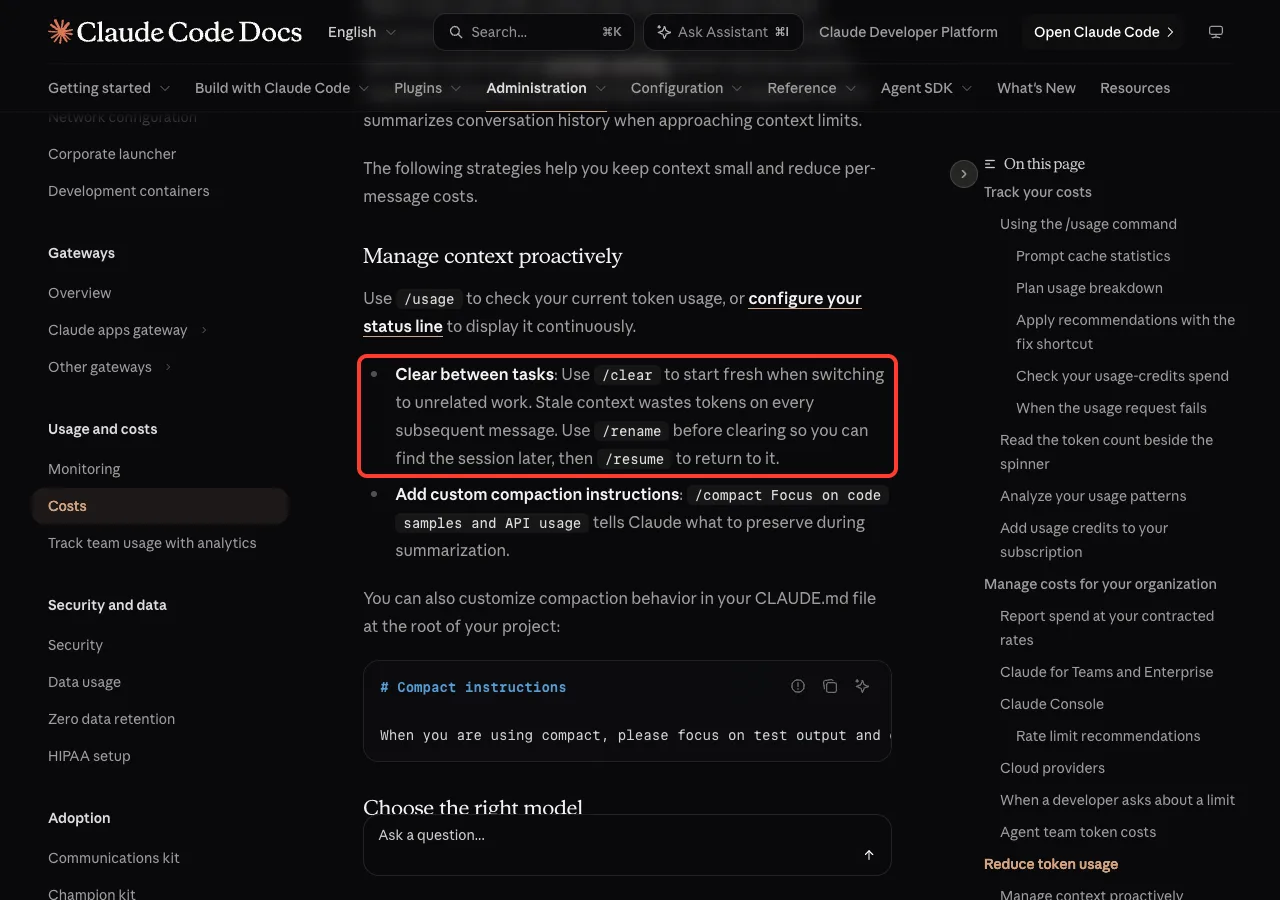
Tip 2: Rename Before You Clear
Worried about losing a session you may need later? Run /rename first, then /clear. When you want it back, use /resume.
Sessions are saved, so you can come back to them any time.
Tip 3: Compact With a Focus
When a task is still going but the chat is long, use /compact. Add instructions to tell Claude what to keep, such as /compact Focus on code samples and API usage.
We tried it with /compact keep only the file names and the meeting counts. Afterward, messages dropped from 13k to 8.7k tokens, and the total fell from 42.6k to 37.6k.
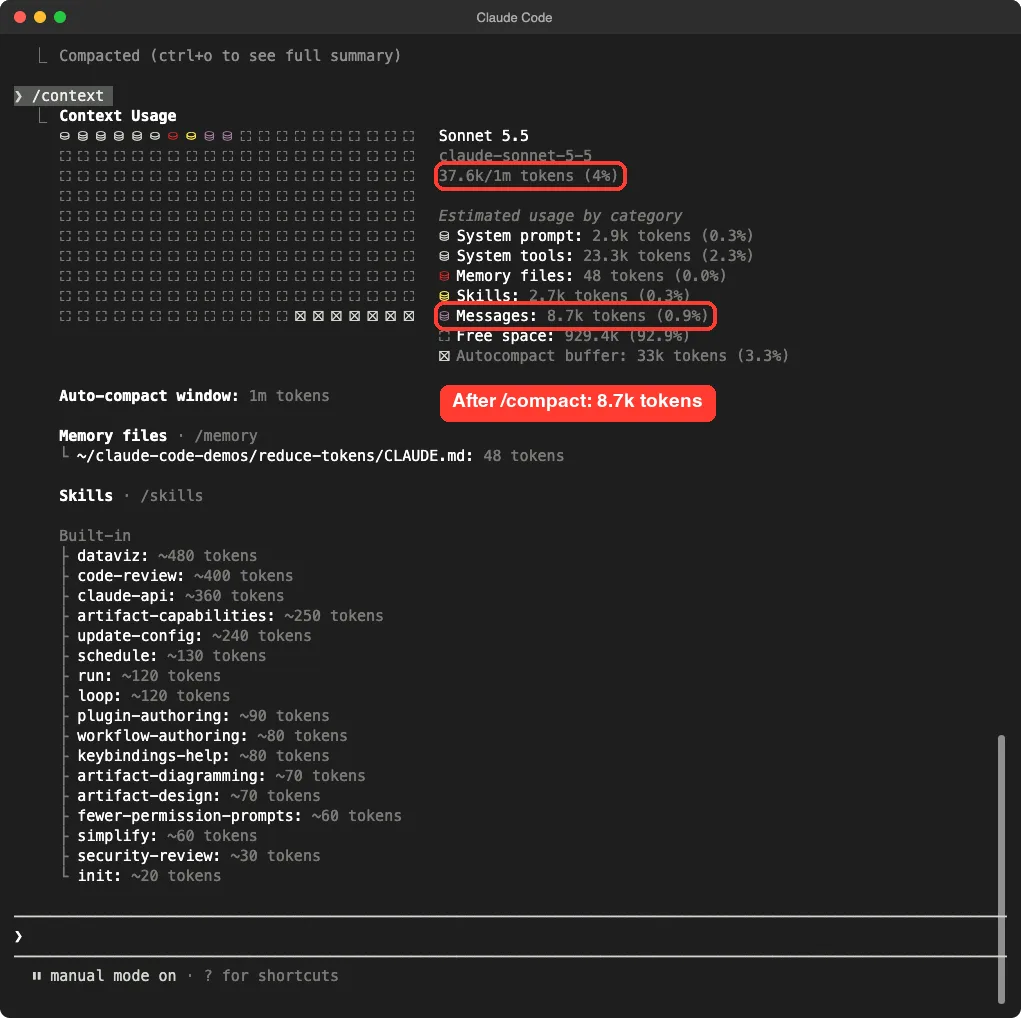
/compact with a focus, messages dropped to 8.7k tokensThis is one demo with small files, so treat the numbers as an example. Also remember the docs warning: /compact reads the conversation it summarizes, so compacting a large context is itself a large request.
Tip 4: Save Compaction Rules in CLAUDE.md
If you always want the same things kept, put the rule in your project file. The docs show a section like this:
# Compact instructions

When you are using compact, please focus on test output and code changes
Now every compaction in that project follows your rule. Learn more in our context window guide.
Tips 5 and 6: Reduce Claude Code Token Usage With Model and Effort
Tip 5: Use Sonnet for Most Tasks
The docs say Sonnet handles most coding tasks well and costs less than Opus. Save Opus for complex architectural decisions or multi-step reasoning.
Use /model to switch in the middle of a session, or set a default in /config. One more detail: a switch to Opus also applies to subagents that inherit your session’s model.
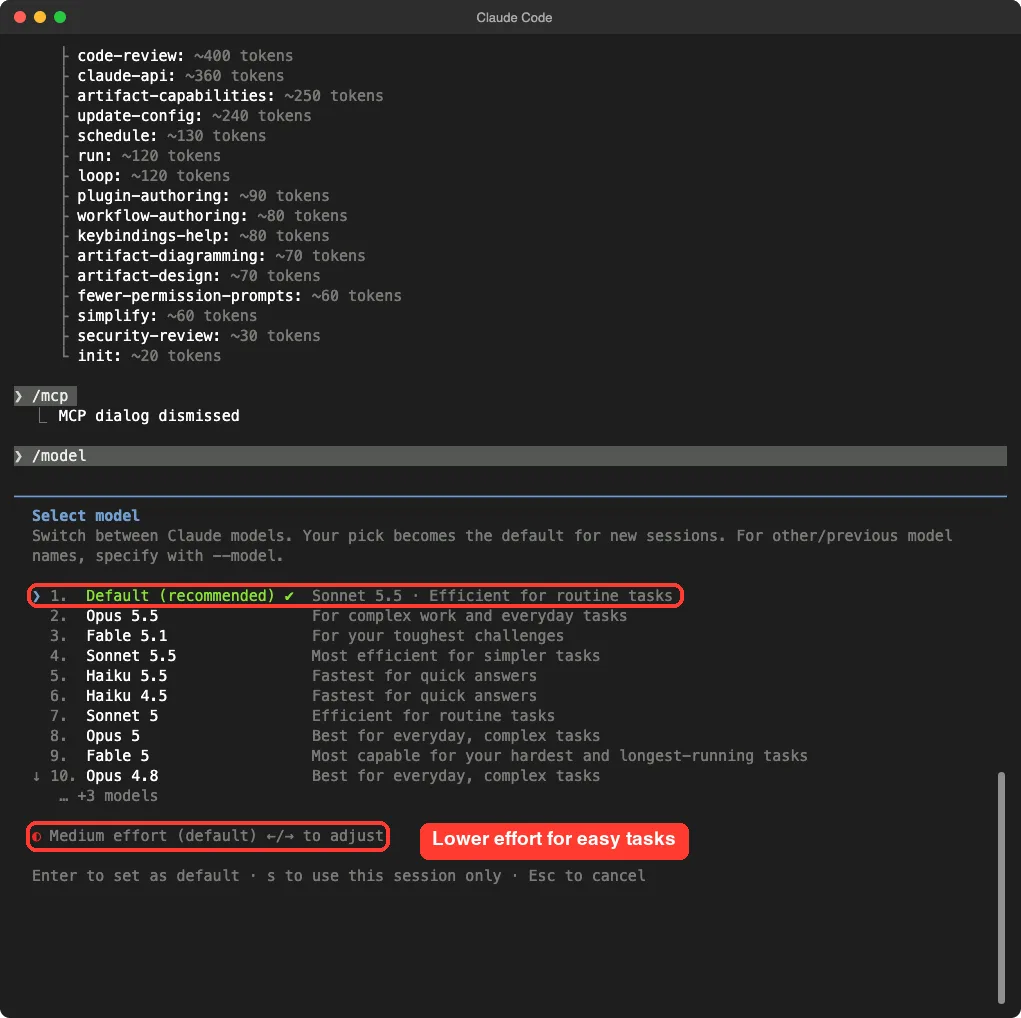
In our session the default was Sonnet 5.5 with medium effort. Your default may differ by plan, so check your own picker.
Tip 6: Lower the Effort for Easy Tasks
Extended thinking is on by default, and thinking tokens are billed as output tokens. The default budget can be tens of thousands of tokens per request, depending on the model.
For simple jobs, lower the effort with /effort or inside /model. According to the docs, you cannot turn thinking off on Opus 5.5, Sonnet 5.5, Haiku 5.5 or the Fable models, so effort levels are your lever there.
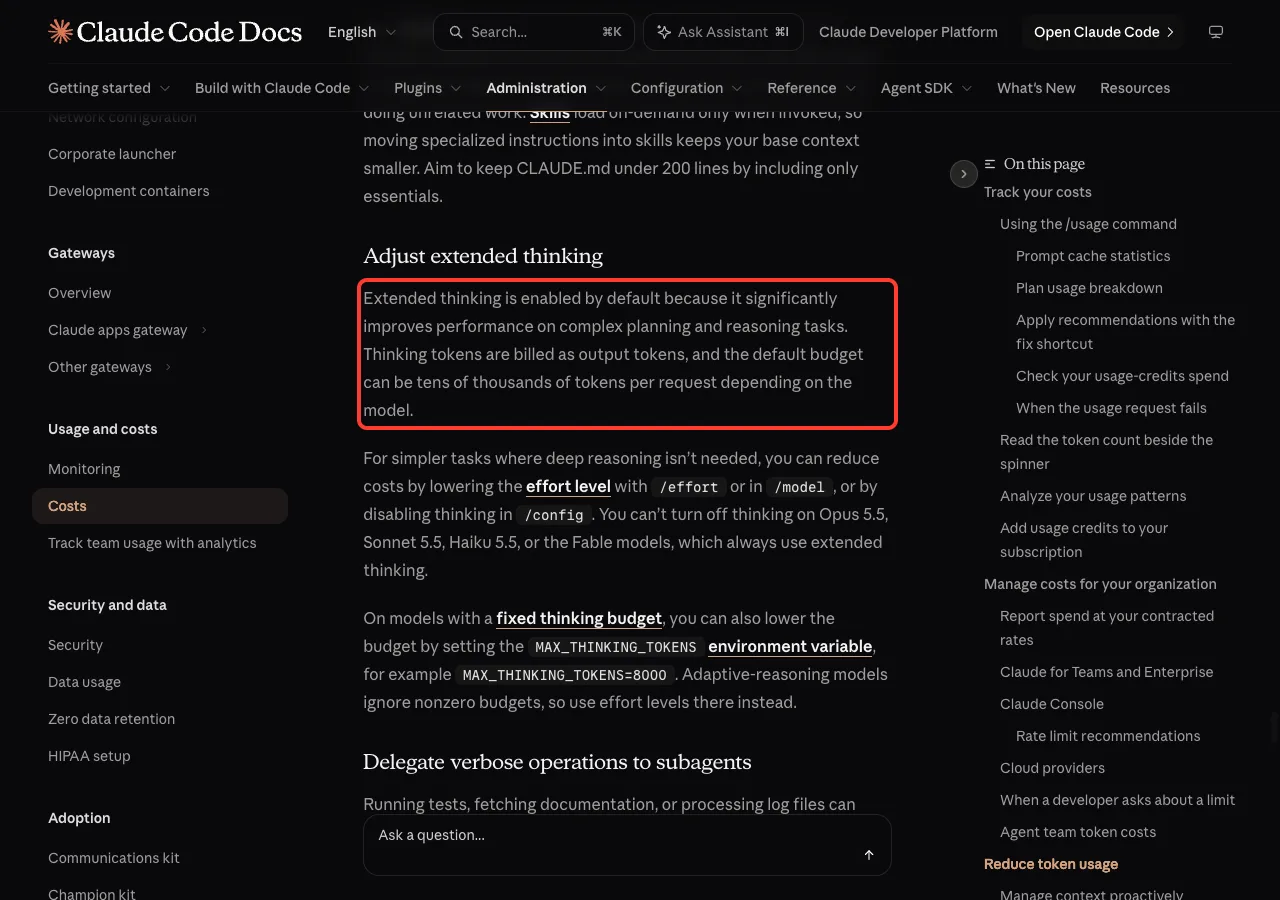
On models with a fixed thinking budget, you can also set MAX_THINKING_TOKENS, for example MAX_THINKING_TOKENS=8000. Models with adaptive reasoning ignore nonzero budgets.
Tips 7 to 10: Trim What Loads and What Comes Back
Tip 7: Turn Off Unused MCP Servers
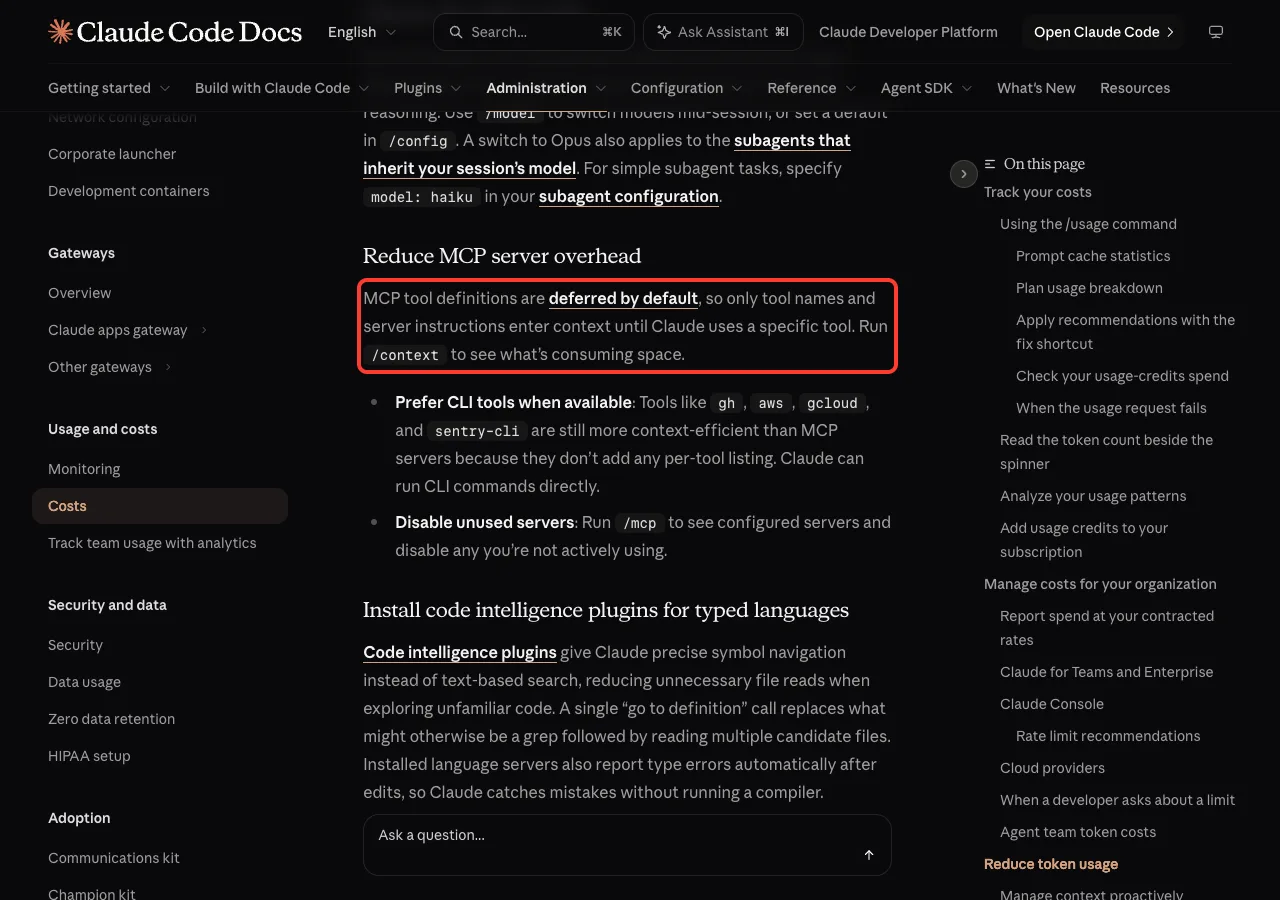
MCP tool definitions are deferred by default, so only tool names and server instructions enter context until Claude uses a tool. Even so, run /context to see what is taking space.
Run /mcp to see your servers and disable any you are not using. The docs also say command-line tools such as gh, aws, gcloud and sentry-cli are more context-efficient than MCP servers, because they add no per-tool listing.
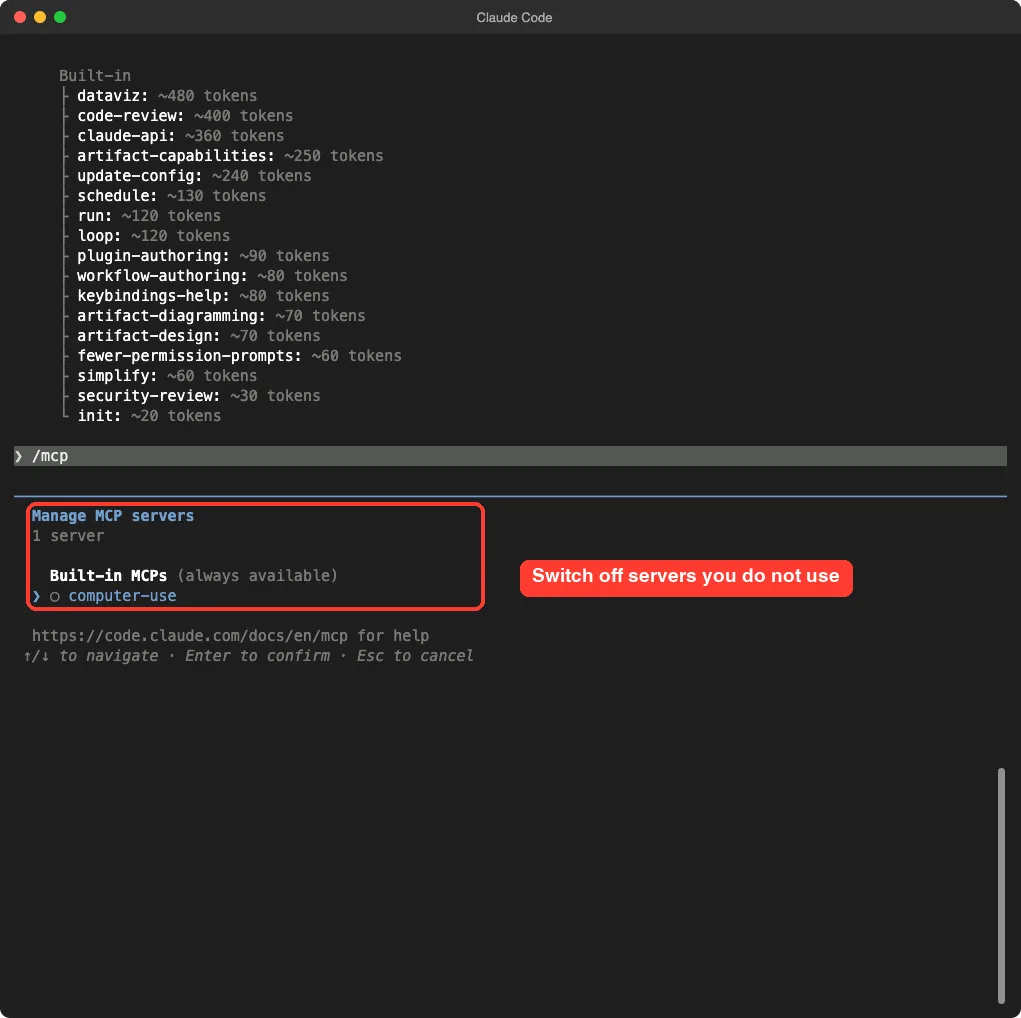
/mcp screen lists your servers so you can switch off the ones you skipOur demo ran with a clean setup, so it showed a single built-in server. On your machine this list may be longer.
Tip 8: Keep CLAUDE.md Short and Use Skills
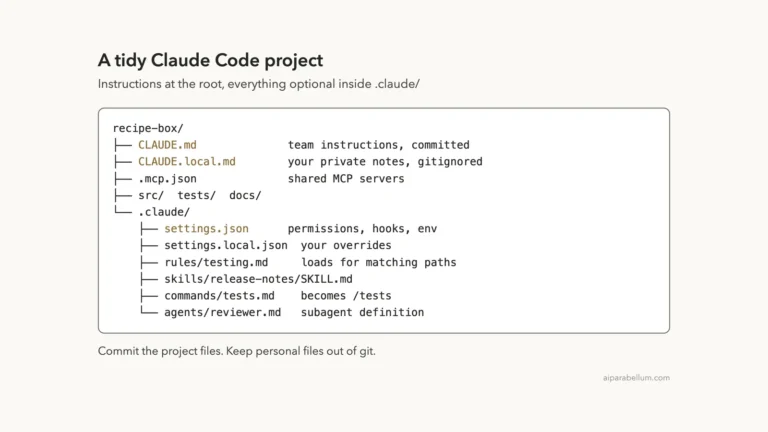
Your CLAUDE.md loads at the start of every session. If it holds long instructions for one workflow, such as pull request reviews or database migrations, those tokens are present even when you are doing something else.
Skills load only when invoked, so move specialized instructions there. The docs suggest keeping CLAUDE.md under 200 lines. Our CLAUDE.md guide shows how.
Tip 9: Filter Big Output With Hooks
A hook can preprocess data before Claude sees it. Instead of reading a 10,000-line log file to find errors, a hook can search for ERROR and return only the matching lines.
The docs give a PreToolUse example that filters test output to show only failures. You register it in your settings like this:
{
  "hooks": {
    "PreToolUse": [
      {
        "matcher": "Bash",
        "hooks": [
          {
            "type": "command",
            "command": "~/.claude/hooks/filter-test-output.sh"
          }
        ]
      }
    ]
  }
}
To verify it, run /hooks and check that the hook appears under PreToolUse. We did not build this hook in our demo, so see our hooks guide for a full walkthrough.
A related bonus from the docs: code intelligence plugins for typed languages give Claude precise symbol navigation, which cuts unnecessary file reads.
Tip 10: Send Noisy Work to Subagents
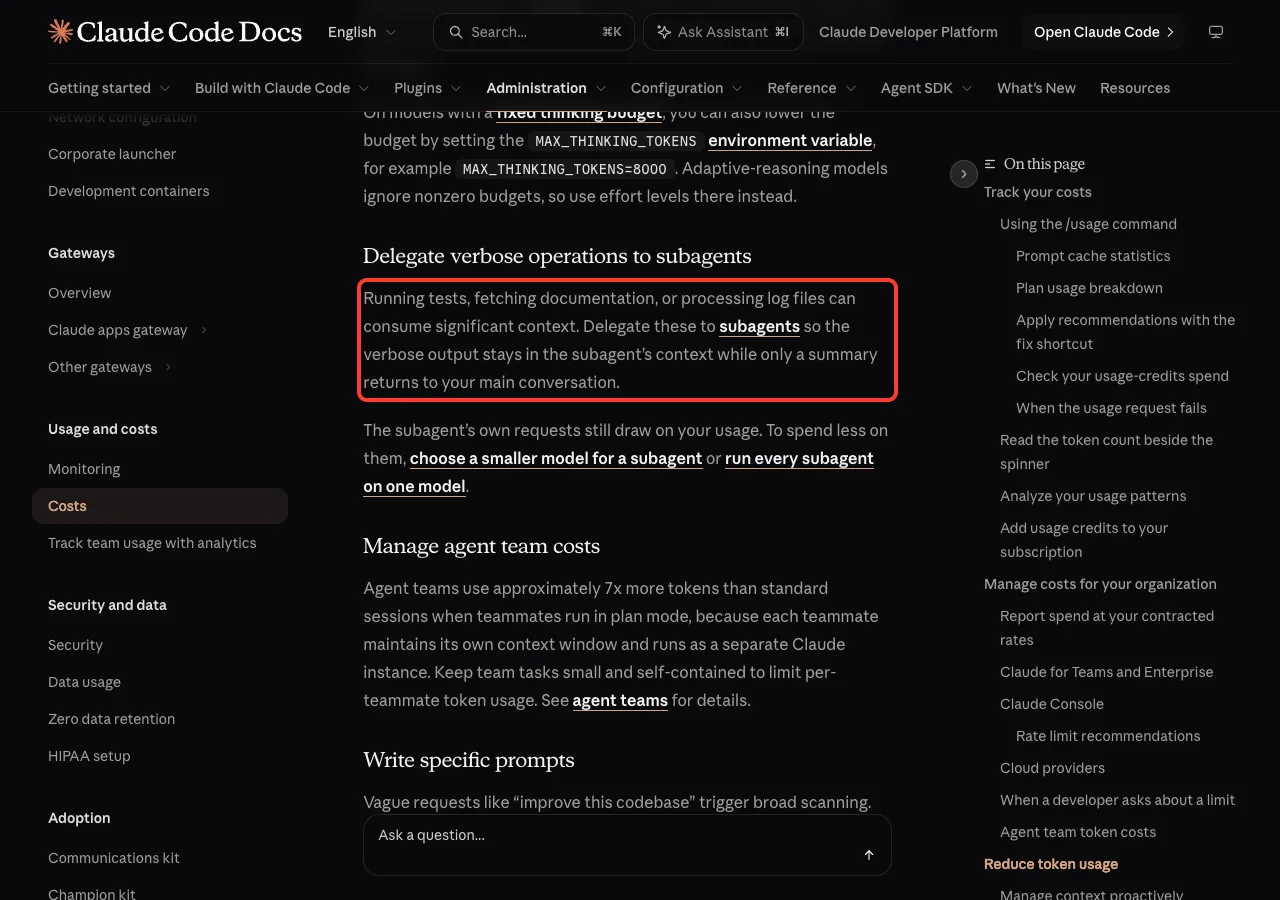
Running tests, fetching documentation or processing logs can use a lot of context. Hand that work to a subagent, so the verbose output stays in the subagent’s context and only a summary comes back.
The subagent’s own requests still count against your usage. To spend less, choose a smaller model for it. For simple subagent tasks, the docs suggest model: haiku in the subagent configuration.
Our subagents guide shows how to build one.
Tips 11 and 12: Prompt and Work Efficiently
Tip 11: Write Specific Prompts
A vague request like “improve this codebase” triggers broad scanning. A specific one like “add input validation to the login function in auth.ts” lets Claude work with minimal file reads.
The same idea applies to our demo. Naming the two files saved Claude from searching the whole folder.
Tip 12: Plan First, Stop Early and Test in Small Steps
For bigger jobs, these habits from the docs avoid wasted tokens:
- Press
Shift+Tabto cycle to plan mode before implementation, so you approve the approach first. - Press
Escto stop immediately if Claude heads the wrong way, then use/rewindor double-tapEscto restore a checkpoint. - Give verification targets such as test cases or expected output, so Claude can check its own work.
- Write one file, test it, then continue.
See our guide to plan mode.
Which Tip Should You Try First?
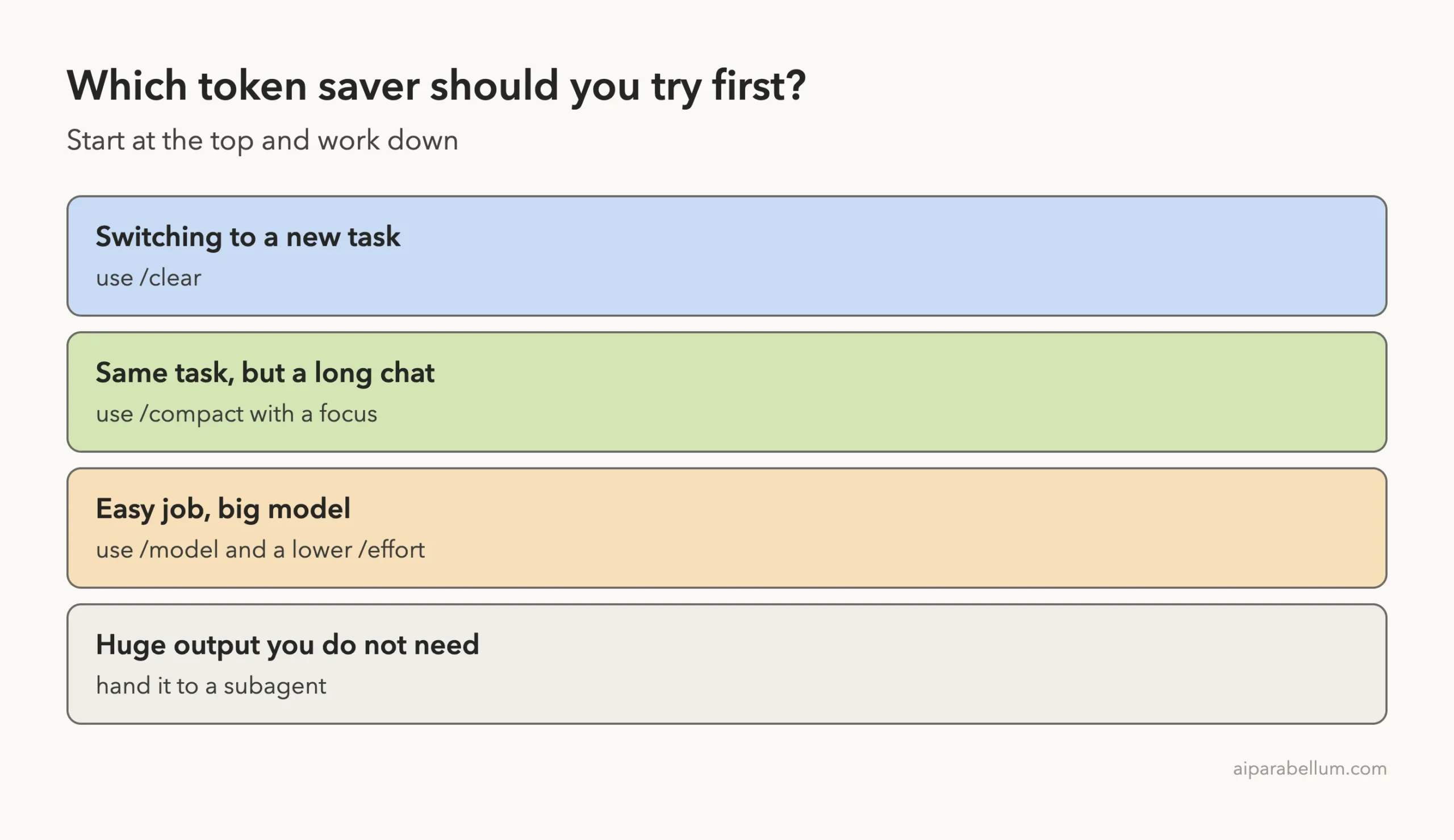
Clear when the task changes, compact when the task continues, and downsize the model when the job is easy.
You do not need all twelve on day one. Start with the habit that matches what you are doing right now.
Hidden Token Use When You Are Idle
Some usage happens even when you are not typing. The docs list several causes for a long session that uses more than your activity suggests.
- Long context: the full conversation is re-read with every request, even at the cheaper cached rate.
- Cache misses: your first message after a break longer than the cache lifetime reprocesses your full context.
- Scheduled tasks: a session-scoped task fires on its interval even while the session is idle.
- Subagents and agent teammates: each sends its own requests on top of the main conversation.
- Prompt suggestions: a short request after each reply, mostly cache reads plus a few output tokens.
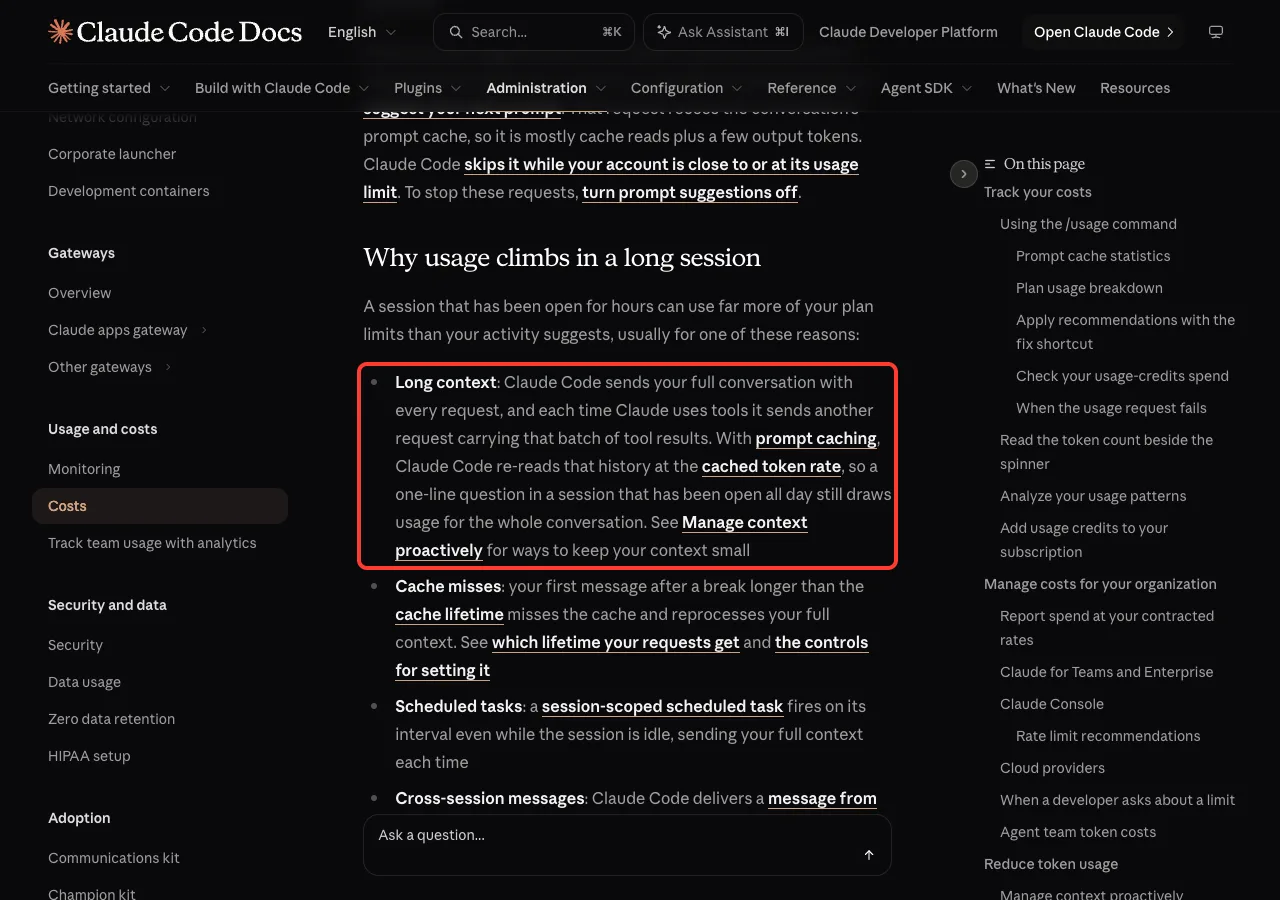
The simple fix is the same as before: clear or compact before you walk away, and close sessions you no longer need. Our guides on prompt caching and the status line go deeper on these two areas.
If you are on a subscription plan, run /usage. The docs say its breakdown recommends a change for any behavior behind 10% or more of your recent usage.
Try It Yourself
Make a throwaway folder with a few text files, start Claude Code there, and run this short exercise. It takes about five minutes and shows the difference for yourself.
- Run
/contextand note the total and the messages line. - Paste the prompt below, then run
/contextagain. - Run
/compact keep only the file names and the counts, then check/contextonce more. - Finish with
/clear.
Read the two text files in this folder and tell me in one line how many lines each one has.Common Mistakes
- Never clearing: one session for a whole week means every message carries all of that history.
- Compacting too late or without a focus: the automatic summary may keep things you do not need.
- Using the biggest model for everything: simple edits rarely need it.
- Leaving MCP servers connected “just in case”.
- Asking vague questions that make Claude scan the whole project.
- Expecting
/compactto be free: summarizing a large conversation is itself a large request.
Pro Tips
- Show usage all the time with a custom status line instead of checking by hand.
- Check
/contextbefore and after a big change, so you learn what is expensive in your project. - Keep one folder per task or project, so a fresh session loads only the right CLAUDE.md.
- Managing a team? The official costs page covers spend limits and analytics.
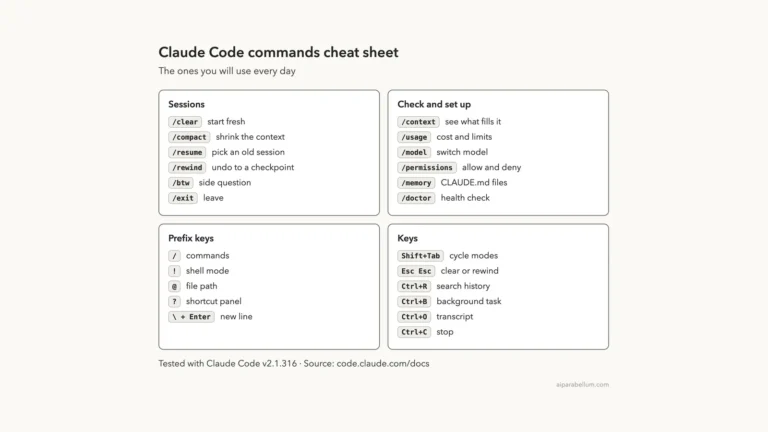
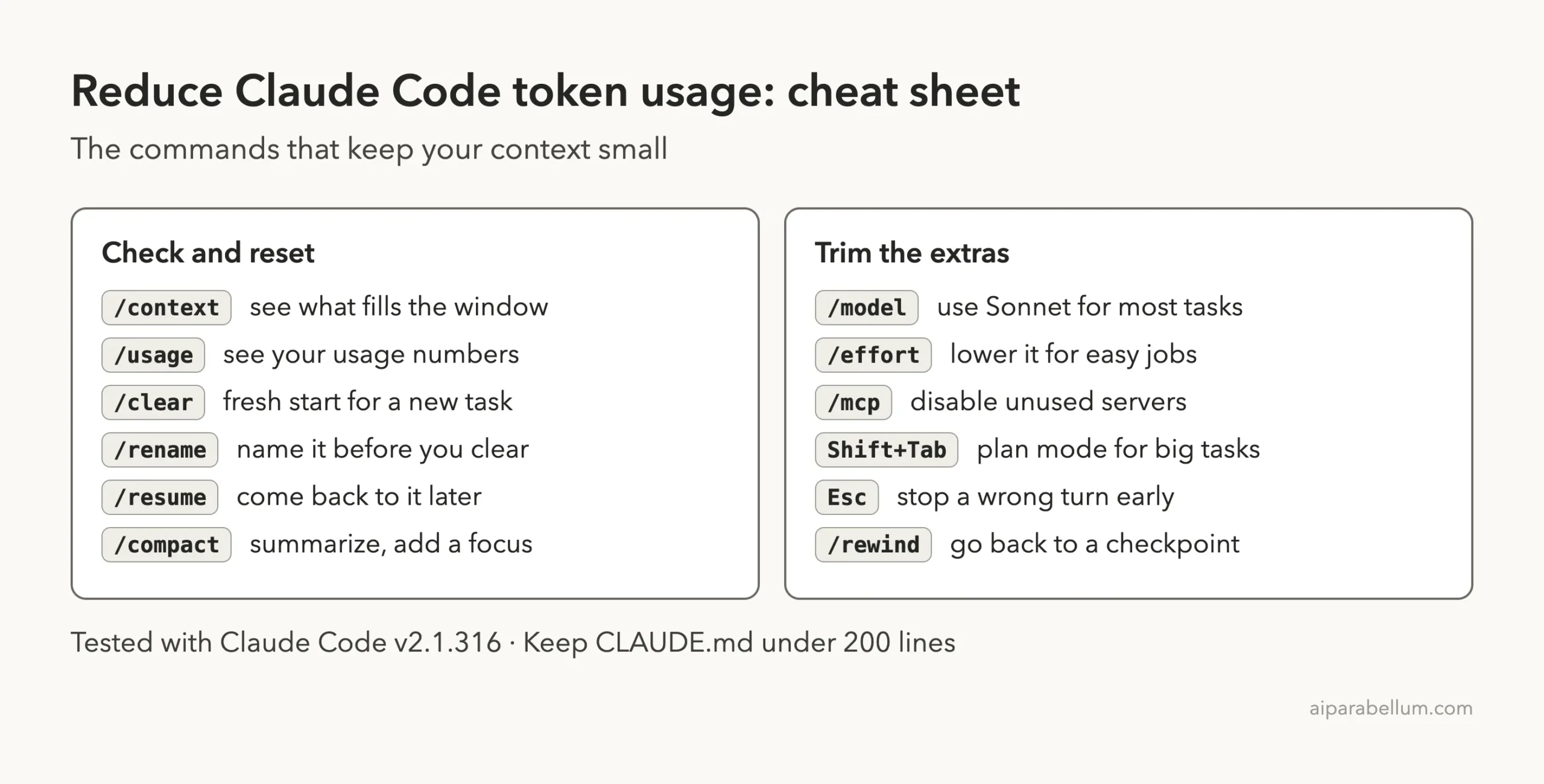
Cheat Sheet
Frequently Asked Questions
What uses the most tokens in Claude Code?
Long conversations and large file reads. Claude Code sends the full conversation with every request, so history you no longer need keeps costing tokens. Use /context to see the split.
Does /clear or /compact save more?
Use /clear when the next task is unrelated, because it costs nothing. Use /compact when you need to continue the same task with a shorter history.
Is Sonnet cheaper than Opus in Claude Code?
The docs say Sonnet handles most coding tasks well and costs less than Opus. Reserve Opus for complex architecture or multi-step reasoning.
Can I turn off extended thinking?
Not on every model. The docs say you cannot turn thinking off on Opus 5.5, Sonnet 5.5, Haiku 5.5 or the Fable models, so lower the effort level instead.
Do MCP servers add tokens even when I do not use them?
A little. Tool definitions are deferred by default, so only names and server instructions load until a tool is used. Disabling servers you do not need still keeps your context lean.
Conclusion
To reduce Claude Code token usage, keep your context small: clear between tasks, compact with a focus, pick the right model and effort, trim MCP servers and CLAUDE.md, and push noisy work to hooks and subagents. In our test, a short question about two files grew the conversation from 10 to 13k message tokens, and a focused compact brought it down to 8.7k, so you can measure the effect yourself with /context. We tested on macOS with Claude Code v2.1.316; for plan-specific limits, check Anthropic’s official costs page and our Claude guide.