If Claude Code answers every prompt with “your account can’t receive replies from Claude right now,” nothing is broken on your computer. The message is about your account. It ends with a link to the Anthropic Verification Portal, and that link is where the fix lives.
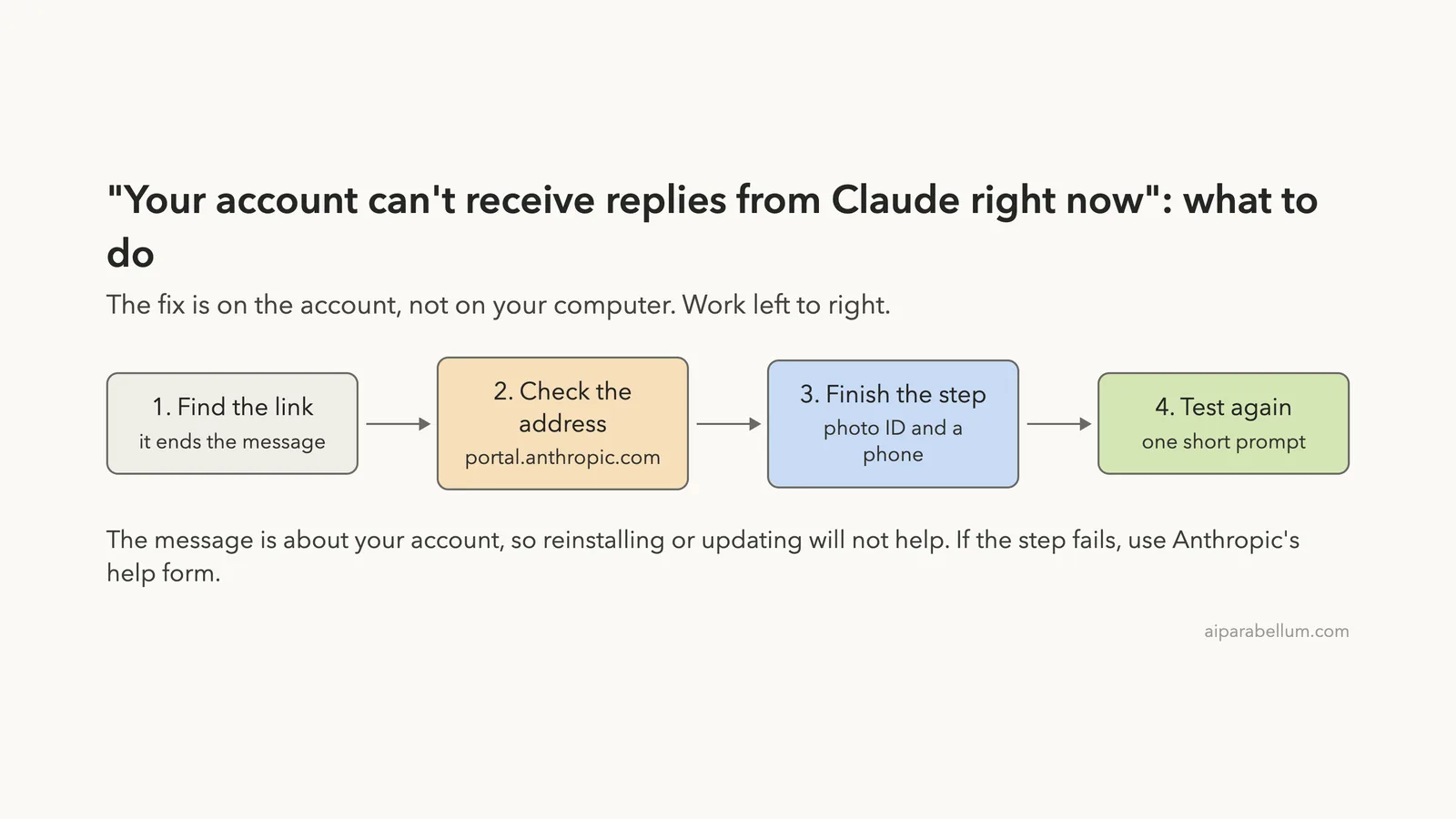
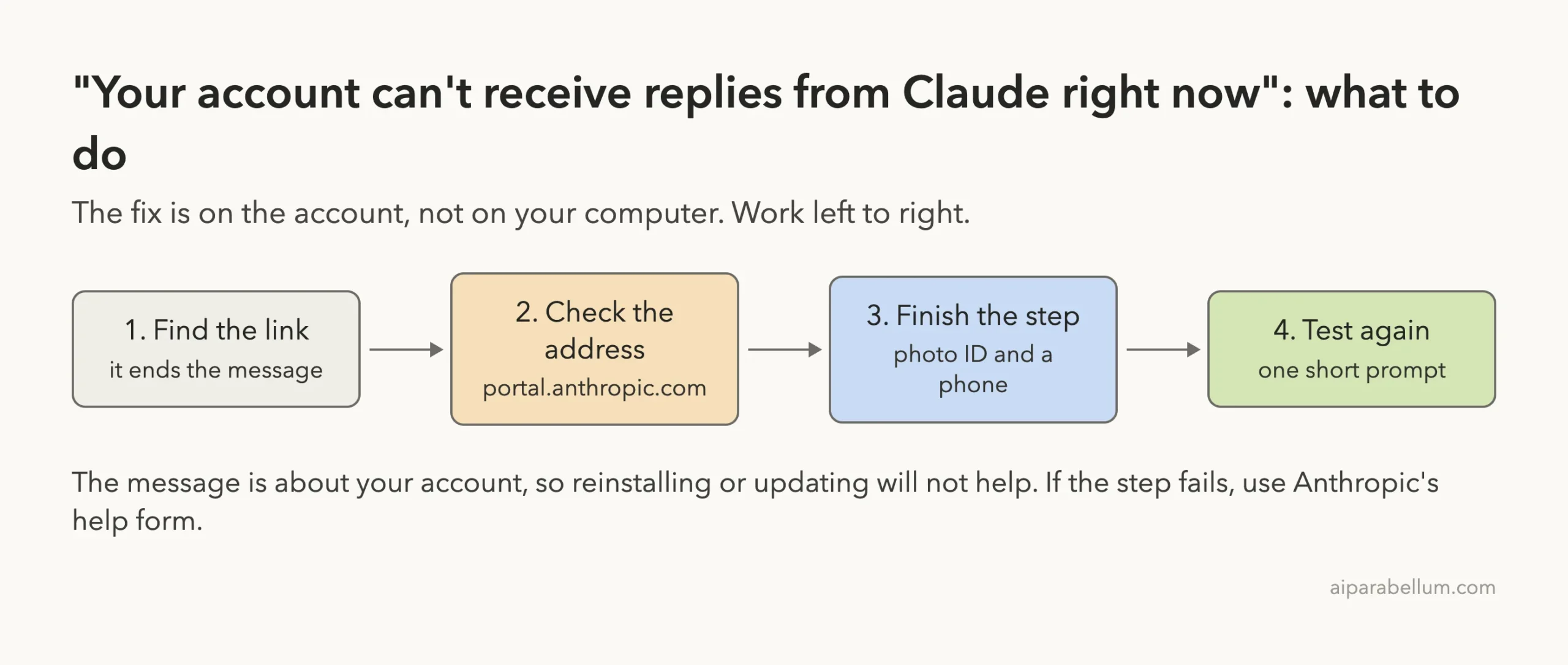
API Error: Your account can't receive replies from Claude right now. You can find the next step in the Anthropic Verification Portal: <your personal link>The short fix: open the link from the message in your browser, confirm it goes to portal.anthropic.com, and complete the step the portal shows you. For an identity check, Anthropic’s help center says to have a physical government photo ID and a phone with a camera ready. When the step is done, send one short prompt to confirm replies are back.
Running /login again, updating, or reinstalling Claude Code is unlikely to help, because the text does not come from the program on your machine. The rest of this guide shows how we checked that, what the verification step involves according to Anthropic, and what to do if it fails.
This guide is part of our help series. Browse all our Claude Code tutorials for more fixes and how-tos.
Tested with Claude Code v2.1.322 on macOS on November 15, 2026. This message cannot be triggered safely on a healthy account, so we did not reproduce it. The wording comes from public user reports that all quote the same text, the verification details come from Anthropic’s official help center and docs, and the two terminal checks shown below are our own runs.
Claude Can’t Receive Replies Message: Quick Summary
| Question | Short answer |
|---|---|
| What does it mean? | Anthropic has paused replies for the account until a step in its Verification Portal is completed |
| Is it a bug in Claude Code? | No. The text is not inside the Claude Code program; we checked v2.1.322 |
| Where is the fix? | The personal link at the end of the message, on portal.anthropic.com |
| What will I need? | For an identity check: a physical government photo ID and a phone with a camera (official help center) |
Does /login fix it? | Unlikely. The message is about the account, not the saved login |
| Is it a ban? | The message does not say so. A suspended account gets a different, documented message |
| Is it documented? | Not yet. It is missing from the official error reference as of November 15, 2026 |
What the Message Looks Like
The message appears where Claude’s answer should be. It starts with API Error:, says the account can’t receive replies, and ends with a link to the Anthropic Verification Portal. The link is personal, so yours will not match anyone else’s.
We want to be clear about where this wording comes from. We did not see it in our own session. Several separate public bug reports from October and November 2026 quote the same sentence word for word, both in interactive sessions and in scripts.
Those reports also describe how it behaves in print mode. A command such as claude -p prints the message as its output and exits with code 1. That matters for automation, which we cover further down.
The message tells you two things: the stop is on the account, and the next step is waiting in the portal.
What “Can’t Receive Replies From Claude” Means
Read the sentence literally and it gives you most of the answer. Your sign-in still works, since Claude Code reached the service and got a reply. The account behind that sign-in has been paused from getting model answers until something is done in the Verification Portal.
Anthropic’s help center explains why a verification prompt can appear at all. Its identity verification article says the company is rolling out identity and business verification for some use cases. A prompt can show up when you access certain capabilities, as part of routine platform integrity checks, or for other safety and compliance reasons.
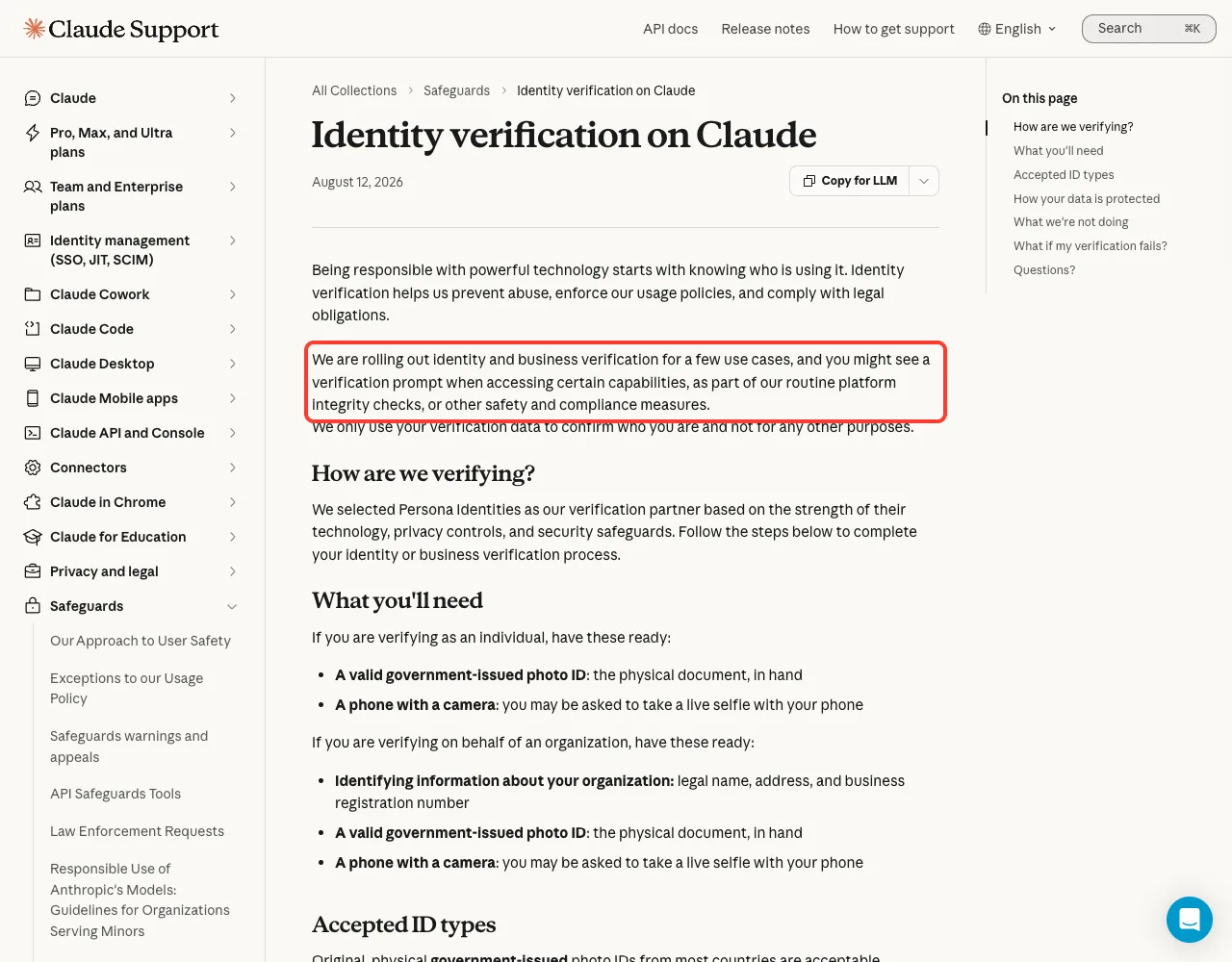
What we cannot tell you is the exact trigger for your account. The message does not name one, and no official page ties this sentence to a specific cause. The portal page behind your link is the only place that shows the step your account actually needs.
It is not in the official error reference yet
We searched the official error reference, the troubleshooting page, the authentication page, and the help center’s error article for this sentence. As of November 15, 2026, none of them list it. So treat any site that claims to know the precise cause with caution.
We Checked: The Text Is Not Inside Claude Code
Here is the one thing we could measure ourselves. Most Claude Code error messages are written into the program, so you can find them by searching the installed file. We searched Claude Code v2.1.322 for three phrases.
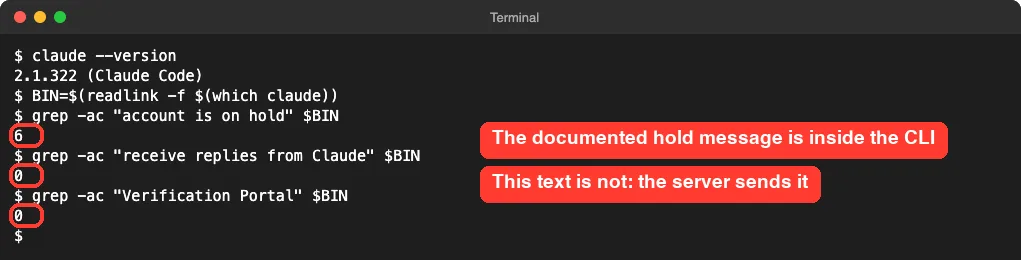
The documented phrase “account is on hold” appears six times. The phrases “receive replies from Claude” and “Verification Portal” appear zero times. That tells us Claude Code is passing along text it received from Anthropic’s service, with API Error: in front.
This is why local fixes miss the target. There is no setting, cache file, or version of Claude Code that produces or removes this sentence. If you were about to reinstall, you can skip that; our guide to login problems covers the cases where a reinstall does help.
How to Fix “Can’t Receive Replies From Claude”: Four Steps
These steps follow the message itself and Anthropic’s help center. We could not run them on a paused account, so we describe what the official pages say and point out where your screen may differ.
Step 1: Find the link in the message
Scroll to the message and copy the whole link after “Anthropic Verification Portal:”. In a narrow terminal the link can wrap onto a second line, so make sure you copy all of it. If your terminal supports it, you can also hold Cmd on macOS and click the link.
Step 2: Check the address before you sign in
A message that asks for your ID deserves a careful look. Anthropic’s own help pages link the Verification Portal at portal.anthropic.com, so the link in your message should start with https://portal.anthropic.com. If it points anywhere else, do not sign in or upload anything.
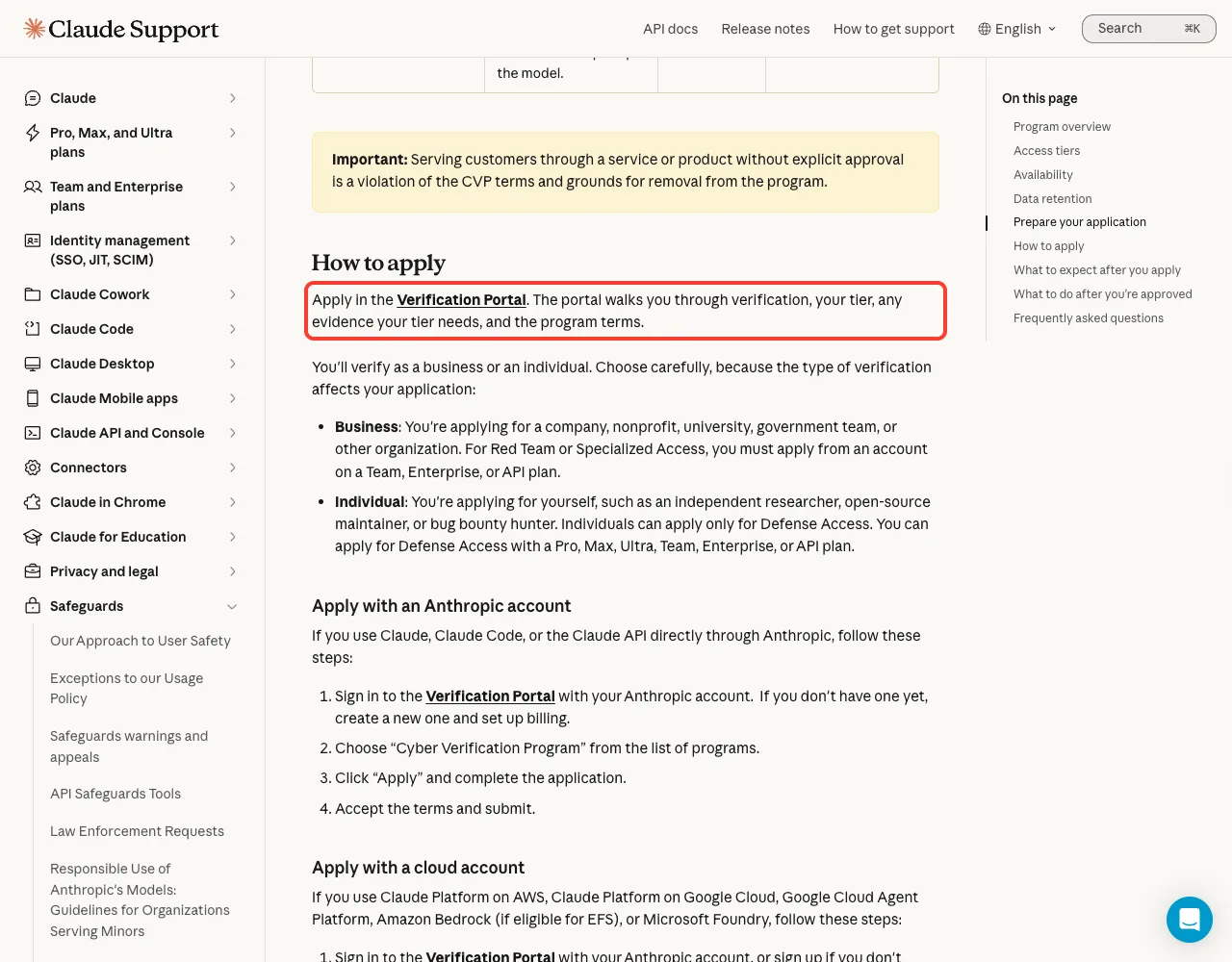
portal.anthropic.com.The page in the screenshot is about the Cyber Verification Program, a separate, optional program. We show it only because it is an official page that names the portal and its address. Your message does not mean you need to apply to that program.
Step 3: Complete the step the portal shows
Sign in with the same account that Claude Code uses, then follow what the portal asks. If it is an identity check, the help center says Anthropic uses a partner called Persona Identities to run it. Have these ready before you start.
- A valid government-issued photo ID, as the physical document in your hand
- A phone with a camera, because you may be asked for a live selfie
- For an organization: its legal name, address, and business registration number
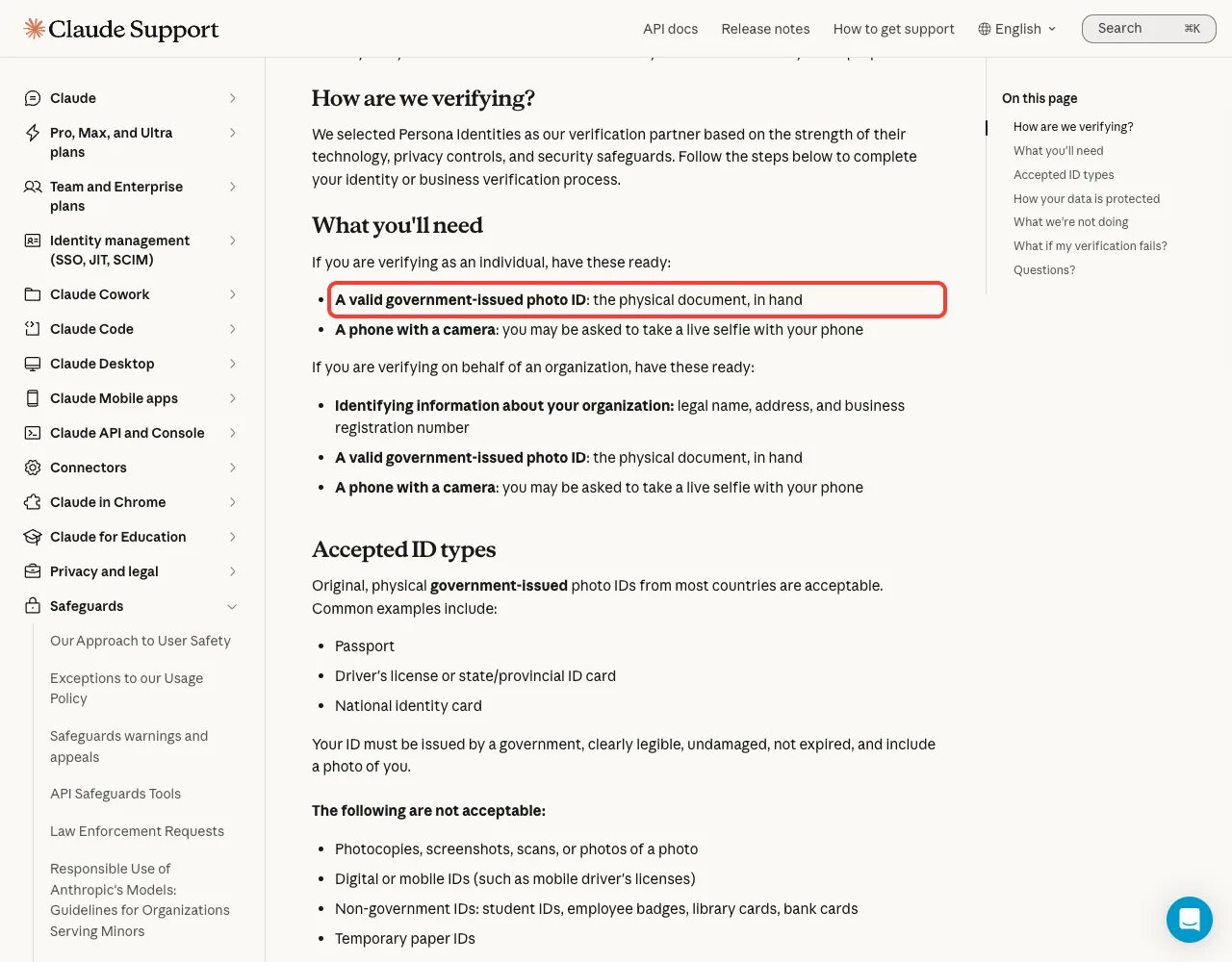
The same article lists what counts as an acceptable ID. A passport, a driver’s license or state ID card, and a national identity card are the common examples. The ID must be legible, undamaged, not expired, and show your photo.
| Accepted | Not accepted |
|---|---|
| Passport | Photocopies, screenshots, scans, or photos of a photo |
| Driver’s license or state/provincial ID card | Digital or mobile IDs |
| National identity card | Student IDs, employee badges, library cards, bank cards |
| Original, physical document | Temporary paper IDs |
Step 4: Test that replies are back
Once the portal says you are done, go back to the terminal and send one small prompt. Print mode is handy because it also gives you an exit code. This is the check we ran on our own, healthy account.
claude -p "reply with ok" --model haiku; echo "exit code: $?"
2>/dev/null only to hide an unrelated notice.A real reply and exit code: 0 mean the account can receive replies again. If you still get the same message, give it a little time and try once more before contacting support. We could not measure how quickly a completed verification takes effect, so we will not guess a number.
If Verification Fails
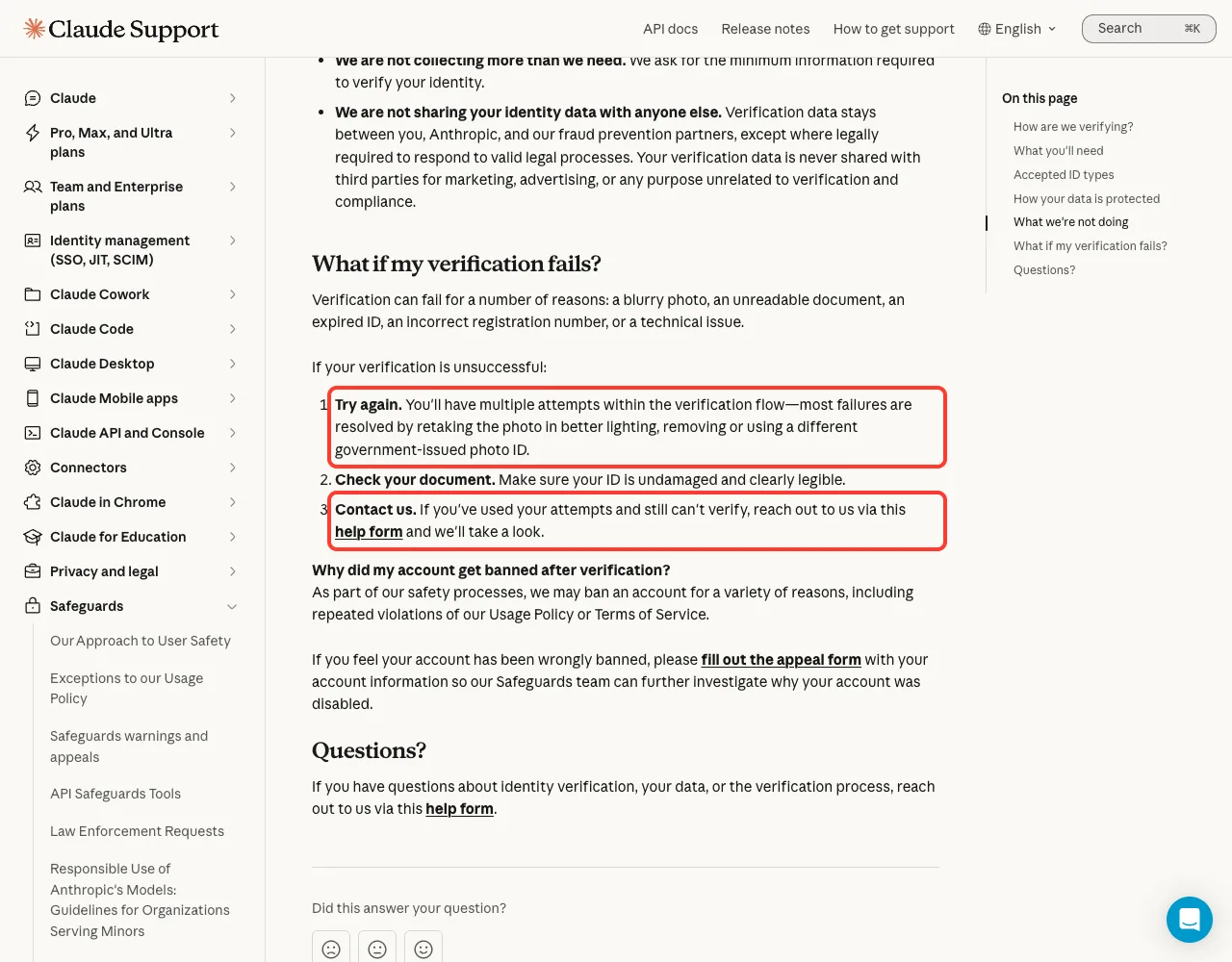
The help center says verification can fail for ordinary reasons: a blurry photo, an unreadable document, an expired ID, a wrong registration number, or a technical issue. It gives three steps, in this order.
- Try again. You get multiple attempts, and most failures are fixed by retaking the photo in better lighting or using a different government photo ID.
- Check your document. Make sure the ID is undamaged and clearly legible.
- Contact Anthropic. If you have used your attempts, use the verification help form.
Getting help without slowing yourself down
When you write to support, include the exact message text, when it started, and the email on the account. Do not paste your personal portal link into public forums or bug reports. Anthropic’s support guide also asks you to keep one conversation per issue, since a second request for the same problem has to be sorted again.
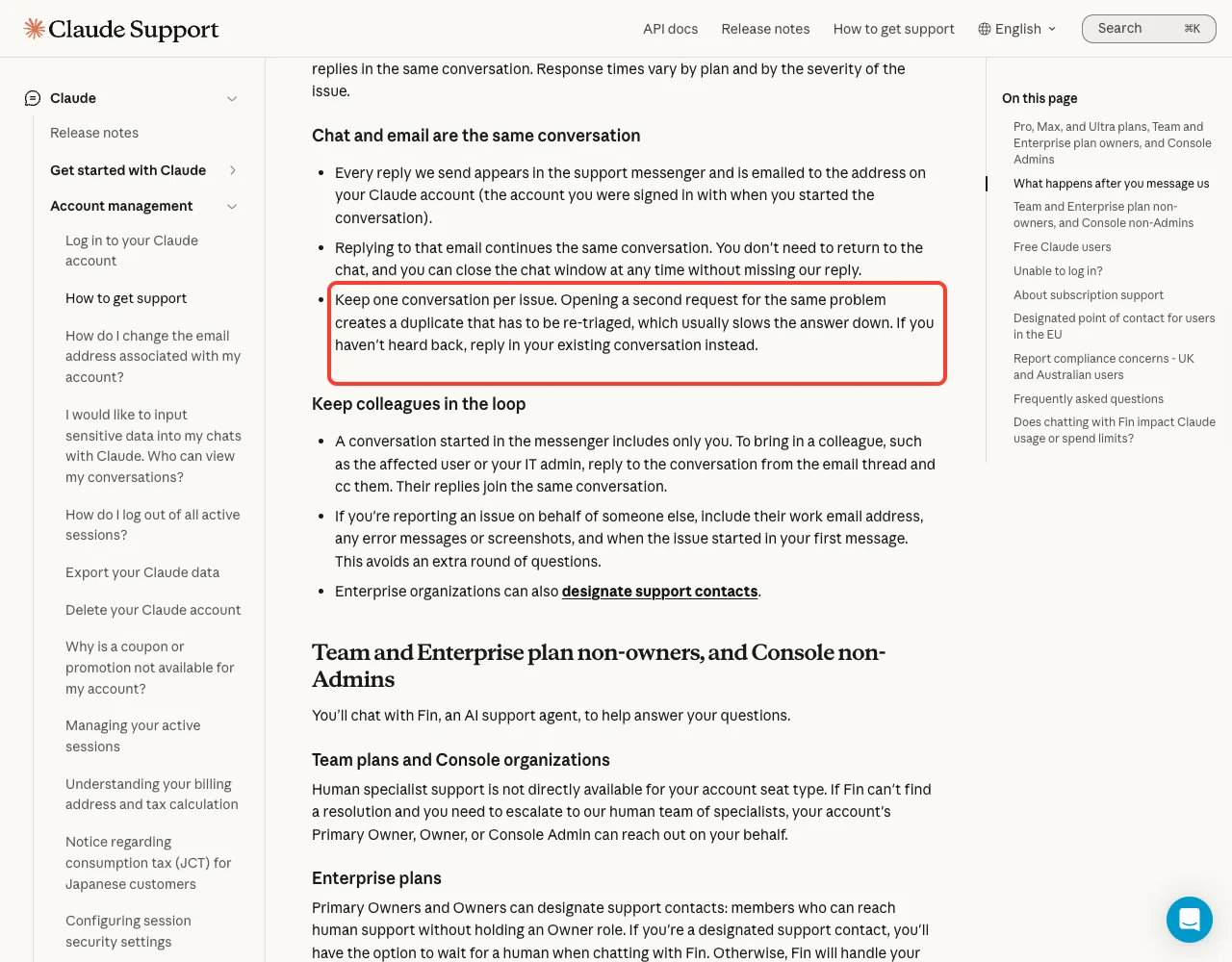
On a Team or Enterprise plan, the same guide says members who are not owners usually cannot reach human support directly. Ask your organization’s owner or admin to follow up. They are also the right people to ask if the portal wants organization details you do not have.
Is It a Ban? How It Differs From “Account Is on Hold”
This is the worry behind most searches for this message. The honest answer is that the message itself does not say your account is banned, and it points you to a next step, not to an appeal. Anthropic documents a different message for a suspended account.
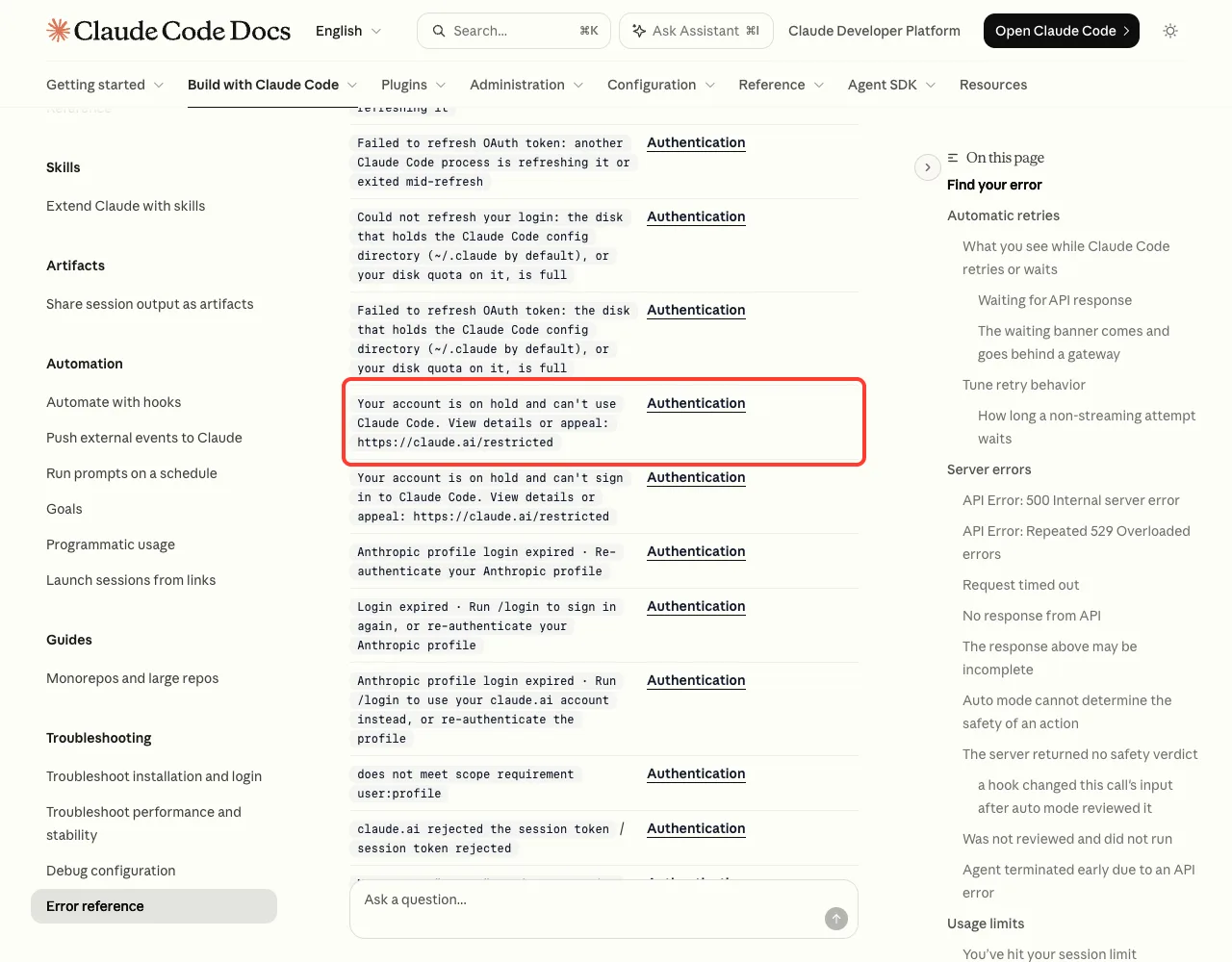
Your account is on hold and can't use Claude Code. View details or appeal: https://claude.ai/restricted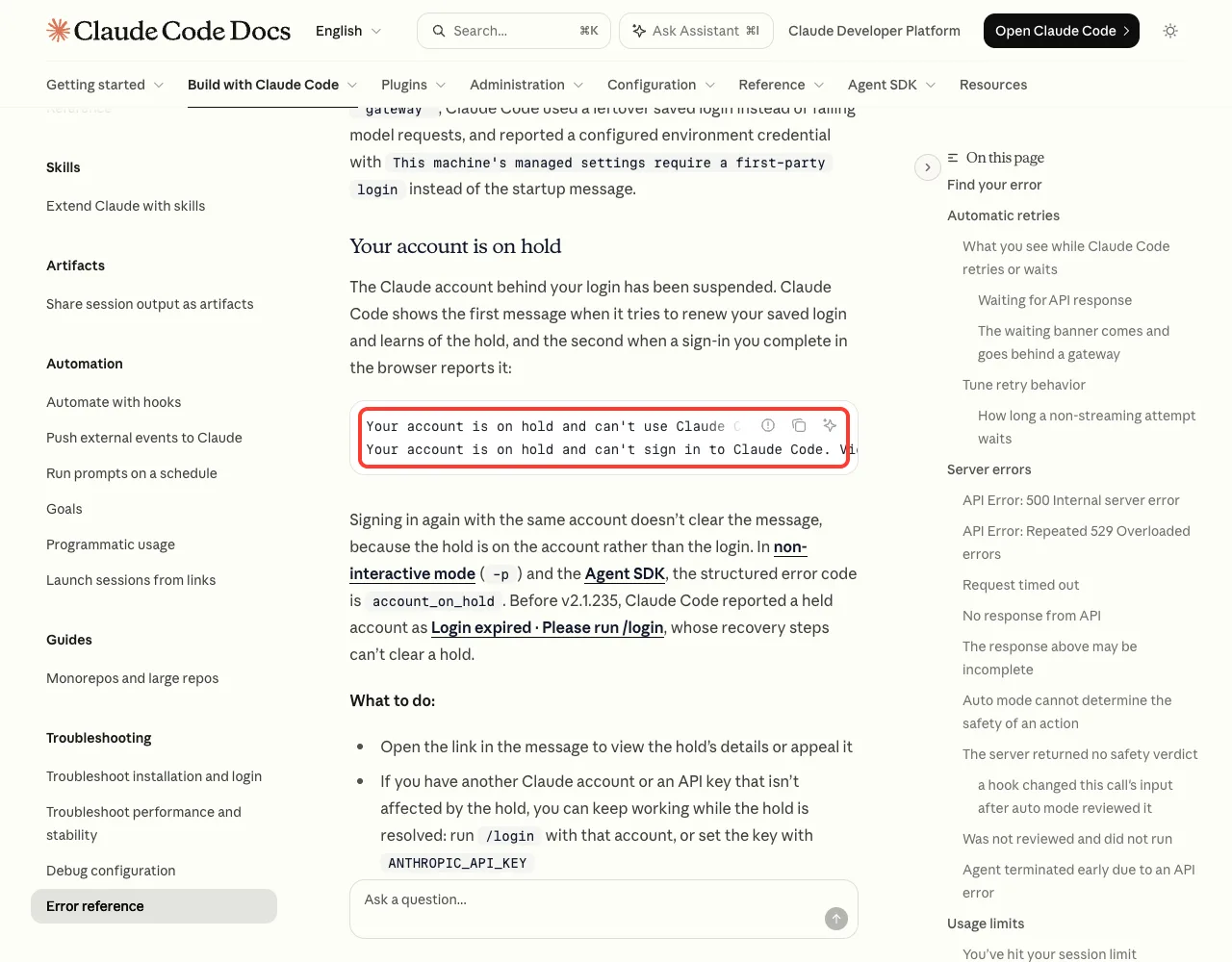
claude.ai/restricted, not to the Verification Portal.The error reference says that message means the account behind your login has been suspended, and that signing in again does not clear it because the hold is on the account. If that is the text you see, the appeals article explains how to request a review while logged in.
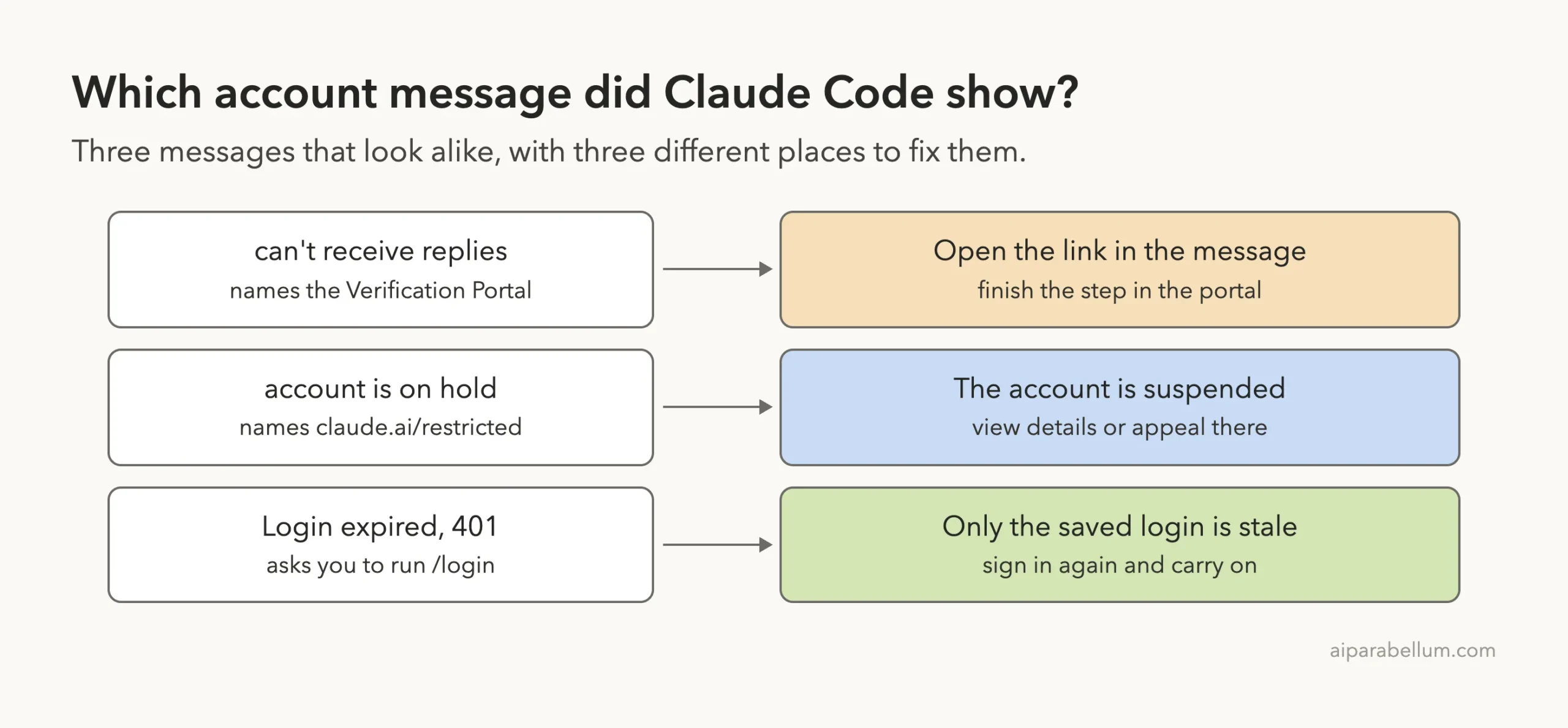
| Message | What it points to | Where to fix it |
|---|---|---|
Your account can't receive replies from Claude right now | A step in the Verification Portal | The link in the message |
Your account is on hold and can't use Claude Code | A suspended account (official reference) | claude.ai/restricted |
Login expired or a 401 error | A saved login that needs renewing | /login, see our 401/403 guide |
| Usage limit messages | Your plan’s limit was reached | Wait for the reset, see our usage limit guide |
For other messages, our roundup of common errors is a good place to match what you see. If Claude Code keeps asking you to sign in, that is a separate problem covered in our login loop guide.
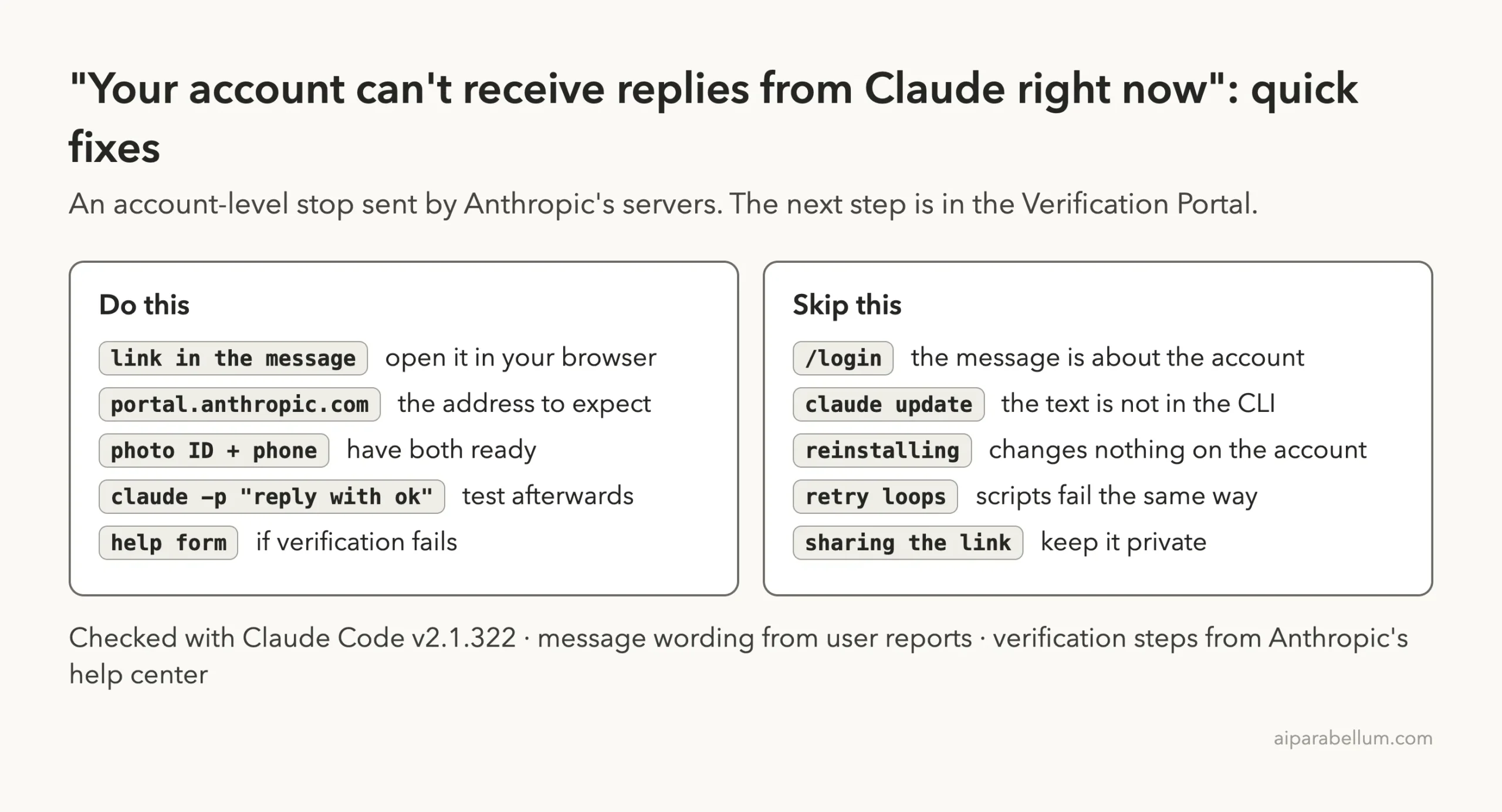
What Does Not Fix It
- Running
/loginagain with the same account. The sign-in is not what the message complains about. - Running
claude updateor reinstalling. The sentence is not in the program, as our check showed. - Deleting settings or the
.claudefolder. You would lose your setup and keep the message. - Waiting for an outage to end. This is not a service incident; our status check guide shows what a real outage looks like.
- Switching models with
/model. Nothing in the message ties it to one model.
One more thing to avoid: creating a new account to get around the message. If the first account needs verification, a second one does not settle that, and Anthropic’s usage terms apply to both.
If It Happens in Scripts and Automation
The public reports we read mostly came from people running Claude Code unattended. In those reports, each run printed the message and exited with code 1. Tools that did not recognize the text retried the same account again and again, or dropped the work.
If you run headless mode in scripts, two small habits help. Check the exit code after every run, and stop the job when the output contains “can’t receive replies” instead of retrying. A retry cannot succeed until a person completes the portal step.
out=$(claude -p "summarize CHANGELOG.md" 2>&1)
if echo "$out" | grep -q "can't receive replies"; then
  echo "Account needs verification. Stopping." >&2
  exit 1
fi
That snippet is our suggestion, built on the reported wording; it is not from Anthropic’s docs. Keep the personal portal link out of shared logs and chat channels. Our guide to headless auth covers which credential a script uses, which tells you whose account needs the step.
Try It Yourself
You can repeat both of our checks on your own machine. The first shows whether a message comes from the Claude Code program or from the service. The second is the health check to run after verification.
claude --version
BIN=$(readlink -f $(which claude))
grep -ac "account is on hold" $BIN
grep -ac "receive replies from Claude" $BIN
claude -p "reply with ok" --model haiku; echo "exit code: $?"
On v2.1.322 we got 6 for the first search and 0 for the second. Your counts may differ on other versions. If a future version shows a number above 0 for the second search, Claude Code has started handling this message itself, and the error reference will likely explain it.
Common Mistakes
- Treating it as a login error and signing out. You add a second problem and keep the first.
- Opening a look-alike link from an email or a forum post. Use only the link in your own terminal, on
portal.anthropic.com. - Uploading a scan or a phone photo of your ID. The help center says copies and screenshots are not accepted.
- Verifying with a different account than the one Claude Code uses. Check which account is signed in first; our plans guide shows how.
- Opening several support requests. Duplicates slow the answer down.
Pro Tips
- Do the camera steps in good light and hold the ID flat. Blurry photos are the first failure cause the help center names.
- Save the exact message text and the time it first appeared. Support will ask for both.
- If you worry about privacy, read the data section of the identity verification article first. It says your ID and selfie are held by Persona, are not used to train models, and are not shared for marketing.
- For general setup problems, the official troubleshooting page and
claude doctorare the right tools. Our doctor guide explains the report. - New to the tool? Our Claude overview explains how accounts and plans fit together.
Cheat Sheet
Frequently Asked Questions
What does “Your account can’t receive replies from Claude right now” mean?
It means Anthropic has paused model replies for your account until a step in its Verification Portal is completed. The message ends with a personal link to that step. It is an account matter, not a problem with your Claude Code install.
Is my account banned?
The message does not say that. A suspended account gets a different, documented message that says the account is on hold and links to claude.ai/restricted. This one sends you to a verification step instead.
What is the Anthropic Verification Portal?
It is Anthropic’s site for verification, at portal.anthropic.com. Official help pages link to it for identity and business verification and for programs that need it. Only open it through the link in your own message or from an official Anthropic page.
Will logging in again or reinstalling fix it?
Unlikely. We searched Claude Code v2.1.322 and the sentence is not in the program, so it is sent by the service about your account. A fresh login or a reinstall does not change the account’s state.
What if my country or ID is not accepted?
The help center says original government photo IDs from most countries are acceptable. If the flow will not take yours, or you run out of attempts, use the identity verification help form and describe exactly where it stopped.
Conclusion
When Claude Code says your account can’t receive replies from Claude right now, the fix is in the browser, not the terminal. Open the link at the end of the message, confirm it is on portal.anthropic.com, complete the step with a physical photo ID and a phone, then run one short prompt to confirm replies are back. Our check of v2.1.322 found the text is not part of Claude Code, so updates, reinstalls, and fresh logins miss the point. Anthropic has not yet documented this exact message, so the portal and the official help form are the sources to trust if something goes wrong.